Online or onsite, instructor-led live Microsoft .NET training courses provide hands-on practice to demonstrate the fundamentals and applications of Microsoft .NET for government.
Microsoft .NET training is available as "online live training" or "onsite live training." Online live training (also known as "remote live training") is conducted through an interactive remote desktop. Onsite live training can be conducted locally at customer premises in Alabama or in Govtra corporate training centers in Alabama.
Govtra — Your Local Training Provider for government
Birmingham, AL – Regus at Shipt Tower (Downtown)
420 20th St S, Suite 2200, Birmingham, United States, 35203
The venue is located in downtown Birmingham within the prominent Shipt Tower at 420 North 20th Street, easily reached by car via I‑59, I‑20, or I‑65, with nearby public parking garages. From Birmingham–Shuttlesworth International Airport (BHM), a taxi or rideshare typically takes 10–15 minutes via I‑20 West and US‑31 North. Public transit users can take MAX bus routes stopping on 20th Street or near 4th Avenue North, placing the centre within a few minutes’ walk—offering good access for attendees without cars.
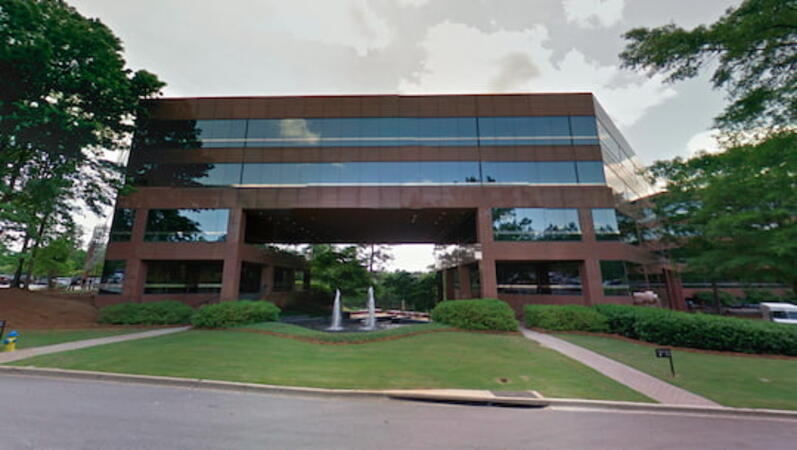
Birmingham, AL – Regus at Chase Corporate Center
1 Chase Corporate Drive, Suite 400, Birmingham, United States, 35244
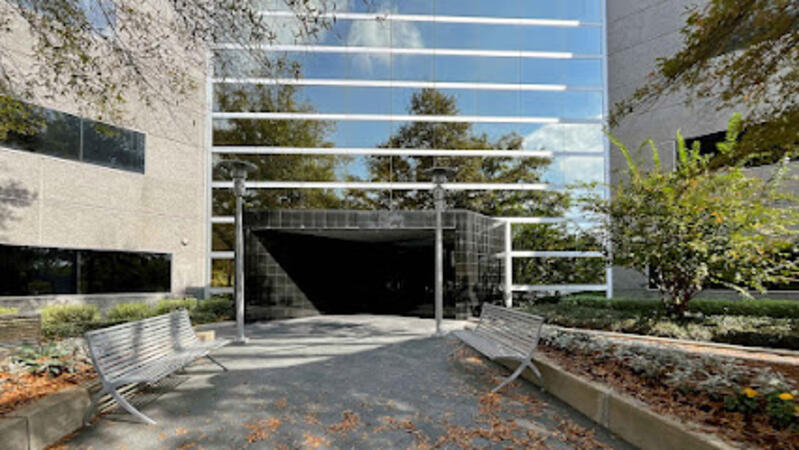
The venue sits in the Chase Corporate Center just off Highway 31 near I‑459 and Highway 280, within a serene, landscaped corporate campus. Visitors arriving by car benefit from plentiful free parking on-site and adjoining garages. From Birmingham–Shuttlesworth International Airport (BHM), taxis or rideshares take around 15–20 minutes via I‑459 North and Highway 280. Public transit riders can use MAX bus routes stopping close to the corporate park, though most attendees prefer driving or rideshare. The tranquil campus setting offers easy access to nearby gyms, retail, and restaurants for break or post-session gatherings.
Birmingham, AL - Regus at One Perimeter Park
1 Perimeter Park South, Birmingham, United States, 35243
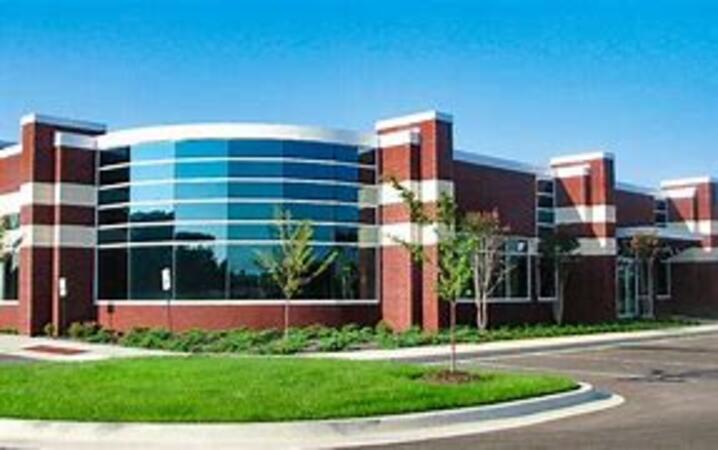
The venue is located in the Perimeter Park business complex off I‑459 near Highway 280, offering easy access by car with ample on-site parking. Visitors arriving by air from Birmingham‑Shuttlesworth International Airport (BHM), about 15 miles away, can expect a traditional taxi or rideshare ride of approximately 20–25 minutes via I‑459 South and Highway 280. Public transit options include nearby Jefferson County Transit buses that run along Valleydale Road, with stops within a few blocks of Perimeter Park, making it reasonably accessible without a car.
Huntsville, AL – Regus at Cummings Research Park
7027 Old Madison Pike NW, Suite 108, Huntsville, United States, 35806
The venue is located in Cummings Research Park, a premier business and technology hub with easy access by car via I‑565 or U.S. Highway 72, and plenty of on-site parking available. From Huntsville International Airport (HSV), approximately 10 miles southeast, taxis or rideshares take around 15–20 minutes heading northwest on U.S. 72. Those relying on public transit can take Rocket City Transit route 22, which stops near the park entrance, offering a convenient option for attendees without a car.
Montgomery, AL - Regus at RSA Dexter Avenue
445 Dexter Avenue, Suite 4050, Montgomery, United States, 36104
The venue is located in the heart of downtown Montgomery on Dexter Avenue, easily accessible by car via I‑65 and US‑80; nearby surface and garage parking are available in the RSA building complex. From Montgomery Regional Airport (MGM), about 9 miles southeast of downtown, a taxi or rideshare typically takes 15–20 minutes via I‑65 North and I‑85 North. Public transit is available via the Montgomery Transit System (MTS) with bus routes running along Court Street and Commerce Street, both within a few blocks’ walk of the venue.
This instructor-led, live training in [location] (online or onsite) is aimed at data scientists and developers who wish to use ML.NET machine learning models to automatically generate projections from executed data analysis for government and enterprise applications.
By the end of this training, participants will be able to:
- Install ML.NET and integrate it into their application development environment.
- Understand the machine learning principles behind ML.NET tools and algorithms.
- Build and train machine learning models to perform predictions with provided data effectively.
- Evaluate the performance of a machine learning model using ML.NET metrics.
- Optimize the accuracy of existing machine learning models based on the ML.NET framework.
- Apply the machine learning concepts of ML.NET to other data science applications for government and enterprise use.
This instructor-led, live training (online or onsite) is aimed at web developers who wish to learn how to use Progressive Web Application (PWA) development features to create an app-like experience in a website using Entity Framework (EF) Core and Blazor.
By the end of this training, participants will be able to:
- Utilize the EF package for database operations.
- Implement Blazor components, services, dependency injection, layout, and routing.
- Develop service workers to enable PWA features in an application.
- Leverage push notifications and other PWA functionalities for government projects.
.NET 8 is Microsoft’s latest long-term support (LTS) release, designed for building modern, high-performance, cross-platform applications using C#.
This instructor-led, live training (available online or onsite) is aimed at beginner to intermediate-level developers with limited or intermediate experience in .NET who wish to develop real-world applications using the .NET 8 platform and C#.
By the end of this training, participants will be able to:
Understand the architecture, SDK, and project types of .NET 8.
Create console and web applications using C# and ASP.NET Core 8.
Manage data access with Entity Framework Core and utilize dependency injection.
Apply basic testing, configuration, and deployment best practices for government projects.
Format of the Course
Interactive lectures and discussions.
Hands-on coding exercises and practical activities.
Live implementation of sample projects using Visual Studio or VS Code.
Course Customization Options
To request a customized training for government, including features from .NET 9, please contact us to arrange.
This instructor-led, live training in [location] (online or onsite) is aimed at intermediate-level software developers and automation engineers who wish to build applications that communicate with Programmable Logic Controllers (PLCs) and interact with SQL databases using Visual Studio.
By the end of this training, participants will be able to:
- Develop .NET applications in Visual Studio for industrial automation.
- Communicate with PLCs using industrial protocols such as OPC UA.
- Implement database interactions with SQL Server for storing and retrieving PLC data.
- Optimize application performance for real-time industrial environments, ensuring alignment with standards and practices for government use.
This instructor-led, live training (online or onsite) is aimed at web developers who wish to use Blazor Web Assembly to build a web application for government.
By the end of this training, participants will be able to:
- Understand forms and authentication in Blazor WebAssembly.
- Create a Blazor WebAssembly project.
- Learn various methods to run their web application.
This instructor-led, live training (online or onsite) is designed for intermediate-level programmers who wish to develop applications in ASP.NET using C#.Net, transitioning from Visual Basic to create robust web interfaces and integrate PLC functionality for medical device projects.
By the end of this training, participants will be able to:
- Master foundational and intermediate concepts of C#.Net.
- Successfully transition from Visual Basic to C#.
- Develop skills for creating applications using ASP.NET tailored to medical device interfaces.
- Enhance their understanding of linking PLC functionality with web-based interfaces, ensuring compliance and efficiency in government projects.
Unity, Blender, and Visual Studio together provide a robust toolkit for creating and programming industrial virtual environments. Unity enables interactive simulation and visualization, Blender offers advanced 3D modeling capabilities, and Visual Studio serves as the programming backbone for integrating control systems and industrial logic.
This instructor-led, live training (online or onsite) is designed for government professionals at beginner to intermediate levels who wish to design, model, and program industrial environments for simulation, training, and integration purposes.
By the end of this training, participants will be able to:
- Design and model industrial equipment and scenarios using Blender.
- Import and optimize 3D models in Unity for visualization.
- Program system logic and integration workflows in Visual Studio.
- Create interactive industrial virtual environments with control system connections.
**Format of the Course**
- Interactive lecture and discussion.
- Hands-on 3D modeling and environment development.
- Programming and integration exercises with live demonstrations.
**Course Customization Options**
- To request a customized training for government purposes, please contact us to arrange.
This instructor-led, live training (online or onsite) is designed for government developers at the beginner to intermediate level who wish to develop applications using Visual Studio.
By the end of this training, participants will be able to:
- Utilize Visual Studio 2022 features effectively.
- Run and manage unit tests.
- Debug applications and collaborate with code in remote repositories.
In this instructor-led, live training in [location], participants will learn how to install, configure, and administer RabbitMQ, and then integrate RabbitMQ messaging into various sample .NET applications.
By the end of this training, participants will be able to:
- Set up, configure, and manage RabbitMQ.
- Understand the role of RabbitMQ in designing and implementing a microservices architecture for government.
- Compare RabbitMQ with other Message Queuing Architectures.
- Configure and use RabbitMQ as a broker for handling asynchronous and synchronous messages in real-world enterprise .NET applications.
This instructor-led, live training is designed for government employees and contractors interested in learning C# for the purpose of automation testing. This streamlined, intensive course includes numerous hands-on exercises aimed at quickly equipping participants with the essential programming skills needed to apply C# in software automation testing. The focus is on mastering the C# fundamentals that can be directly and immediately applied to test automation.
This course does not delve deeply into test automation frameworks such as Selenium. If you are already proficient in C# and wish to proceed directly into testing with Selenium, please refer to our course: Selenium WebDriver in C#: Introduction to Web Testing Automation for Government.
MVC Web applications provide a clear separation of concerns between business-logic classes, web pages, and the controller. Microsoft ASP.NET MVC 4 offers web developers all the benefits of the MVC pattern in conjunction with the robust capabilities of the .NET platform. This course provides comprehensive coverage of ASP.NET MVC 4, including Test Driven Development (TDD) and jQuery.
After completing this course, participants will be able to:
Understand the role of the Model-View-Controller (MVC) design pattern
Create robust and scalable applications for government
Apply Test Driven Development methods
Implement navigation between pages
Develop rich user interfaces with jQuery and Ajax
Audience
This course is designed for ASP.NET developers who are interested in utilizing the MVC architecture for government projects.
This C# course will enable participants to develop applications in the C# programming language. Participants will be able to program using the principles of object orientation. The course will also cover how to use the Visual Studio development environment to produce robust and maintainable applications, aligning with best practices for government.
Audience
This course is intended for the following types of software developers:
New developers
Developers who understand computer programming but may have learned programming by using a non-graphical language in an academic setting
These developers are looking to build solutions using C# within the Microsoft .NET Framework. They also aim to employ object-oriented techniques to enhance their development skills, ensuring they meet the standards required for government workflows and governance.
This instructor-led, live training session introduces advanced features of C# and examines its use as both a desktop application programming language and a web programming language for addressing real-world challenges. Programming techniques and principles are illustrated and practiced through in-class, hands-on exercises and guided walkthroughs, ensuring that participants gain practical skills applicable to their roles for government.
This instructor-led, live training in Alabama (online or onsite) is aimed at developers who wish to use .NET Core to create, build, test, debug, and deploy optimized applications that can run on different systems for government.
By the end of this training, participants will be able to:
Set up the development environment based on .NET Core to start developing applications tailored for government use.
Utilize the ASP.NET Core framework and libraries to build new applications or optimize existing ones for government operations.
Monitor and enhance the performance of applications using advanced .NET Core tools, ensuring they meet the stringent requirements of public sector workflows.
Understand the principles behind .NET Core features and apply this knowledge to other business implementations within the government context.
In this instructor-led, live training in Alabama, we provide an overview of the architecture, components, and processes behind application virtualization. Participants will be guided step-by-step through the deployment of App-V and App-V applications in a live lab environment designed for government use. By the end of the course, participants will have gained the knowledge and hands-on practice necessary to install, configure, administer, and troubleshoot App-V, as well as create, package, and deploy their own App-V applications tailored for government workflows.
Participants will be introduced to the .NET framework and will learn to develop web applications using C# 4.0. Upon completion of this course, participants should be familiar with the framework, experienced in developing basic web applications, and proficient in database access using LINQ. Applications will be created using Object-Oriented programming techniques.
After completing this course, participants will be able to:
Use Visual Studio 2010 effectively for government
Master C# 4.0
Create commercial ASP.NET Web Applications
Understand Object-Oriented Programming, Classes, and Objects
Debug applications efficiently
Develop user interfaces using Master Pages, Site Navigation, and Themes
Utilize ADO.NET and LINQ to read from and write to databases
Develop rich internet applications using ASP.NET AJAX
In recent years, there has been a growing trend towards Model-View-Controller (MVC) architectures for web applications. MVC web applications provide a clear separation of concerns between business logic, user interfaces, and application control. Microsoft ASP.NET MVC 4.5 offers web developers the advantages of MVC in conjunction with the robust capabilities of the .NET platform. This course provides comprehensive coverage of ASP.NET MVC 4.5, tailored to meet the needs of government agencies.
Upon completion of this course, participants will be able to:
Understand the roles of the Model, View, and Controller design pattern
Create robust and scalable applications for government use
Apply test-driven development methodologies
Implement navigation between pages effectively
Develop rich user interfaces using jQuery and Ajax
Audience
This course is designed for ASP.NET developers who are interested in leveraging the MVC architecture for government projects.
.NET Core is an open-source framework designed for creating .NET applications on Windows, macOS, and Linux platforms.
This instructor-led, live training program is designed to provide participants with a comprehensive understanding of the fundamentals of .NET Core. Participants will engage in the development of a sample application that highlights the unique features of ..NET Core compared to other frameworks.
By the end of this training, participants will be able to:
Set up .NET Core along with the necessary tooling and IDEs to begin development immediately.
Utilize .NET Core to build a variety of software types, including web applications, console applications, microservices, and libraries.
Gain an understanding of .NET Core's components, such as class libraries, packages, metapackages, and frameworks.
Build, debug, and deploy a sample web application.
Audience
Developers
Format of the Course
The course combines lectures, discussions, practical exercises, and extensive hands-on practice in a live-lab environment.
Note
This training is based on .NET Core 2.x and is available for both Windows and Linux environments.
To request a customized training program for government or other specific needs, please contact us to arrange.
For more information about .NET Core, visit: https://github.com/dotnet/core
Participants will learn how to write code using C#, create .NET Core Web applications, process web API requests, model SQL Server databases, and access them using Entity Framework Core.
This instructor-led, live training, available both online and onsite, is designed for users who wish to develop their skills in .NET Programming for government.
By the end of this training, participants will be able to:
Design and implement .NET web APIs
Write object-oriented logic using C#
Build SQL Server databases and access them using the Entity Framework (EF)
In this instructor-led, live training in [location], participants will learn how to use Entity Framework Core 2.0 to develop an ASP.NET Core application for government use.
By the end of this training, participants will be able to:
Set up the required framework and tools for creating Entity Framework Core 2.0 MVC web applications.
Execute database operations on MS SQL Server.
Apply both "code first" and "data first" approaches in application development.
Conduct migration and seeding operations.
Grasp advanced data modeling concepts.
Build a sample ASP.NET Core application for government purposes.
This training program instructs participants in the essential skills for administering IIS 8 and applications on the .NET platform for government. The course combines lectures with practical, hands-on exercises, ensuring that attendees can immediately apply their newfound knowledge to address real-world challenges.
This instructor-led, live training (online or onsite) is designed for government web developers who wish to utilize Blazor to create full-stack C# web applications. By the end of this training, participants will be able to:
- Develop web applications using C# and Blazor.
- Integrate C# code with JavaScript APIs and libraries.
- Execute client-side C# code and client logic directly in a browser or server.
- Deploy Blazor web applications on Azure for government use.
When developers complete writing a piece of code, they often integrate it into an application, copy the application into a folder, run the application installer, and initialize the application to verify its functionality. This manual approach is inefficient, tedious, error-prone, and lacks mechanisms for tracking changes during the process.
A more effective solution is to automate this workflow using Continuous Integration (CI). CI encompasses the processes, tools, and infrastructure necessary to automate the building, deployment, and testing of software applications, thereby enhancing efficiency and reducing errors.
This instructor-led, live training (either onsite or remote) aims to transform traditional, manual (or semi-manual) approaches to software deployment into agile, CI practices using Jenkins. Participants will engage in a series of hands-on, live-lab exercises throughout the course, applying their new knowledge to various software development and deployment challenges. Active interaction between the instructor and participants is encouraged, with real-world cases discussed and specific issues addressed and resolved during the training. The focus is particularly on .Net application development.
By the end of this training, participants will be able to:
- Install and configure Jenkins for .Net application development.
- Use Jenkins to automate the process of checking in and merging .Net source code into a code repository.
- Use Jenkins to automate the downloading, compiling, and deployment of an application to a release server.
- Integrate Jenkins with other software development tools such as issue trackers.
**Audience**
- .Net developers
- Build engineers
- QA engineers
- Project managers
- Release managers
- DevOps engineers
**Format of the Course**
- Part lecture, part discussion, exercises, and extensive hands-on practice
**Note**
To request a customized training for government or other organizations, please contact us to arrange.
Microservice architecture is a method for developing software applications as a collection of small, self-contained services. Each service operates independently in its own process and communicates through lightweight mechanisms, such as an HTTP resource API. These services can be efficiently deployed using continuous automation systems and eliminate the need for centralized management. Microservices can be developed using various programming languages and can integrate with different data storage systems.
This instructor-led, live training is designed for government developers and architects. It provides a comprehensive introduction to microservice architecture from a .NET perspective, covers strategies for migrating from monolithic systems, and guides participants through the creation and deployment of a sample microservice-based application for government use.
By the end of this training, participants will be able to:
Determine when to employ and when to avoid microservice architecture
Develop and execute a testing strategy for microservices
Deploy a sample microservice-based application into a production environment
Refactor a monolithic application into modular services
Audience
Government Developers
Architects
Format of the Course
Part lecture, part discussion, exercises, and extensive hands-on practice
ASP.NET MVC 6 is a significant addition to Visual Studio 2015, representing the latest advancement in Microsoft’s web development framework. This course provides an in-depth look at the new APIs and development techniques essential for creating dynamic, modular, and testable websites. We will delve into the innovative features of MVC 6 and demonstrate how to maximize the capabilities of the latest tools and integration options.
### What You Will Learn
- Understand the principles and benefits of MVC architecture.
- Create views, view components, and tag helpers.
- Utilize ASP.NET dependency injection.
- Develop RESTful services using Web API.
- Optimize the use of GruntJS, NPM, and Bower integration.
- Build Single Page Applications (SPAs).
This course is designed to equip developers with the skills necessary for government projects, ensuring they can leverage the latest technologies to enhance efficiency and effectiveness in web development.
The course is designed for individuals seeking to learn the C# programming language and understand the fundamental capabilities of the .NET platform. Throughout the training, participants will gain knowledge on the structure of C#, learn how to configure their environment for writing basic programs, and utilize standard libraries. This training aligns with the technical skills needed for government projects, ensuring that participants are well-prepared to apply these skills in public sector workflows.
To gain a foundational understanding of PowerShell through command line interactions and scripting
To explore the core technologies that underpin PowerShell usage
To master the automation of routine tasks using PowerShell
To examine the application of PowerShell in various Windows environments, including Windows Servers such as SQL, Exchange, and System Center, to enhance operational efficiency for government agencies
This comprehensive training equips participants with the essential knowledge and skills needed to utilize Windows PowerShell for automating the administration of Windows-based systems. The competencies gained in this course are applicable across all Microsoft products that rely on Windows PowerShell for daily administrative tasks.
The training primarily emphasizes using Windows PowerShell as an interactive command-line interface, while also incorporating elements of scripting and programming to enhance participants' capabilities. This approach ensures that learners are well-prepared to manage and optimize IT operations efficiently, particularly in the context of government workflows and governance.
In this instructor-led, live training for government participants in Alabama, attendees will learn how to develop an asynchronous application using .NET Reactive Extensions.
By the end of this training, participants will be able to:
- Create applications that capture event streams from various data sources such as stock quotes, tweets, computer events, and web services.
- Utilize Observables and Schedulers to represent and manage multiple asynchronous data streams effectively.
- Apply LINQ operators to filter, project, aggregate, compose, and perform time-based operations on multiple events.
In this instructor-led, live training in Alabama (onsite or remote), participants will learn how to create an automation workflow, manipulate data within the workflow, debug issues, and set up the necessary end-to-end infrastructure needed to deploy a full-fledged robotic workflow for government.
By the end of this training, participants will be able to:
Design, deploy, and manage a robotic workforce that mimics real employees in public sector environments.
Apply this RPA solution to various business areas within government operations, including finance, BPO, software, and insurance.
In this instructor-led, live training in [location] (onsite or remote), participants will learn how to create an automation workflow, manipulate data within the workflow, debug issues, and set up the necessary end-to-end infrastructure needed to deploy a full-fledged robotic workflow for government.
By the end of this training, participants will be able to:
- Design, deploy, and manage a robotic workforce that mimics real employees.
- Apply this RPA solution to various business areas, including finance, BPO, software, and insurance.
This instructor-led, live training (available online or on-site) is designed for government developers at the beginner to intermediate level who wish to use VSTO to create customized solutions for Microsoft Office applications.
By the end of this training, participants will be able to:
- Develop add-ins and document-level customizations for Office applications.
- Access and manipulate the Office object model and its associated events.
- Design custom ribbons, task panes, and dialogs for Office applications.
- Incorporate Windows Forms controls and .NET components into Office documents.
- Integrate Office applications with web services and databases.
- Deploy and secure Office solutions for government use.
Learning to utilize Microsoft Visual Studio as an integrated development environment (IDE) with VB.NET (Visual Basic .NET), a multi-paradigm, object-oriented programming language, is essential for government professionals working within the 4.7.2 .NET Framework. This skill enhances efficiency and effectiveness in developing robust applications that align with public sector workflows, governance, and accountability requirements.
Read more...
Last Updated:
Testimonials (7)
Very interactive trainer with immense willingness to teach. The trainer was very knowledgeable and taught us even beyond the scope of the training
JULIAN OKELLO WANICAN - Uganda National Examinations Board
Course - Advanced Blazor
chance to do hands-on and patience of trainer
sheena - Te Manawa Taki Trauma System
Course - Visual Studio 2022 IDE
I really appreciated the way each chapter was exemplified. Tibor did an excellent job of showing us potential pitfalls in each exercise if we overlook small details. This approach was incredibly helpful and insightful
Ana-Maria - DB Global Technology
Course - PowerShell Master Class
Resources available for use were plentiful.
Kehinde - Computerbits
Course - Programming in C#
Shane is very experienced, knowledgeable, and willing to help and explain when people have questions. I liked most that Shane creates an atmosphere in which asking questions is safe and encouraged, which is extremely important to learning in my opinion.
Online Microsoft .NET training in Alabama, Microsoft .NET training courses in Alabama, Weekend Microsoft .NET courses in Alabama, Evening Microsoft .NET training in Alabama, Microsoft .NET instructor-led in Alabama, Microsoft .NET boot camp in Alabama, Microsoft .NET instructor-led in Alabama, Microsoft .NET one on one training in Alabama, Microsoft .NET trainer in Alabama, Microsoft .NET on-site in Alabama, Online Microsoft .NET training in Alabama, Weekend Microsoft .NET training in Alabama, Microsoft .NET private courses in Alabama, Microsoft .NET classes in Alabama, Microsoft .NET instructor in Alabama, Evening Microsoft .NET courses in Alabama, Microsoft .NET coaching in Alabama