Online or onsite, instructor-led live CAD (Computer-Aided Design) training courses demonstrate through hands-on practice how to utilize CAD in design.
CAD training is available as "online live training" or "onsite live training." Online live training (also known as "remote live training") is conducted via an interactive, remote desktop. Onsite live training can be conducted locally at customer premises in Virginia or in Govtra corporate training centers in Virginia.
Govtra -- Your Local Training Provider for government and public sector organizations.
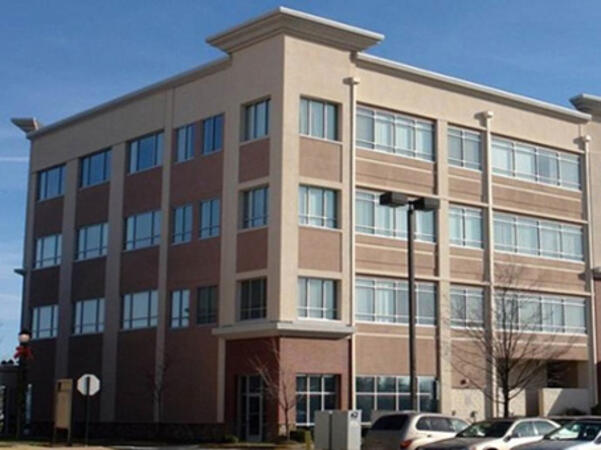
VA, Stafford - Quantico Corporate
800 Corporate Drive, Suite 301, Stafford, united states, 22554
The venue is located between interstate 95 and the Jefferson Davis Highway, in the vicinity of the Courtyard by Mariott Stafford Quantico and the UMUC Quantico Cororate Center.
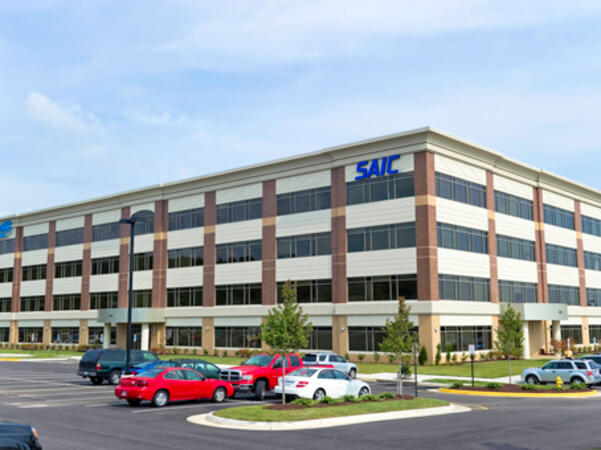
VA, Fredericksburg - Central Park Corporate Center
1320 Central Park Blvd., Suite 200, Fredericksburg, united states, 22401
The venue is located behind a complex of commercial buildings with the Bank of America just on the corner before the turn leading to the office.
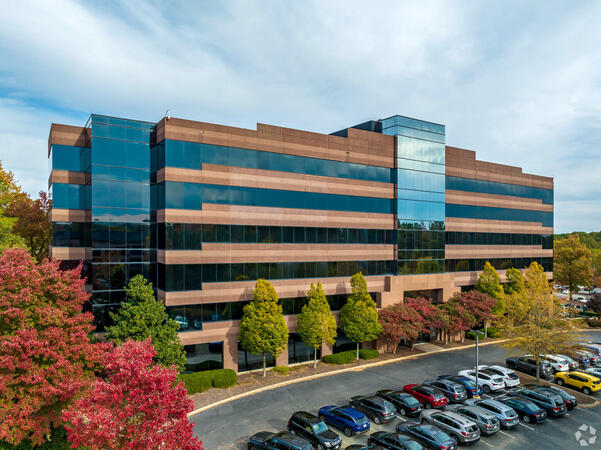
VA, Richmond - Two Paragon Place
Two Paragon Place, 6802 Paragon Place Suite 410, Richmond, United States, 23230
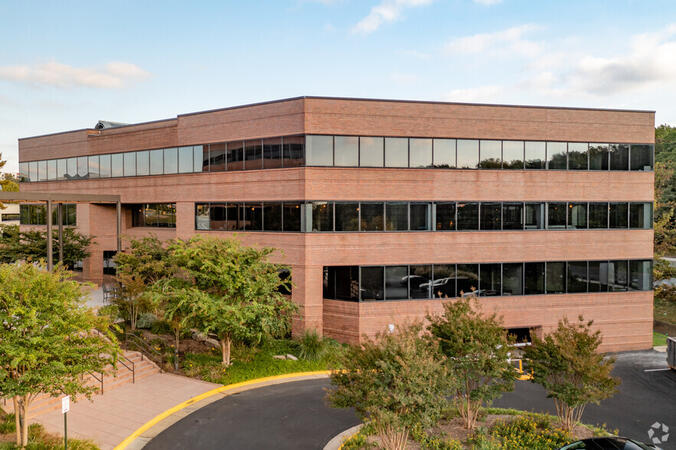
The venue is located in bustling Richmond with Hampton Inn, Embassy Suites and Westin Hotel less than a mile away.
VA, Reston - Sunrise Valley
12020 Sunrise Valley Dr #100, Reston, United States, 20191

The venue is located just behind the NCRA and Reston Plaza Cafe building and just next door to the United Healthcare building.
VA, Reston - Reston Town Center I
11921 Freedom Dr #550, Reston, united states, 20190

The venue is located in the Reston Town Center, near Chico's and the Artinsights Gallery of Film and Contemporary Art.
VA, Richmond - Sun Trust Center Downtown
919 E Main St, Richmond , united states, 23219

The venue is located in the Sun Trust Center on the crossing of E Main Street and S to N 10th Street just opposite of 7 Eleven.
Richmond, VA – Regus at Two Paragon Place
6802 Paragon Place, Suite 410, Richmond, United States, 23230

The venue is located within the Two Paragon Place business campus off I‑295 and near Parham Road in North Richmond, offering convenient access by car with free on-site parking. Visitors arriving from Richmond International Airport (RIC), approximately 16 miles northwest, can expect a taxi or rideshare ride of around 20–25 minutes via I‑64 West and I‑295 North. Public transit is available via GRTC buses, with routes stopping along Parham Road and Quioccasin Road, just a short walk to the campus.
Virginia Beach, VA – Regus at Windwood Center
780 Lynnhaven Parkway, Suite 400, Virginia Beach, United States, 23452
The venue is situated within the Windwood Center along Lynnhaven Parkway, featuring modern concrete-and-glass architecture and ample on-site parking. Easily accessible by car via Interstate 264 and the Virginia Beach Expressway, the facility offers a hassle-free commute. From Norfolk International Airport (ORF), located about 12 miles northwest, a taxi or rideshare typically takes 20–25 minutes via VA‑168 South and Edenvale Road. For those using public transit, the HRT bus system includes stops at Lynnhaven Parkway and surrounding streets, providing convenient access by bus.
ArchiCAD is a professional Building Information Modeling (BIM) software developed by Graphisoft, widely utilized for architectural design, documentation, and collaboration.
This instructor-led, live training (online or onsite) is designed for intermediate to advanced architecture and BIM professionals who wish to master complex modeling techniques, automate workflows, and enhance collaboration using ArchiCAD’s advanced features for government projects.
By the end of this training, participants will be able to:
Utilize ArchiCAD’s advanced modeling and documentation tools efficiently.
Customize templates, attributes, and standards for large-scale public sector projects.
Leverage teamwork, BIMcloud, and IFC workflows for multi-user collaboration in government settings.
Integrate automation, visualization, and performance optimization tools within ArchiCAD to support government initiatives.
Format of the Course
Interactive lecture and discussion.
Extensive exercises and practice sessions.
Hands-on implementation in a live-lab environment.
Course Customization Options
To request a customized training for government, please contact us to arrange.
AutoCAD Plant 3D is a specialized CAD application designed for the creation and management of process plant facilities. This tool offers comprehensive features for piping, equipment, and structural modeling, as well as the production of isometric and orthographic deliverables.
This instructor-led, live training (available online or onsite) is tailored for intermediate to advanced-level CAD professionals who seek to develop customized libraries and templates, integrate mechanical and structural elements, and implement advanced interference checking and conflict resolution workflows for government projects.
By the end of this training, participants will be able to:
Create and maintain customized templates for parts, equipment, and repetitive tasks.
Modify and extend component libraries to align with project standards and workflows.
Generate isometric and orthogonal drawings and optimize templates for efficiency.
Conduct advanced interference checking and document conflicts and resolutions effectively.
Format of the Course
Interactive lecture and demonstration sessions.
Hands-on exercises in a lab environment using real project files.
Practical workshops focused on template creation, library editing, and clash management.
Course Customization Options
To request a customized training for this course, please contact Govtra to arrange.
This instructor-led, live training in Virginia (online or onsite) is designed for intermediate-level architects who wish to utilize ArchiCAD for architectural design, building information modeling (BIM), and advanced construction documentation for government projects.
By the end of this training, participants will be able to:
Create, modify, and manage both 2D and 3D views within their projects.
Understand and manipulate objects, components, and libraries in ArchiCAD to align with public sector workflows.
Generate detailed building sections, elevations, and component details for government use.
Analyze and optimize building energy performance using ArchiCAD’s energy analysis tools to meet governmental sustainability standards.
Develop photorealistic renderings and animations for presentations to stakeholders in the public sector.
Automate building processes and run performance simulations to enhance efficiency and accountability in government projects.
This instructor-led, live training in Virginia (online or onsite) is aimed at intermediate-level to advanced-level SolidWorks users who wish to enhance their modeling skills, master advanced features, and improve design efficiency and accuracy for government applications.
By the end of this training, participants will be able to:
Create complex parts, assemblies, and configurations with greater efficiency.
Utilize advanced modeling tools such as sweeps, lofts, and surfaces.
Implement design tables, equations, and parametric controls.
Conduct simulations and motion studies to validate designs.
This instructor-led, live training in Virginia (online or onsite) is aimed at beginner-level electrical engineers and designers who wish to use AutoCAD Electrical to create professional electrical drawings and documentation for government projects.
By the end of this training, participants will be able to:
Understand the fundamentals of electrical design and drafting using AutoCAD Electrical.
Learn to develop and manage electrical schematics, panel layouts, and wiring diagrams.
Leverage AutoCAD Electrical's advanced tools and features to improve productivity.
Implement best practices for electrical design and documentation in alignment with public sector workflows and governance requirements.
This instructor-led, live training in Virginia (online or onsite) is aimed at beginner-level users who wish to explore the core functionalities of SolidWorks PDM and its applicability for government design file management requirements.
By the end of this training, participants will be able to:
Understand the key features and benefits of SolidWorks PDM for government use.
Navigate the SolidWorks PDM interface and workflows effectively.
Perform basic end-user tasks such as file check-in/check-out, versioning, and searching within a government context.
Explore administrative functionalities, including vault configuration, user permissions, and workflow customization for government operations.
Assess the potential implementation of SolidWorks PDM across multiple government sites to enhance data management and collaboration.
This instructor-led, live training in Virginia (online or onsite) is aimed at intermediate-level mechanical engineers and CAD designers who wish to utilize SolidWorks for the design and implementation of industrial automation systems for government.
By the end of this training, participants will be able to:
Install and configure SolidWorks to support automation design for government applications.
Design, simulate, and analyze industrial automation components and systems in alignment with public sector workflows.
Export designs for real-world implementation in industrial settings, ensuring compliance with governmental standards and regulations.
This instructor-led, live training in Virginia (online or onsite) is aimed at advanced-level AutoCAD Plant 3D users who wish to utilize AutoCAD Plant 3D effectively for complex plant design projects for government.
By the end of this training, participants will be able to:
Apply AutoCAD Plant 3D to intricate and detailed plant design projects for government.
Comprehend the advanced features of AutoCAD Plant 3D, including custom component creation, sophisticated data management, and complex routing.
Manage large-scale projects and collaborate efficiently with teams using various software tools.
Customize the software and automate repetitive tasks to meet specific project requirements for government.
This instructor-led, live training in Virginia (online or onsite) is aimed at beginner to intermediate professionals in plant design and engineering who wish to gain and enhance their skills in using AutoCAD Plant 3D for government applications.
By the end of this training, participants will be able to:
Set up a development environment that includes AutoCAD Plant 3D.
Create detailed 3D plant models and layouts for government projects.
Generate accurate isometric and orthographic drawings for government specifications.
Effectively document and collaborate on plant designs in alignment with public sector workflows.
Debug common issues in AutoCAD Plant 3D to ensure project integrity and compliance.
This instructor-led, live training in Virginia (online or onsite) is aimed at intermediate to advanced mechatronics, mechanical, electrical, and electronics engineers who wish to enhance their SolidWorks knowledge for government applications by mastering advanced part modeling and other sophisticated shaping capabilities of the software.
By the end of this training, participants will be able to:
Utilize multi-body solids, sweeping and lofting features, and other advanced SolidWorks functionalities.
Leverage the assembly modeling capabilities of SolidWorks for government projects.
Master the advanced modeling features of SolidWorks for enhanced design and engineering tasks.
This instructor-led, live training in Virginia (online or onsite) is designed for beginner-level graphic designers and artists who wish to learn the fundamentals of 3ds Max and how to create 3D models, animations, and renderings for various purposes.
By the end of this training, participants will be able to:
Set up a development environment that includes 3ds Max software, a computer meeting the system requirements, and Visual Studio Code, optimized for government use.
Create a basic 3ds Max project and navigate the user interface and tools.
Utilize 3ds Max tools and modifiers to design and modify 3D objects, including primitives, shapes, meshes, and splines.
Apply materials and maps in 3ds Max to add colors, textures, and effects to 3D objects.
Configure 3ds Max lights and cameras to set up scenes with appropriate lighting and perspective.
Leverage 3ds Max animation tools and controllers to animate 3D objects, create keyframes, curves, and trajectories.
Use 3ds Max rendering tools and settings to produce final images or videos from the scene.
This instructor-led, live training in Virginia (online or onsite) is aimed at beginner to intermediate web designers who wish to learn how to use CATIA V5 for collaborative product creation and product data management for government.
By the end of this training, participants will be able to:
Understand the CATIA V5 interface and navigation.
Create 2D sketches and transform them into 3D models.
Develop assemblies to combine multiple components.
This instructor-led, live training in Virginia (online or onsite) is aimed at intermediate to advanced mechatronics, mechanical, electrical, and electronics engineers who wish to enhance their SolidWorks knowledge for government applications by mastering advanced part modeling and other sophisticated features and shaping capabilities of SolidWorks.
By the end of this training, participants will be able to:
Utilize multi-body solids, sweeping and lofting features, and other advanced SolidWorks functionalities.
Leverage the assembly modeling capabilities of SolidWorks for government projects.
Master the advanced modeling features of SolidWorks for enhanced design and engineering tasks.
This instructor-led, live training in Virginia (online or onsite) is aimed at advanced-level web designers who wish to learn how to manage complex drawings using AutoCAD for government projects.
By the end of this training, participants will be able to:
Understand the challenges associated with large-scale drawings and implement strategies for efficient file organization in a public sector context.
Apply techniques to enhance drawing performance and manage regenerations effectively, ensuring compliance with government standards and workflows.
This instructor-led, live training in Virginia (online or onsite) is aimed at beginner-level to intermediate-level web designers who wish to learn how to use CATIA V5 for collaborative product creation and data management for government.
By the end of this training, participants will be able to:
Understand the CATIA V5 interface and navigation.
Create 2D sketches and convert them into 3D models.
Develop assemblies to integrate multiple components.
SketchUp Pro is a 3D modeling software utilized in architectural, interior design, and product visualization that enables users to create, modify, and present detailed spatial models efficiently.
This instructor-led, live training (online or onsite) is designed for intermediate-level interior designers and design professionals who wish to master SketchUp Pro for iPad to create, visualize, and refine interior design concepts such as rooms, furniture, and layout compositions.
Upon completion of this training, participants will be able to:
Set up and navigate SketchUp Pro on iPad efficiently.
Create and modify interior models including walls, furniture, and spatial layouts.
Apply textures, materials, and lighting for realistic visualizations.
Export and share models for presentation and collaboration.
Format of the Course
Interactive lecture and guided demonstrations.
Hands-on exercises and modeling practice on iPad.
Live project work with feedback and Q&A sessions.
Course Customization Options for Government
To request a customized training for this course, please contact us to arrange.
This instructor-led, live training in Virginia (online or onsite) is aimed at designers, mechanical engineers, and other professionals who wish to learn how to create 3D models suitable for construction or 3D printing.
By the end of this training, participants will be able to:
Develop printable 3D models that meet precise specifications.
Utilize geometric transformations to construct intricate 3D shapes.
Model in a non-interactive manner using concise lines of code, enhancing efficiency and accuracy for government projects.
This instructor-led, live training in Virginia (online or onsite) is aimed at mechatronics, mechanical, electrical, and electronics engineers who wish to use SolidWorks to sketch and produce detailed drawings of their ideas and concepts for government applications.
By the end of this training, participants will be able to:
Comprehend the foundational principles of SolidWorks.
Design and create parts, assemblies, and 3D models using SolidWorks.
This course is tailored to provide a comprehensive understanding of the Systems Modeling Language (SysML), its implementation using MagicDraw/Cameo software, foundational Model-Based Systems Engineering (MBSE) simulation methods, and best practices in MBSE for government applications. The curriculum is designed to align with public sector workflows, governance, and accountability standards.
This instructor-led, live training in Virginia (online or onsite) is aimed at web designers who wish to create precise 2D models using AutoCAD for government projects.
By the end of this training, participants will be able to:
Create and update AutoCAD drawings, plans, and layouts that align with public sector standards.
Manage various style dimensions for advanced styling in accordance with governmental guidelines.
Master the Cartesian coordinate system to ensure accurate and dynamic input for government applications.
This instructor-led, live training in Virginia (online or onsite) is aimed at web designers who wish to create 3D and/or 2D models with Autodesk Revit for government projects.
By the end of this training, participants will be able to:
Incorporate datum elements, such as levels and grids, for advanced modeling in public sector workflows.
Generate models that are ready for analysis and design, ensuring compliance with governmental standards.
Import CAD files and link Revit files to enhance collaboration and data integrity for government projects.
This instructor-led, live training in Virginia (online or onsite) is aimed at web designers who wish to use CATIA to develop and design 2D and 3D models for government applications.
By the end of this training, participants will be able to:
Support multiple stages of product development for government, including design, manufacturing, and engineering.
Facilitate the design of various systems, such as fluid systems, for government projects.
Apply CATIA to a wide variety of industries and industrial equipment relevant to government operations.
Cortona3D is publication software designed for generating web-based 3D/2D documentation from existing CAD and BOM data.
In this instructor-led, live training, participants will learn how to set up and operate the various Cortona3D components as they create enhanced technical documentation for a sample project.
By the end of this training, participants will be able to use Cortona3D to publish various types of 3D-animated materials, including catalogs, documentation, and training resources, which are essential for government operations.
Audience
Engineers
Designers
Technical publication professionals
Format of the Course
Part lecture, part discussion, exercises, and extensive hands-on practice
FreeCAD is an open-source, customizable, multi-platform, scriptable, and extensible parametric 3D modeler designed for creating real-life objects.
In this instructor-led, live training, participants will learn how to model an object for subsequent construction or 3D printing.
By the end of this training, participants will be able to:
Utilize FreeCAD’s tools and workflows to replace commercial CAD or BIM modeling software
Export models in various formats such as STEP, IGES, STL, SVG, DXF, OBJ, IFC, DAE, etc.
Extend FreeCAD's functionality using Python scripting
Automate FreeCAD processes, develop modules, and integrate FreeCAD into existing applications
Audience
Designers
Developers
Mechanical Engineers
Format of the Course
A combination of lectures, discussions, exercises, and extensive hands-on practice to ensure a comprehensive learning experience for government professionals.
The "Inventor - Level I" course aims to introduce participants to the basics of Autodesk Inventor CAD software. The program covers fundamental principles, such as template overview, project creation rules, and familiarity with the program interface. Participants will gain knowledge about sketching tools, solid and surface modeling, assembly creation, sheet metal design, welded structures, and technical documentation. This course is suitable for individuals who want to acquire basic skills in using Autodesk Inventor for computer-aided design.
This course is designed to provide a comprehensive understanding of the Systems Modeling Language (SysML) and its practical application using the MagicDraw/Cameo software. It covers essential Model-Based Systems Engineering (MBSE) simulation techniques and best practices, tailored specifically for government professionals. Participants will learn how to create templates and generate reports within the MagicDraw/Cameo tool suite, as well as gain insights into the functionality of macros and scripts in MagicDraw and their various applications. This training is aimed at enhancing the skills necessary for effective systems engineering in a public sector environment.
This course is designed to teach the fundamentals of the Systems Modeling Language (SysML) and its application through the MagicDraw/Cameo software, along with basic Model-Based Systems Engineering (MBSE) simulation techniques and best practices in MBSE for government. The training covers core concepts and features such as validation rules, validation suites, and model metrics. Additionally, it introduces participants to the essential aspects of developing and utilizing model queries in MagicDraw/Cameo.
Printed Circuit Board (PCB) Circuit Design involves the process of designing, etching, and printing circuits on a signal board layout. EAGLE is a freely available desktop application designed for creating PCBs.
This instructor-led, live training session will guide participants through the use of Eagle software to create PCB circuit boards. The course begins with an examination of existing schematics, followed by the creation of an original circuit in Eagle. The training covers the entire process of designing the circuit board and discusses the manufacturing process (the physical manufacturing of the boards is not included in this course).
By the end of this training, participants will be able to:
Create a Printed Circuit Board (PCB) from any schematic
Develop schematics and design circuit boards using Eagle
Export industry-standard files for the construction of the circuit board
Audience
Engineers
Technicians
Format of the Course
Part lecture, part discussion, with exercises and extensive hands-on practice
Notes
To request a customized training for government, please contact us to arrange.
Printed Circuit Board (PCB) Circuit Design involves the process of designing, etching, and printing circuits on signal board layouts. Altium Designer is a freely available desktop application used for creating PCBs.
In this instructor-led, live training, participants will learn how to use Altium software to design PCB circuit boards. The course begins with an examination of existing schematics, followed by the creation of an original circuit using Altium. The training covers the entire process from design to manufacturing of the circuit board.
By the end of this training, participants will be able to:
Create a Printed Circuit Board (PCB) from any schematic
Develop schematics and design circuit boards using Altium
Print and etch a physical circuit board
Export industry-standard files for large-scale manufacturing
Audience
Engineers
Technicians
Format of the Course
Part lecture, part discussion, with exercises and extensive hands-on practice
Notes
To request a customized training for government, please contact us to arrange.
This instructor-led, live training in Virginia (online or onsite) is aimed at architects who wish to create 3D models for architectural designs using SketchUp for government projects.
By the end of this training, participants will be able to:
Utilize SketchUp to develop 3D models of buildings, landscapes, scenes, furniture, and other elements.
Apply various materials to the interior and exterior surfaces of a 3D structure.
Geolocate modeled structures to incorporate realistic features, such as shadows, for accurate mapping in government applications.
Read more...
Last Updated:
Testimonials (4)
Anil was very understanding and explained the course content in detail. With more time the outcome of the course would be better instead of rushing the content, but over all Anil is very familiar with the software CATIA and is a great trainer,
Jaydon - GRI Towers South Africa
Course - Learning CATIA
Learning all the things that I wasn't understand it.
Anonymous
Course - SolidWorks
LIPS knowledge
Ion Jeman - Orange Moldova
Course - AutoCAD: Beginner to Advanced
Basic steps that are very useful when in schematic/ PCB workspace and presented Advanced features, actual demos to follow
hedda david - Allegro Microsystems Philippines, Inc.
Online Computer-Aided Design (CAD) training in Virginia, Computer-Aided Design training courses in Virginia, Weekend CAD courses in Virginia, Evening Computer-Aided Design training in Virginia, Computer-Aided Design (CAD) instructor-led in Virginia, Computer-Aided Design (CAD) one on one training in Virginia, Weekend Computer-Aided Design (CAD) training in Virginia, CAD (Computer-Aided Design) coaching in Virginia, Evening Computer-Aided Design (CAD) courses in Virginia, CAD (Computer-Aided Design) boot camp in Virginia, Computer-Aided Design instructor in Virginia, Online Computer-Aided Design training in Virginia, CAD instructor-led in Virginia, CAD (Computer-Aided Design) on-site in Virginia, CAD (Computer-Aided Design) trainer in Virginia, CAD private courses in Virginia, Computer-Aided Design classes in Virginia