Online or onsite, instructor-led live Drupal training courses demonstrate through interactive discussion and hands-on practice the fundamentals and applications of Drupal for government.
Drupal training is available as "online live training" or "onsite live training." Online live training (also known as "remote live training") is conducted via an interactive, remote desktop. Onsite live training can be conducted locally on customer premises in Michigan or in Govtra corporate training centers in Michigan.
Govtra -- Your Local Training Provider for government
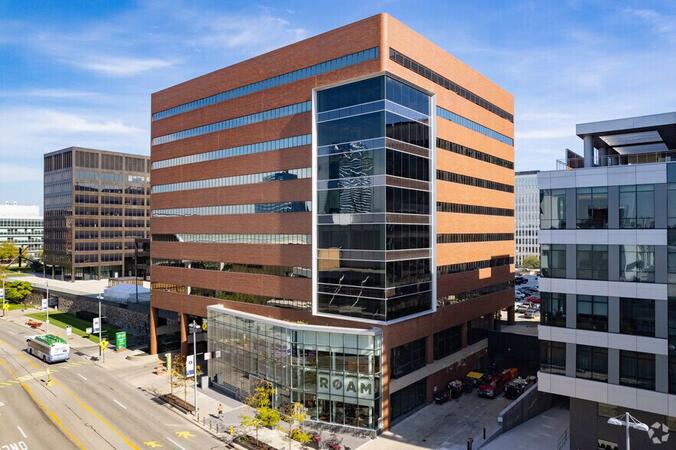
Detroit, MI - Renaissance Center
400 Renaissance Center, Detroit, United States, 48243
The GM Renaissance Center is conveniently located in downtown Detroit and easily accessed by car via Interstates 75 or 94, with secure underground parking available on site. Travelers flying into Detroit Metropolitan Airport (DTW) can expect a 25–30 minute trip by taxi or rideshare via I‑94. Public transit is efficient: the Detroit People Mover stops directly at the Renaissance Center station, and DDOT routes 3 and 9 serve nearby Jefferson Avenue. Pedestrian skywalks provide safe indoor access from downtown hotels, parking garages, and the riverwalk.
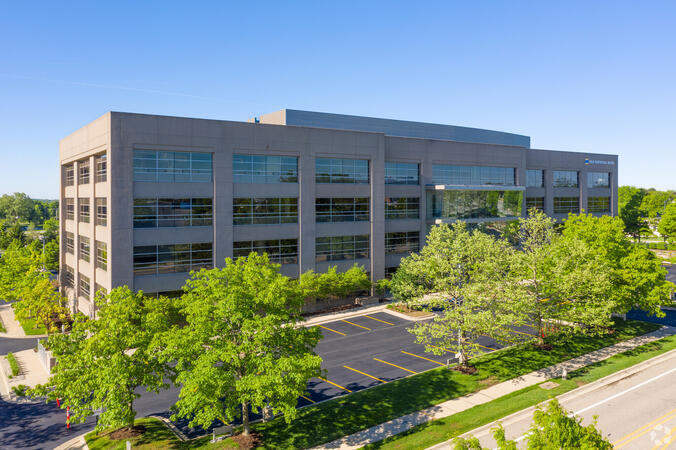
Ann Arbor, MI – Regus - South State Commons I
2723 S State St, Ann Arbor, United States, 48104
Regus South State Commons I is conveniently located off I‑94 via Exit 177 (State Street), with easy access to downtown Ann Arbor and surrounding suburbs. The building offers free on-site surface parking for guests. From Detroit Metropolitan Airport (DTW), the venue can be reached in approximately 20–25 minutes by taxi or rideshare via I‑94 West. Local public transit service (TheRide) operates Route 24 along South State Street, with a stop within a short 2-minute walk of the building.
Grand Rapids, MI - Regus – Calder Plaza
250 Monroe Ave NW, Grand Rapids, United States, 49503
The venue sits centrally at 250 Monroe Avenue NW in downtown Grand Rapids, easily accessed by car via US‑131 or I‑196—with connections via Monroe or Ottawa exits—and offers shared underground and surface parking. From Gerald R. Ford International Airport, take I‑96 East then I‑196 West into the city; the drive is about 20 minutes. Public transit through Rapid bus routes stops near Monroe or Ottawa Avenue, just a short walk from the Regus entrance; the downtown area is pedestrian-friendly.
Lansing, MI - Regus - One Michigan Avenue
120 North Washington Square, Lansing, United States, 48933
The venue is located in the heart of Lansing’s central business district at 120 North Washington Square, easily accessible by car via I‑496 or US‑127 with convenient street parking and a nearby parking ramp. From Capital Region International Airport (LAN), the location is approximately a 12‑minute drive west via I‑96 and US‑127, with taxis and rideshares readily available. Public transit users can take CATA bus routes that stop just a block away on Washington or Grand Avenue, offering seamless access to the venue.
Drupal 10 is a robust open-source content management system used to develop and manage dynamic websites and applications.
This instructor-led, live training (online or onsite) is designed for beginner to intermediate web administrators, content managers, and developers who wish to learn how to build, manage, and customize websites using Drupal 10.
By the end of this training, participants will be able to:
- Understand Drupal’s ecosystem, features, and user interface.
- Construct and configure sites with content types, fields, and navigation.
- Manage content through taxonomies and media tools.
- Set up users, roles, permissions, and content workflows.
- Install and configure modules, themes, and site settings.
- Apply basic theming and optimization best practices.
**Format of the Course**
- Interactive lecture and discussion.
- Extensive exercises and practice sessions.
- Hands-on implementation in a live-lab environment.
**Course Customization Options for Government**
- To request a customized training for this course tailored to specific government needs, please contact us to arrange.
This instructor-led, live training in Michigan (online or onsite) is designed for government website administrators at beginner to intermediate levels who wish to efficiently manage a Backdrop CMS website without requiring extensive coding knowledge.
By the end of this training, participants will be able to:
- Install, configure, and maintain a Backdrop CMS website.
- Manage content, users, and permissions effectively.
- Customize the website layout and appearance.
- Extend website functionality using modules and themes.
- Perform backups and adhere to security best practices for government.
This instructor-led, live training in [location] (online or onsite) is designed for intermediate-level developers who wish to build, extend, and customize websites using Backdrop CMS. The training aims to enhance the skills necessary for effective website development and management, aligning with public sector workflows and governance.
By the end of this training, participants will be able to:
- Install and configure Backdrop CMS.
- Develop and customize themes to meet specific design requirements.
- Build custom modules to extend the functionality of the CMS.
- Integrate third-party APIs and services for enhanced capabilities.
- Manage databases and optimize performance to ensure efficient operations.
This comprehensive training is tailored to support developers in their roles for government, ensuring they have the necessary tools and knowledge to deliver robust and secure web solutions.
This instructor-led, live training in [location] (online or onsite) is aimed at beginner-level web content managers who wish to update content, manage menus, work with taxonomy, and upload PDFs or images in Drupal for government websites.
By the end of this training, participants will be able to:
- Navigate the Drupal interface and understand key features.
- Create and manage menus to enhance site navigation.
- Use taxonomy to categorize and organize content effectively.
- Upload and manage PDFs, images, and other media files.
- Edit and publish basic content pages for government websites.
This instructor-led, live training in Michigan (online or onsite) is designed for government participants at a beginner level who wish to understand the fundamentals of Drupal 11 and learn how to build, manage, and customize websites using its features.
By the end of this training, participants will be able to:
- Install and configure Drupal 11 on local or cloud environments.
- Create and manage content using the Drupal interface.
- Customize the appearance of websites with themes.
- Extend website functionality with modules and plugins.
- Understand user roles, permissions, and site security basics for government use.
- Deploy and maintain Drupal 11 websites effectively.
This instructor-led, live training in Michigan (online or onsite) is designed for system administrators who wish to set up and manage a Drupal 11 website for government use.
By the end of this training, participants will be able to:
- Install and configure Drupal 11.
- Deploy, test, and monitor a Drupal 11 website.
- Set up and manage user accounts.
- Secure a Drupal 11 website.
- Optimize the performance of a Drupal 11 website.
- Perform scheduled backups.
- Deploy multiple versions of a Drupal 11 website (multilingual, mobile, etc.).
This instructor-led, live training (online or onsite) is designed for intermediate-level developers who wish to master Drupal 10, with a focus on custom module creation, development practices, and the integration of DevOps processes using Azure.
By the end of this training, participants will be able to:
- Understand the core functionalities and new features of Drupal 10.
- Develop custom modules that align with specific business requirements.
- Implement best practices in Drupal development for government projects.
- Configure and manage development environments using Azure services.
- Automate deployment and scaling processes using Azure DevOps tools.
This instructor-led, live training in [location] (online or onsite) is designed for system administrators who wish to set up and manage a Drupal 8 website for government use. By the end of this training, participants will be able to:
- Install and configure Drupal 8.
- Deploy, test, and monitor a Drupal 8 website.
- Set up and manage user accounts.
- Secure a Drupal 8 website.
- Optimize the performance of a Drupal 8 website.
- Perform scheduled backups.
- Deploy multiple versions of a Drupal 8 website (multilingual, mobile, etc.).
This course is designed for individuals who are new to Drupal 8. It will guide participants through the essentials of managing a basic community website using Drupal, covering key features and expectations. The training emphasizes practical skills that align with public sector workflows, governance, and accountability, making it particularly useful for government professionals seeking to enhance their web management capabilities.
This course has been developed for government professionals, including developers, architects, and project managers who are interested in working with the Drupal 8 platform. Participants will gain the skills necessary to override existing functionality and to create deployable modules that align with public sector workflows and governance requirements.
This course focuses on Drupal, specifically the Drupal Themes workshop, which equips web developers with the skills to create and modify Drupal themes. Understanding the flexibility of Drupal themes is crucial, but this can only be fully leveraged by grasping how theme engines function. Participants will learn how to interactively alter existing themes and develop new ones from scratch. Additionally, the course covers the fundamentals of the Twig template engine and its integration with Drupal 8, ensuring that web developers are well-prepared for government projects that require robust and adaptable web solutions.
This course has been designed for individuals and organizations interested in developing robust applications using Drupal. It focuses on the non-technical aspects of Drupal, enabling users to build applications without any coding requirements, thereby enhancing efficiency and accessibility for government workflows.
Drupal continues to be the most reliable and secure content management system (CMS), and with the release of Drupal 9, it has become even more powerful for site builders and ambitious developers looking to develop their websites on this platform. This enhanced version is particularly beneficial for government agencies seeking robust digital solutions.
Is the Drupal 9/10 Learning Curve Steep?
The short answer is No. The longer explanation is that Drupal has become increasingly user-friendly with each update, making significant strides since its inception nearly two decades ago. This latest version, Drupal 9, continues this trend by improving ease of use while maintaining its technical prowess.
By the end of this training, participants will be able to:
Install and configure Drupal on both localhost/apache and live servers.
Understand the core concepts and architecture of Drupal, including entities, taxonomies, and views.
Build robust websites using modern site-building techniques in Drupal.
Develop themes for Drupal 9, utilizing starter kits, front-end development (FED), and tools like Gulp for theme initialization.
Implement component-based development approaches in Drupal.
Format of the Course
Interactive lectures and discussions.
Extensive exercises and practice sessions.
Hands-on implementation in a live-lab environment.
Course Customization Options
To request a customized training for government or other specific needs, please contact us to arrange the details.
Drupal is an open-source content management system (CMS) used to build scalable, secure, and flexible websites and digital experiences. With its powerful content modeling, role-based permissions, and theming capabilities, Drupal is widely utilized for enterprise websites, government portals, community platforms, and more.
This instructor-led, live training (online or onsite) is aimed at participants new to Drupal who wish to learn how to administer, manage, and customize Drupal websites effectively for government use.
By the end of this training, participants will be able to:
Install, configure, and navigate a Drupal site.
Manage users, roles, and permissions.
Create and organize content with content types, fields, and taxonomies.
Apply and customize themes using modern front-end tools.
Maintain, secure, and extend Drupal websites with modules and best practices.
Format of the Course
Interactive lecture and discussion.
Hands-on exercises and practice.
Practical implementation in a live-lab environment.
Course Customization Options
To request a customized training for this course, please contact us to arrange.
This course has been developed for government developers, architects, and project managers who are interested in working with the Drupal 11 platform. Participants will gain knowledge on how to customize and extend existing functionalities, as well as how to create and deploy modules effectively.
This course provides guidance on creating responsive and adaptive designs using the most stable version of Drupal and its modules. For government agencies, it emphasizes utilizing Drupal modules to minimize the amount of custom CSS or JavaScript code required, ensuring efficient and effective web development practices.
This course focuses on Drupal, a powerful content management system. The Drupal Themes workshop is designed to equip web developers with the skills needed to create and modify Drupal themes effectively. Understanding the flexibility of Drupal themes requires a solid grasp of how theme engines function. Participants will learn how to interactively adjust existing themes and develop new ones from scratch. Additionally, the course covers the fundamentals of the Twig template engine and its integration with Drupal 11, ensuring that developers are well-versed in these essential tools for government web development projects.
Read more...
Last Updated:
Testimonials (6)
The energy the trainer had, the engagement and the willingness to assist when we got stuck
Refiloe Fifi Mupaya
Course - Introduction to Drupal 11
Lukasz demonstrated great patience and addressed all of my questions with thoroughness.
Sylvia - Intrepid Museum
Course - Master Drupal 9 Site Building / Architecture
Where to find modules and illustration on how to implement
Anthony Modise
Course - Drupal 8 for Developers
How it covered the topic in a highly comprehensive manner.
Kathryn Blanch - Thales Group
Course - Drupal 8 Themes
Topics that were covered were done well and with relevant exercises, and several times Lukasz also referred back to the structure of our own council website to show where certain entities we had talked about in the training were already in use on the site, which I thought was a good way to cement the ideas that had been learned.
Rob O'Driscoll - Limerick City & County Council
Course - Building Web Applications with Drupal 8, Views, Fields and Panels
Ability to try out each part on Rural as I learn about it. Trainer was very knowledgeable and helpful.
Online Drupal training in Michigan, Drupal training courses in Michigan, Weekend Drupal courses in Michigan, Evening Drupal training in Michigan, Drupal instructor-led in Michigan, Drupal coaching in Michigan, Drupal instructor-led in Michigan, Drupal boot camp in Michigan, Weekend Drupal training in Michigan, Evening Drupal courses in Michigan, Drupal instructor in Michigan, Drupal classes in Michigan, Drupal private courses in Michigan, Drupal trainer in Michigan, Drupal one on one training in Michigan, Online Drupal training in Michigan, Drupal on-site in Michigan