Online or onsite, instructor-led live Spatial Analysis (also known as Spatial Statistics, Spatial Analytics, Geospatial Analysis, Geospatial Analytics, Geo-Spatial Analysis, and Geo-Spatial Analytics) training courses demonstrate through interactive discussion and hands-on practice how such analysis employs software capable of rendering maps, processing spatial data, and applying analytical methods to terrestrial or geographic datasets, including the use of geographic information systems and geomatics.
Spatial Analysis training is available as "online live training" or "onsite live training." Online live training (also known as "remote live training") is conducted through an interactive, remote desktop. Onsite live training can be conducted locally on customer premises in Michigan or in Govtra corporate training centers in Michigan.
Govtra — Your Local Training Provider for government
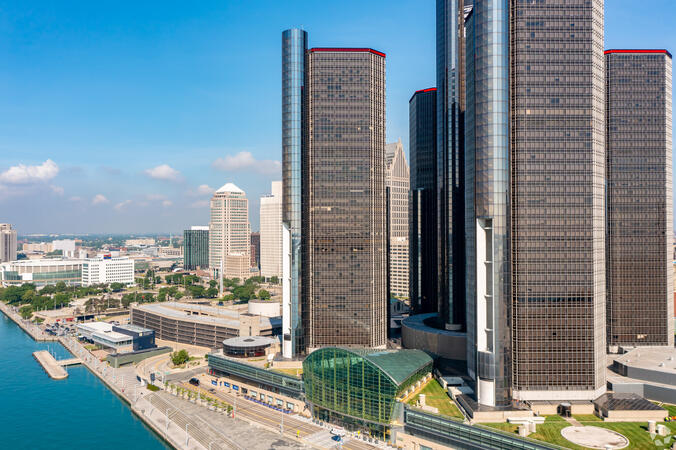
Detroit, MI - Renaissance Center
400 Renaissance Center, Detroit, United States, 48243
The GM Renaissance Center is conveniently located in downtown Detroit and easily accessed by car via Interstates 75 or 94, with secure underground parking available on site. Travelers flying into Detroit Metropolitan Airport (DTW) can expect a 25–30 minute trip by taxi or rideshare via I‑94. Public transit is efficient: the Detroit People Mover stops directly at the Renaissance Center station, and DDOT routes 3 and 9 serve nearby Jefferson Avenue. Pedestrian skywalks provide safe indoor access from downtown hotels, parking garages, and the riverwalk.
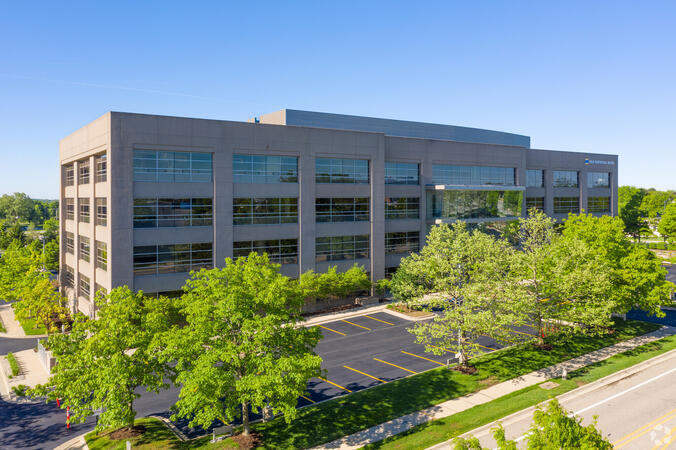
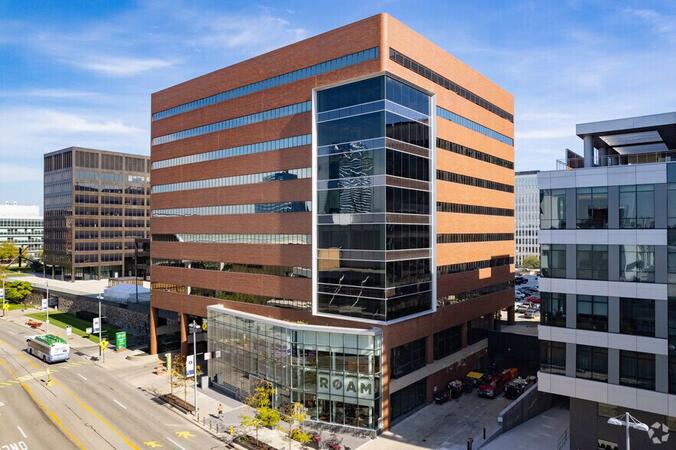
Ann Arbor, MI – Regus - South State Commons I
2723 S State St, Ann Arbor, United States, 48104
Regus South State Commons I is conveniently located off I‑94 via Exit 177 (State Street), with easy access to downtown Ann Arbor and surrounding suburbs. The building offers free on-site surface parking for guests. From Detroit Metropolitan Airport (DTW), the venue can be reached in approximately 20–25 minutes by taxi or rideshare via I‑94 West. Local public transit service (TheRide) operates Route 24 along South State Street, with a stop within a short 2-minute walk of the building.
Grand Rapids, MI - Regus – Calder Plaza
250 Monroe Ave NW, Grand Rapids, United States, 49503
The venue sits centrally at 250 Monroe Avenue NW in downtown Grand Rapids, easily accessed by car via US‑131 or I‑196—with connections via Monroe or Ottawa exits—and offers shared underground and surface parking. From Gerald R. Ford International Airport, take I‑96 East then I‑196 West into the city; the drive is about 20 minutes. Public transit through Rapid bus routes stops near Monroe or Ottawa Avenue, just a short walk from the Regus entrance; the downtown area is pedestrian-friendly.
Lansing, MI - Regus - One Michigan Avenue
120 North Washington Square, Lansing, United States, 48933
The venue is located in the heart of Lansing’s central business district at 120 North Washington Square, easily accessible by car via I‑496 or US‑127 with convenient street parking and a nearby parking ramp. From Capital Region International Airport (LAN), the location is approximately a 12‑minute drive west via I‑96 and US‑127, with taxis and rideshares readily available. Public transit users can take CATA bus routes that stop just a block away on Washington or Grand Avenue, offering seamless access to the venue.
ArcGIS Professional Plus is an advanced version of ArcGIS Pro, designed to provide enhanced capabilities for geospatial data analysis, 3D modeling, automation, and enterprise collaboration.
This instructor-led, live training (available online or on-site) is tailored for intermediate-level GIS professionals who aim to deepen their expertise in spatial data analysis, automation, and sharing using the tools provided by ArcGIS Professional Plus.
By the end of this training, participants will be able to:
- Utilize ArcGIS Pro Plus tools for advanced data visualization and analysis.
- Develop 2D and 3D maps with sophisticated symbology and geoprocessing techniques.
- Automate workflows through the use of ModelBuilder and Python scripting.
- Integrate ArcGIS with external data services and enterprise systems.
**Format of the Course**
- Interactive lectures and discussions.
- Extensive exercises and practice sessions.
- Hands-on implementation in a live-lab environment.
**Course Customization Options for Government**
- To request a customized training program tailored to specific needs, please contact us to arrange.
This instructor-led, live training in [location] (online or onsite) is designed for government GIS professionals and analysts at all levels who wish to effectively use ArcGIS for data visualization, spatial analysis, and geospatial project management.
By the end of this training, participants will be able to:
- Navigate and utilize ArcGIS tools for geospatial data management.
- Create and customize maps with layers and attributes.
- Perform advanced spatial analysis and geoprocessing tasks.
- Automate workflows using ModelBuilder and Python for government applications.
This instructor-led, live training in [location] (online or onsite) is designed for advanced-level GIS professionals who wish to utilize ArcGIS Pro to enhance their spatial analysis capabilities, conduct comprehensive geostatistical analysis, and apply advanced 3D modeling techniques for more effective decision-making and problem-solving in real-world scenarios.
By the end of this training, participants will be able to:
- Develop advanced skills in spatial analysis techniques using ArcGIS Pro.
- Utilize Python scripting for automation and complex data processing tasks.
- Apply spatial modeling to address real-world challenges.
- Conduct geostatistical analysis for advanced data interpretation.
- Integrate external data sources and leverage 3D spatial data analysis, ensuring alignment with the specific needs of public sector workflows for government.
This instructor-led, live training in Michigan (online or onsite) is designed for beginner-level IT support personnel who aim to provide robust support for ArcGIS Enterprise, effectively addressing any anomalies or failures.
By the end of this training, participants will be able to:
- Understand the architecture and components of ArcGIS Enterprise.
- Learn how to install, configure, and manage ArcGIS Enterprise.
- Acquire skills in troubleshooting and resolving common issues.
- Develop proficiency in monitoring and maintaining ArcGIS Enterprise environments.
- Master techniques for backup, recovery, and performance optimization, ensuring reliable service delivery for government operations.
This instructor-led, live training in [location] (online or onsite) is designed for government professionals at the beginner level who wish to learn the fundamental concepts and tools of ArcGIS.
By the end of this training, participants will be able to:
- Understand the basic principles of Geographic Information Systems (GIS) and spatial data.
- Navigate the ArcGIS interface effectively.
- Create and manage spatial datasets.
- Conduct basic spatial analysis.
- Produce maps and visualizations for government use.
This instructor-led, live training (online or onsite) is designed for government earth sciences and engineering professionals at the beginner level who wish to utilize Python for geospatial analysis in both ArcGIS and QGIS environments.
By the end of this training, participants will be able to:
Master Python syntax and control structures to efficiently execute geospatial tasks.
Utilize Pandas, Numpy, and Matplotlib for data analysis and visualization in GIS applications.
Manage and analyze vector data using Geopandas, Arcpy, and PyQGIS libraries.
Automate geospatial processes and workflows through Python scripting in ArcGIS and QGIS.
Create custom Python-based geoprocessing tools for ArcGIS and QGIS to enhance task efficiency.
This instructor-led, live training in Michigan (online or onsite) is aimed at intermediate-level environmental scientists and archaeologists who wish to learn how to use ArcMap in ArcGIS for government for collecting, organizing, managing, and analyzing geographic information.
By the end of this training, participants will be able to:
Understand the fundamentals of ArcMap and ArcGIS for government.
Collect, organize, manage, and analyze geographic information related to social and archaeological elements.
This instructor-led, live training in [location] (online or onsite) is designed for intermediate-level geographers who wish to enhance their expertise in spatial analysis, data management, and GIS applications for government.
By the end of this training, participants will be able to:
- Apply advanced spatial analysis techniques to address complex geographical challenges.
- Manage large spatial databases and conduct thorough data quality control.
- Create dynamic and interactive maps and visualizations for a variety of applications.
- Utilize programming and automation to optimize GIS workflows for government.
Pix4D Matic and Pix4D Survey are advanced photogrammetry and geospatial data tools designed for high-accuracy mapping, terrain modeling, and analysis.
This instructor-led, live training (online or onsite) is aimed at beginner to intermediate geospatial professionals who wish to process, analyze, and extract actionable information from drone data using Pix4D Matic and Pix4D Survey.
By the end of this training, participants will be able to:
Process large-scale photogrammetry projects using Pix4D Matic.
Generate orthophotos, digital terrain models, and contour lines.
Use Pix4D Survey to clean and vectorize point cloud data.
Extract and export relevant geospatial deliverables for geological or civil analysis.
Format of the Course
Interactive lecture and discussion.
Hands-on processing using real-world datasets.
Guided project work and interpretation of outputs.
Course Customization Options for Government
To request a customized training for this course, please contact us to arrange.
A Geographic Information System (GIS) is a system designed to capture, store, manipulate, analyze, manage, and present spatial or geographic data. The term GIS is sometimes used interchangeably with Geographic Information Science (GIScience), which refers to the academic discipline that studies these systems and falls under the broader field of geoinformatics.
The integration of Python into GIS has significantly expanded over the past two decades, particularly following the release of Python 2.0 in 2000. This version introduced numerous programming features that made the language more accessible and easier to deploy. Since then, Python has become a prevalent tool not only within commercial GIS platforms, such as those provided by Esri, but also in open-source environments like QGIS and GRASS. Today, Python is widely recognized as the most commonly used programming language among GIS users and developers.
This program for government focuses on the application of Python and its advanced libraries, including GeoPandas, PySAL, Bokeh, and OSMnx, to implement customized GIS features. The curriculum also includes introductory modules on the ArcGIS API and the QGIS toolbox, providing a comprehensive overview of modern GIS tools and techniques.
This instructor-led, live training (conducted online or onsite) is designed for field ecologists and conservation managers who aim to develop spatial data projects using ArcGIS.
By the end of this training, participants will be able to:
- Generate visualizations from spatial data.
- Perform geostatistical analyses on real-world datasets.
- Execute spatial data analysis, data processing, and mapping with ArcGIS.
- Analyze spatial data for various projects in ArcGIS, ensuring alignment with public sector workflows and governance standards for government.
This instructor-led, live training in Michigan (online or onsite) is aimed at GIS analysts who wish to automate repetitive tasks in GIS processes for government.
By the end of this training, participants will be able to:
- Build GIS applications using Python and ArcGIS tools.
- Develop with the ArcGIS package ArcPy, utilizing Python.
- Apply the ArcGIS modules for map automation by leveraging object classes in Python.
This instructor-led, live training in Michigan (online or onsite) is aimed at developers who wish to enhance their website or web application by adding geo-location functionality through Google Maps for government use.
By the end of this training, participants will be able to:
Embed a map into a new or existing website or web application for government purposes.
Display live data that synchronizes with current location.
Create a mashup that includes Google Maps for enhanced public sector applications.
Apply best practices in CSS and JavaScript coding to ensure robust and secure web solutions for government.
Create a custom map tailored for specific government applications.
This instructor-led, live training (online or onsite) is aimed at field ecologists and conservation managers who wish to post-process Pix4D drone data for government applications.
By the end of this training, participants will be able to:
- Utilize Google Earth to enhance UAV mapping.
- Generate reports using outputs from images.
- Post-process drone data with GIS and CAD software for advanced modeling.
This instructor-led, live training in Michigan (online or onsite) is aimed at field ecologists and conservation managers who wish to conduct land surveys and drone mapping using Pix4D.
By the end of this training, participants will be able to:
Utilize comprehensive drone mapping processes and techniques.
Attain high levels of surveying accuracy.
Grasp the fundamentals of global coordinate systems and GPS.
Generate and analyze survey outputs using Pix4D's image processing software for government applications.
This instructor-led, live online training is designed for advanced learners who wish to develop skills in managing large-scale spatial databases using PostGIS and QGIS.
**Format of the Course**
- Interactive lectures and discussions.
- Extensive exercises and practice sessions.
- Hands-on implementation in a live-lab environment.
**Course Customization Options**
- To request a customized training for government or other specific needs, please contact us to arrange.
A geographic information system (GIS) is designed to capture, store, manipulate, analyze, manage, and present spatial or geographic data. The term GIS is sometimes used interchangeably with geographic information science (GIScience), which refers to the academic discipline that studies these systems and is a significant domain within the broader field of geoinformatics.
QGIS functions as geographic information system (GIS) software, enabling users to analyze and edit spatial information, as well as compose and export graphical maps. QGIS supports both raster and vector layers; vector data can be stored as point, line, or polygon features. The software accommodates multiple formats of raster images and can georeference these images. In summary, QGIS allows users to create, edit, visualize, analyze, and publish geospatial information on Windows, Mac, Linux, and BSD.
This program, in its first phase, introduces the QGIS interface for general usage. In the second phase, it covers PyQGIS—the Python libraries of QGIS that enable the integration of GIS functionalities into Python code or applications. This allows users to develop their own Python plugins around specific GIS functionalities, enhancing capabilities for government and other sectors.
A Geographic Information System (GIS) is designed to capture, store, manipulate, analyze, manage, and present spatial or geographic data. The term GIS is also used to refer to the academic discipline of geographic information science (GIScience), which studies these systems and is a significant domain within the broader field of geoinformatics.
This instructor-led, live training (online) is intended for government employees at a beginner level who wish to gain knowledge on GIS concepts and practical skills for using QGIS.
**Format of the Course**
- Interactive lecture and discussion.
- Extensive exercises and practice sessions.
- Hands-on implementation in a live-lab environment.
**Course Customization Options**
- To request a customized training for government, please contact us to arrange.
This instructor-led, live online training at an intermediate level is designed to teach participants how to work with satellite imagery and perform image classification using QGIS.
**Format of the Course**
- Interactive lecture and discussion.
- Extensive exercises and practice sessions.
- Hands-on implementation in a live-lab environment.
**Course Customization Options for Government**
To request a customized training for this course, please contact us to arrange.
Read more...
Last Updated:
Testimonials (4)
Hands-on examples allowed us to get an actual feel for how the program works. Good explanations and integration of theoretical concepts and how they relate to practical applications.
Ian - Archeoworks Inc.
Course - ArcGIS Fundamentals
All the topics which he covered including examples. And also explained how they are helpful in our daily job.
madduri madduri - Boskalis Singapore Pte Ltd
Course - QGIS for Geographic Information System
I really enjoyed the training. I found all modules to be applicable to problems that I am trying to solve at work. The integration of the training with jupyter notebooks was really impressive.
Mark Firmin - Environment and Climate Change Canada
Course - Python for Geographic Information System (GIS)
The thing I liked the most about the training was the organization and the location
Hamid Tuama - Ability with Innovation General Contracting (DMCC Branch)
Online Spatial Analytics training in Michigan, Geo-Spatial Analytics training courses in Michigan, Weekend Geospatial Analysis courses in Michigan, Evening Geo-Spatial Analysis training in Michigan, Spatial Analysis instructor-led in Michigan, Geo-Spatial Analysis trainer in Michigan, Geospatial Analysis instructor-led in Michigan, Evening Spatial Analytics courses in Michigan, Spatial Analytics one on one training in Michigan, Spatial Statistics coaching in Michigan, Spatial Statistics private courses in Michigan, Weekend Spatial Statistics training in Michigan, Geospatial Analysis on-site in Michigan, Geospatial Analytics instructor in Michigan, Spatial Statistics boot camp in Michigan, Online Geo-Spatial Analytics training in Michigan, Geo-Spatial Analytics classes in Michigan