NobleProg offers comprehensive Tableau training courses tailored to professionals across Michigan. Whether you are in Detroit, Ann Arbor, or Grand Rapids, our expert-led programs provide the skills needed to thrive in today's competitive landscape. Discover how NobleProg can help your organization succeed with targeted Tableau education.
Instructional Tableau training delivered via instructor-led sessions, whether conducted remotely or at a specific facility, utilizes interactive dialogue and practical exercises to illustrate the development of dashboards, worksheets, and visual analytics. This methodology enables participants to derive more precise data insights using Tableau tools.
Tableau instruction is offered in "remote live" or "onsite live" formats. Remote live training is facilitated through an interactive remote desktop environment. Onsite sessions are conducted locally at customer facilities within Michigan or at NobleProg corporate education centers located in Michigan.
NobleProg -- Your Local Training Provider for government
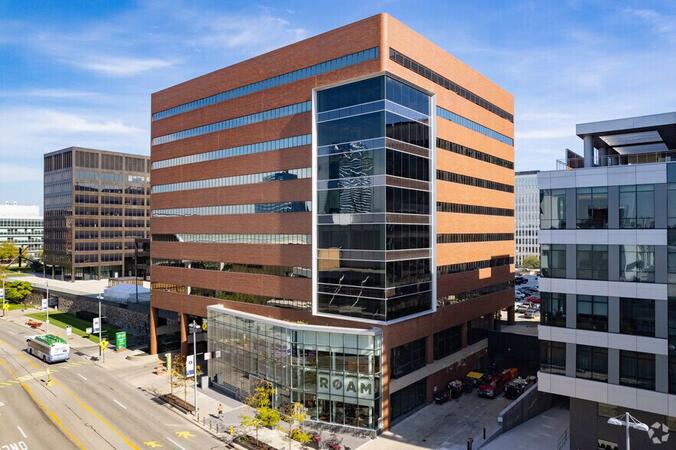
Detroit, MI - Renaissance Center
400 Renaissance Center, Detroit, United States, 48243
The GM Renaissance Center is conveniently located in downtown Detroit and easily accessed by car via Interstates 75 or 94, with secure underground parking available on site. Travelers flying into Detroit Metropolitan Airport (DTW) can expect a 25–30 minute trip by taxi or rideshare via I‑94. Public transit is efficient: the Detroit People Mover stops directly at the Renaissance Center station, and DDOT routes 3 and 9 serve nearby Jefferson Avenue. Pedestrian skywalks provide safe indoor access from downtown hotels, parking garages, and the riverwalk.
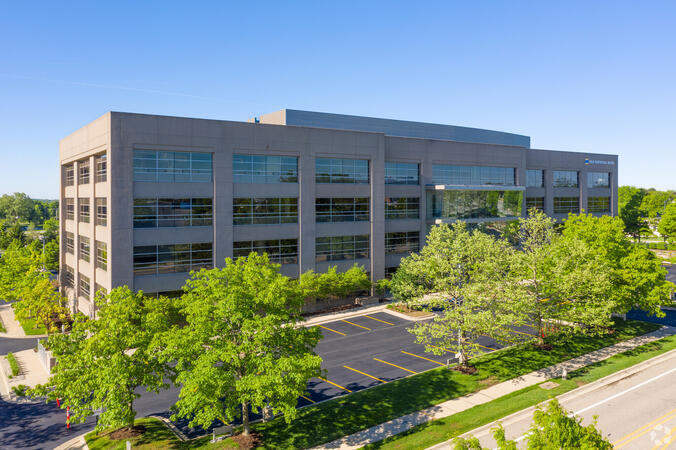
Ann Arbor, MI – Regus - South State Commons I
2723 S State St, Ann Arbor, United States, 48104
Regus South State Commons I is conveniently located off I‑94 via Exit 177 (State Street), with easy access to downtown Ann Arbor and surrounding suburbs. The building offers free on-site surface parking for guests. From Detroit Metropolitan Airport (DTW), the venue can be reached in approximately 20–25 minutes by taxi or rideshare via I‑94 West. Local public transit service (TheRide) operates Route 24 along South State Street, with a stop within a short 2-minute walk of the building.
Grand Rapids, MI - Regus – Calder Plaza
250 Monroe Ave NW, Grand Rapids, United States, 49503
The venue sits centrally at 250 Monroe Avenue NW in downtown Grand Rapids, easily accessed by car via US‑131 or I‑196—with connections via Monroe or Ottawa exits—and offers shared underground and surface parking. From Gerald R. Ford International Airport, take I‑96 East then I‑196 West into the city; the drive is about 20 minutes. Public transit through Rapid bus routes stops near Monroe or Ottawa Avenue, just a short walk from the Regus entrance; the downtown area is pedestrian-friendly.
Lansing, MI - Regus - One Michigan Avenue
120 North Washington Square, Lansing, United States, 48933
The venue is located in the heart of Lansing’s central business district at 120 North Washington Square, easily accessible by car via I‑496 or US‑127 with convenient street parking and a nearby parking ramp. From Capital Region International Airport (LAN), the location is approximately a 12‑minute drive west via I‑96 and US‑127, with taxis and rideshares readily available. Public transit users can take CATA bus routes that stop just a block away on Washington or Grand Avenue, offering seamless access to the venue.
The Tableau Explorer license tier within Tableau Cloud is specifically engineered for users for government purposes who require the ability to interact with dashboards, apply filtering criteria, generate personalized views, and coordinate with colleagues using established data sources.
This live, instructor-led training program, available in both online and onsite formats, is tailored for entry-level to intermediate business users seeking to analyze, filter, and engage with data assets via Tableau Explorer in the Tableau Cloud environment.
Upon completion of this instructional module, participants will possess the capability to:
Proficiently navigate Tableau dashboards and shared workbooks.
Implement filters, execute data drills, and retrieve data exports from dashboards.
Develop saved views and configure custom alerts responsive to data fluctuations.
Engage in team collaboration through comments, subscriptions, and shared visualizations.
Instructional Methodology
Interactive lectures and live demonstrations.
Practical exercises utilizing shared dashboards and published content.
Real-time guided exploration within the Tableau Cloud platform.
Customization of Training Content
To initiate a tailored training arrangement for this course, please contact our office for scheduling.
This instructor-led, live training in Michigan (online or onsite) is aimed at entry-level to mid-level data analysts who wish to acquire practical skills in Tableau Prep Builder and essential mapping features in Tableau to address data preparation and visualization needs for government operations.
Upon completion of this training, participants will be able to:
Establish connections to various data sources, including cloud-based and local files, and manage live and extracted data connections.
Execute data fusion and integration using advanced joining techniques to consolidate multiple datasets from different sources for enhanced analysis.
Develop calculated fields and perform operations to manipulate and analyze data dynamically.
Publish and refresh prepared data to Tableau Server or Tableau Online, enabling automated updates and scheduling.
Construct basic and advanced maps with geospatial data, including filled maps, density maps, and dual-axis maps.
Apply mapping techniques to resolve real-world business problems by creating interactive, detailed geographic visualizations for government use.
This instructor-led, live training in Michigan (available online or onsite) is designed for data analysts with beginner to intermediate proficiency who seek to leverage Tableau Desktop to transform raw data into meaningful insights through graphical representations, such as charts, graphs, maps, and tables, supporting operational transparency and decision-making for government entities.
By the end of this training, participants will be able to:
Connect to multiple data source types, including Excel, CSV, databases, and cloud-based platforms, and understand the distinctions between live and extract connections.
Prepare and cleanse data for analysis, including renaming fields, handling null values, and combining datasets through joins and blends.
Create basic visualizations such as tables, bar charts, line charts, and maps, and apply filters to refine data presentations.
Develop intermediate visualizations including geographic maps and dual-axis charts, and utilize hierarchies, groups, and sets to enhance analytical rigor.
Build calculated fields and parameters to create dynamic and customized visualizations based on user inputs and logic functions.
Design interactive dashboards and stories, incorporating multiple visualizations and filters to tell a cohesive narrative suitable for public sector communication.
Upon completion of this training, participants will be equipped to:
This instructor-led, live training in Michigan (delivered online or onsite) is designed for intermediate-level digital forensic and cybersecurity professionals seeking a comprehensive understanding and practical proficiency in using the Tableau Forensic Imager for digital forensic purposes within the public sector.
Understand the role and importance of digital forensic imaging in investigations for government purposes.
Operate the Tableau Forensic Imager to acquire forensically sound images.
Apply best practices in handling and preserving digital evidence.
Navigate the software interface to configure, execute, and manage imaging tasks.
Analyze and validate forensic images to ensure integrity and admissibility in court.
This instructor-led live training in Michigan (online or onsite) is intended for data scientists and developers aiming to integrate SQL, Python, and Tableau to conduct complex data analysis, processing, and visualization for government use cases.
Upon completion, participants will be equipped to:
Configure the requisite environment for data analysis using SQL, Python, and Tableau.
Comprehend core software integration concepts, including data flow, server-client interactions, APIs, and endpoints.
Reinnowledge the foundational principles of Python and SQL.
Apply data pre-processing methodologies within Python.
Establish connections between Python and SQL to facilitate data analysis.
Generate actionable data visualizations and charts using Tableau.
Upon completion of this training program, participants will be equipped to:
This instructor-led live training in Michigan (delivered online or onsite) is designed for data scientists seeking to program in R for Tableau integration.
Implement Tableau analytics utilizing R.
Return values to Tableau using learning algorithms in R.
Structure and visualize R functions within Tableau.
Drive data-informed decision-making for public sector operations.
This instructor-led, live training course, conducted in Michigan (online or on-site), is targeted at data analysts and data scientists who intend to retrieve, analyze, and visualize data using Tableau for government operations.
Upon completion of this training, participants will be capable of the following:
Establishing connections to data sources.
Modifying and saving data source configurations.
Comprehending Tableau-specific terminology.
Leveraging the Tableau interface and paradigm to generate robust visualizations.
Performing calculations, including arithmetic, custom aggregations, ratios, date mathematics, and table calculations.
Representing data through diverse visualization formats.
Constructing dashboards to facilitate the dissemination of visual insights.
This instructor-led, live training module, conducted in Michigan (either online or on-site), is designed for advanced-level data professionals seeking to utilize Tableau for constructing complex visualizations, optimizing dashboards, and performing rigorous data analysis for government operations.
Upon completion of this training, participants will be proficient in: installing and configuring Tableau for advanced use, creating sophisticated calculations, designing interactive dashboards for government reporting, and optimizing system performance.
This four-day training in Michigan guides introductory users from fundamental Tableau capabilities to advanced data visualization techniques. Participants will learn to connect data, develop calculations, construct dashboards, and publish insights. Includes hands-on laboratories and a final project to enhance analytical skills for government operations.
Read more...
Last Updated:
Testimonials (3)
The joyful atmosphere, the openness of the knowledgeable trainer who offered us a lot of tips and tricks.
Ionut - MOLSONCOORS GLOBAL BUSINESS SERVICES SRL
Course - From Tableau Beginners to Advanced User
The Practice, I created a dashboard is super easy, once time understand the subjects.
Luis Fernando - si
Course - Tableau Fundamentals to Advanced
Great knowledge of the content, good examples, great rapport with the class and very understanding if anyone needed extra help. Willing to stop and go back to explain things again and in a manner in which could be easily understood.
Online Tableau training in Michigan, Tableau training courses in Michigan, Weekend Tableau courses in Michigan, Evening Tableau training in Michigan, Tableau instructor-led in Michigan, Tableau trainer in Michigan, Weekend Tableau training in Michigan, Tableau instructor-led in Michigan, Tableau instructor in Michigan, Tableau private courses in Michigan, Tableau coaching in Michigan, Tableau on-site in Michigan, Tableau one on one training in Michigan, Evening Tableau courses in Michigan, Online Tableau training in Michigan, Tableau boot camp in Michigan, Tableau classes in Michigan