

Online or onsite, instructor-led live VMware training courses demonstrate through interactive hands-on practice how to install, configure, and manage a VMware server for government.
VMware training is available as "online live training" or "onsite live training." Online live training (also known as "remote live training") is conducted via an interactive remote desktop. Onsite live training can be conducted locally on customer premises in Georgia or in Govtra corporate training centers in Georgia.
Govtra -- Your Local Training Provider for government
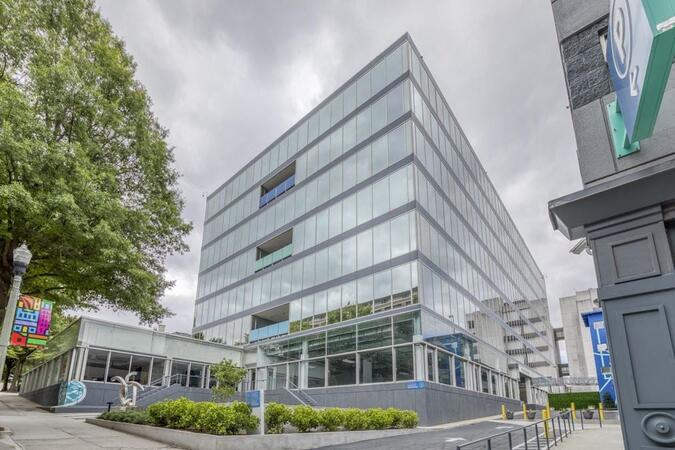
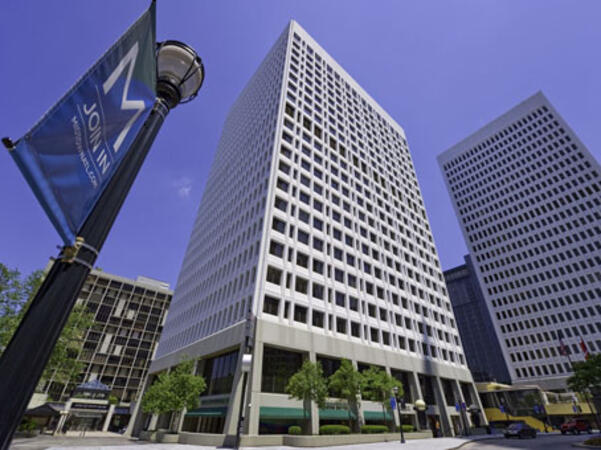
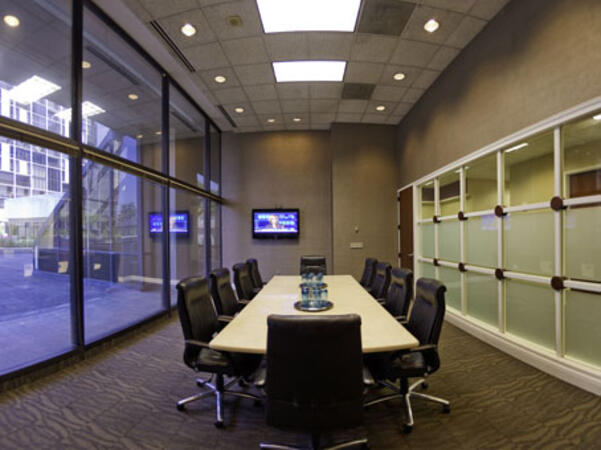
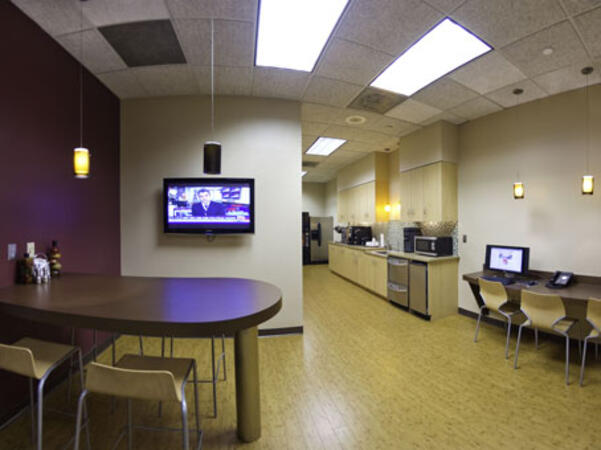
Atlanta, GA – Regus at Colony Squar
1201 Peachtree Street NE, Suite 200, Atlanta, United States, 30361
The venue is centrally located in Midtown Atlanta within the prominent Colony Square complex at 1201 Peachtree Street NE, easily accessed by car via I‑75/85 or GA‑400, with several parking garages nearby. From Hartsfield–Jackson Atlanta International Airport (ATL), around 15 miles south, a taxi or rideshare typically takes 20–30 minutes north along I‑75/85 N. Public transit users can take MARTA Rail to the Arts Center or Midtown stations (0.3–0.5 miles away) and walk easily, and numerous MARTA bus routes along Peachtree Street stop directly outside the entrance.
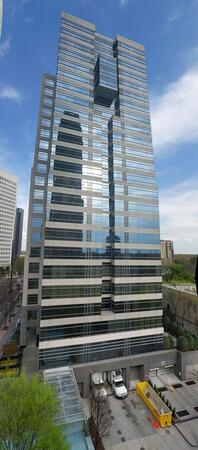
Atlanta, GA – The Proscenium
1170 Peachtree Street NE, Atlanta, United States, 30309
The venue is located in the heart of Midtown Atlanta in the Proscenium high–rise at 1170 Peachtree Street NE, easily accessible by car via I‑75/85 and GA‑400 with several parking garages nearby. Visitors arriving from Hartsfield–Jackson Atlanta International Airport (ATL), about 15 miles south, can expect a taxi or rideshare ride taking 20–30 minutes via I‑75/85 North. Public transit is seamless with MARTA Rail service; the Arts Center and Midtown stations are within walking distance (approximately 0.3–0.4 miles), and multiple MARTA bus routes also serve Peachtree Street.
Decatur, GA – Regus at One West Court Square
One West Court Square, Suite 750, Decatur, United States, 30030
The venue is located in the heart of downtown Decatur within One West Court Square, easily reached by car via I‑20 and I‑285, with several public parking decks directly adjacent. Travelers from Hartsfield–Jackson Atlanta International Airport (ATL), approximately 17 miles southwest, can expect a taxi or rideshare ride of around 25–30 minutes via I‑20 East. Public transit is particularly convenient: MARTA rail users can disembark at Decatur Station (about 0.15 miles away) and walk a few minutes to the building entrance. Local bus routes also serve Trinity Place and Swanton Way, putting the center within easy reach.
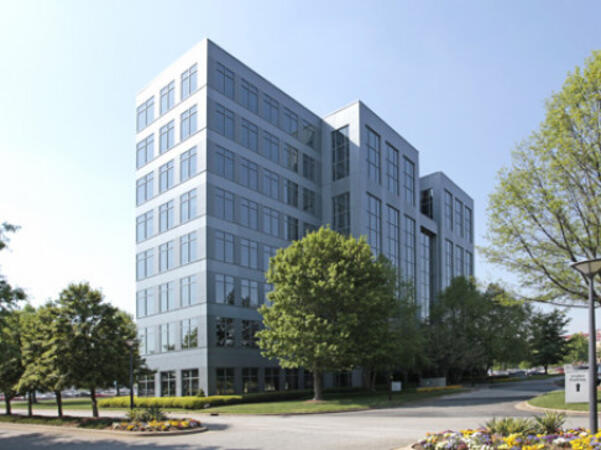
Atlanta, GA – Regus at One Hartsfield
100 Hartsfield Centre Parkway, Suite 500, Atlanta, United States, 30354
The venue is located in the One Hartsfield Center office building, adjacent to Hartsfield–Jackson Atlanta International Airport, easily reached by car via I‑75/I‑85 or GA‑138, with abundant on-site parking. Visitors arriving from ATL airport can walk or take a shuttle to the building, or opt for a quick 2–3‑minute taxi or rideshare ride. Public transit users can board MARTA from the Airport Station and ride one stop to College Park Station, then catch a connecting shuttle or enjoy a brief walk of about half a mile.
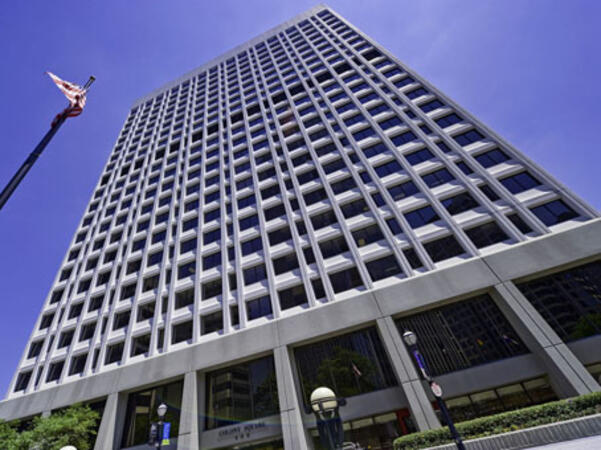
Atlanta, GA – Regus at Peachtree
260 Peachtree Street NW, Suite 2200, Atlanta, United States, 30303
The venue is situated in the iconic Coastal States Building at 260 Peachtree Street in downtown Atlanta, accessible by car via I‑75/85 or I‑20 with convenient parking garages nearby. From Hartsfield–Jackson Atlanta International Airport (ATL), about 12 miles south, a taxi or rideshare along I‑75/85 North takes approximately 15–20 minutes. For public transit, MARTA rail users can disembark at Five Points Station and walk 0.5 miles northeast, or exit at Peachtree Center Station and walk two blocks north—both routes offering easy access.
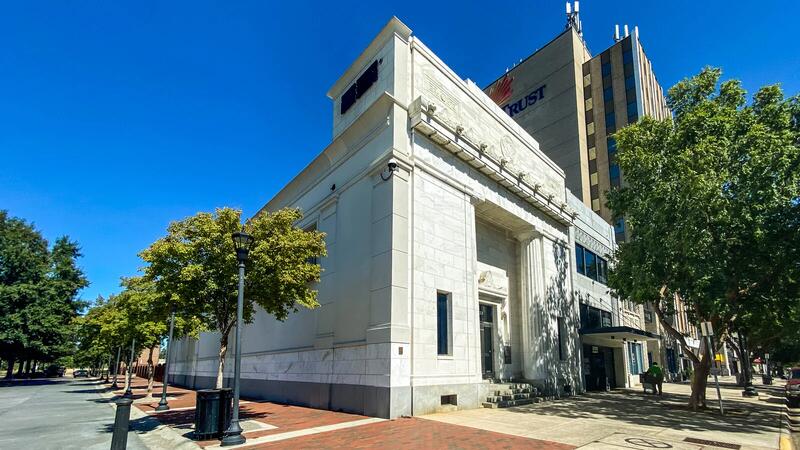
Augusta, GA – At Broad Street
823 Broad Street, Augusta, United States, 3090
The venue is located in the heart of downtown Augusta on Broad Street, easily accessible by car via I‑20 with several public parking garages nearby. From Augusta Regional Airport (AGS), about 9 miles west, taxis or rideshares typically take 15–20 minutes via I‑20. Public transit is available through Augusta Public Transit buses with routes along Broad Street, stopping within a few blocks of the venue, offering a convenient option for attendees without a car.
Savannah, GA – Regus at Bull Street
100 Bull St Downtown, Suite 200, Savannah, United States, 31401
The venue is located in the historic downtown area on Bull Street in the Altmayer Building, easily accessible by car via I‑16 and U.S. 17, with several public garages nearby. From Savannah/Hilton Head International Airport (SAV), about 12 miles west, taxis or rideshares typically take 15–20 minutes via U.S. 17 South. Public transit is available via Chatham Area Transit (CAT) buses, with frequent service along Bull and Broughton Streets; Johnson Square Station is just a couple minutes’ walk from the venue.
VMware vSphere 8 is a leading virtualization platform designed to support modern data center infrastructures for government and other sectors.
This instructor-led, live training (available online or on-site) is targeted at intermediate-level IT professionals who are interested in installing, configuring, and managing VMware vSphere environments while preparing for the VCP certification.
Upon completion of the course, participants will be able to:
- Install and configure ESXi hosts.
- Deploy and manage vCenter Server.
- Configure vSphere networking and storage.
- Create, deploy, and optimize virtual machines.
**Format of the Course**
- Instructor-guided presentations and technical discussions.
- Extensive lab work and scenario-based exercises.
- Practical configuration and management in a dedicated vSphere environment.
**Course Customization Options**
- For tailored VMware vSphere training solutions for government agencies, please contact us to discuss customization options.
VMware vSphere: Operate, Scale and Secure enhances foundational vSphere administration by providing best practices in security, performance tuning, scalability, and advanced operations, specifically tailored for government environments.
This instructor-led, live training (available online or onsite) is designed for intermediate to advanced IT professionals who are tasked with managing and optimizing large-scale or mission-critical vSphere environments securely and efficiently for government use.
By the end of this training, participants will be able to:
Monitor, analyze, and optimize vSphere performance in a government context.
Secure vSphere components using encryption, certificates, and role-based controls, ensuring compliance with government standards.
Scale vSphere deployments using advanced networking and storage features to meet the demands of government operations.
Apply lifecycle and patch management using vSphere tools to maintain system integrity and security for government applications.
Format of the Course
Interactive lecture and discussion focused on government IT challenges.
Hands-on lab exercises and troubleshooting scenarios relevant to government operations.
Real-world, enterprise-focused implementations designed for government agencies.
Course Customization Options
To request a customized training for this course, tailored to specific government needs, please contact us to arrange.
VMware vSphere is a leading virtualization platform that facilitates the efficient management of virtual infrastructure across datacenters and hybrid cloud environments, tailored specifically for government use.
This instructor-led, live training (online or onsite) is designed for beginner-level to intermediate-level IT professionals who are responsible for installing, configuring, and managing VMware vSphere environments in public sector organizations.
By the end of this training, participants will be able to:
- Install and configure ESXi hosts and vCenter Server.
- Create and manage virtual machines and vApps.
- Configure virtual networking and storage resources.
- Implement user permissions, monitoring, and basic troubleshooting.
**Format of the Course**
- Interactive lecture and discussion.
- Hands-on lab exercises and demonstrations.
- Practical implementation in real-world scenarios for government operations.
**Course Customization Options**
- To request a customized training for this course tailored to specific needs for government agencies, please contact us to arrange.
VMware vSphere is a leading virtualization platform used to build resilient IT infrastructure for government and other public sector organizations.
This instructor-led, live training (online or onsite) is aimed at intermediate-level IT professionals who wish to gain practical skills in identifying and resolving issues in VMware vSphere environments within the context of government operations.
By the end of this training, participants will be able to:
Diagnose and resolve common problems related to virtual machines and vSphere services for government IT systems.
Use VMware tools to analyze and fix performance and configuration issues in public sector environments.
Troubleshoot virtual networking and storage configurations specific to government IT infrastructure.
Perform root cause analysis in production environments, ensuring compliance with public sector governance standards.
Format of the Course
Interactive lecture and discussion tailored for government IT professionals.
Extensive exercises and practice to reinforce learning objectives relevant to public sector workflows.
Hands-on implementation in a live-lab environment, simulating real-world government scenarios.
Course Customization Options
To request a customized training for this course, tailored to specific needs of your government agency, please contact us to arrange.
This instructor-led, live training (online or onsite) is aimed at intermediate-level system administrators who wish to use VMware vCenter for managing complex virtual environments.
By the end of this training, participants will be able to:
- Understand the architecture and components of VMware vSphere and vCenter Server.
- Install, configure, and manage VMware ESXi and vCenter Server.
- Implement advanced networking and storage configurations.
- Create, manage, and migrate virtual machines.
- Ensure high availability and disaster recovery in a virtualized environment.
- Automate vSphere tasks and manage lifecycle and upgrades.
- Troubleshoot common issues and apply best practices for government operations.
This in-depth technical course is designed to provide participants with the advanced skills needed to manage Proxmox VE-based virtualized infrastructure, focusing on storage, backup, high availability, security, and monitoring. Through theoretical lessons and numerous practical exercises, participants will learn how to:
Manage local and remote storage, leveraging ZFS for advanced features and integrating Ceph for distributed storage scenarios.
Implement backup and disaster recovery strategies using snapshots, replication, restore, and Proxmox Backup Server.
Design and administer high-availability clusters, enabling live VM migration and load balancing.
Apply best practices for security reinforcement, configure firewalls, and protect VMs and containers.
Monitor performance and logs with integrable tools like Zabbix, Prometheus, and Grafana, for comprehensive visibility into the infrastructure.
Develop real-world use cases in academic and corporate settings, including DevOps environments, production service hosting, and HPC clusters.
The course is highly practical and operational, with hands-on sessions guiding participants from initial configuration to failover scenario simulation.
This instructor-led, live training (available online or onsite) is designed for intermediate-level virtualization administrators who wish to transition to open-source platforms from VMware. By the end of this training, participants will be able to:
- Install and configure KVM, oVirt, and Proxmox VE.
- Migrate virtual workloads from VMware to these open-source solutions.
- Implement high availability and disaster recovery strategies for government environments.
- Optimize performance in open-source virtualization environments to meet the needs of public sector workflows and governance.
This instructor-led, live training in Georgia (online or onsite) is aimed at system administrators and developers who wish to install, configure, monitor, and manage Kubernetes-based environments through VMware PKS (formerly known as Pivotal Container Service).
By the end of this training, participants will be able to:
Install the necessary components and tools for VMware PKS.
Deploy using BOSH and Pivotal Ops Manager.
Integrate VMware Harbor capabilities with PKS.
Manage and monitor infrastructures and applications using VMware tools, ensuring alignment with public sector workflows and governance standards for government.
This instructor-led, live training (online or onsite) is aimed at DevOps engineers and developers who wish to use VMware Tanzu to build, deploy, and orchestrate cloud-native applications in a vSphere environment for government.
By the end of this training, participants will be able to:
- Set up the necessary environment to effectively manage Kubernetes clusters with VMware Tanzu.
- Gain a comprehensive understanding of using the VMware portfolio of products to centralize management of clusters and applications.
- Build, run, deploy, and orchestrate containerized applications using the VMware Tanzu Kubernetes Grid service.
- Learn how to manage and monitor the lifecycle of VMware Tanzu components in vSphere.
This five-day course offers comprehensive hands-on training focused on installing, configuring, and managing VMware vSphere® 7, which includes VMware ESXi™ 7 and VMware vCenter Server® 7. This course prepares participants to effectively administer a vSphere infrastructure for government or any other organization of any size.
This course serves as the foundation for most other VMware technologies in the software-defined data center (SDDC).
**Product Alignment**
- VMware ESXi 7.0
- VMware vCenter Server 7.0
**Objectives**
By the end of the course, participants should be able to meet the following objectives:
- Describe the concept of a software-defined data center (SDDC)
- Explain the functions and roles of vSphere components within the infrastructure
- Discuss the benefits and capabilities of VMware Skyline
- Install and configure ESXi hosts
- Deploy and configure VMware vCenter® Server Appliance™
- Use VMware vSphere® Client™ to manage the vCenter Server inventory and configuration
- Manage, monitor, back up, and protect vCenter Server Appliance
- Create virtual networks with vSphere standard switches
- Describe the storage technologies supported by vSphere
- Configure virtual storage using iSCSI and NFS storage
- Create and manage VMware vSphere® VMFS datastores
- Use the vSphere Client to create virtual machines, templates, clones, and snapshots
- Create a content library and deploy virtual machines from templates in the library
- Manage virtual machine resource usage
- Migrate virtual machines with VMware vSphere® vMotion® and VMware vSphere® Storage vMotion®
- Create and manage a vSphere cluster enabled with VMware vSphere® High Availability and VMware vSphere® Distributed Resource Scheduler™
- Discuss solutions for managing the vSphere life cycle
- Use VMware vSphere® Lifecycle Manager™ to perform upgrades to ESXi hosts and virtual machines
**Certifications**
Attending this course meets the training requirement to achieve the following certification:
- [VMware Certified Professional – Data Center Virtualization (VCP-DCV)](https://www.broadcom.com/support/education/vmware/certification/vcp-dcv)
**Audience**
- System administrators
- System engineers
This five-day course provides comprehensive, hands-on training focused on installing, configuring, and managing VMware vSphere 8, which includes VMware ESXi™ 8 and VMware vCenter® 8. Designed to equip participants with the skills necessary to administer a vSphere infrastructure for organizations of any size, this course serves as the foundation for most VMware technologies in the software-defined data center. The training is tailored to align with public sector workflows and governance standards, making it particularly relevant for government agencies.
Read more...
Last Updated:
Testimonials (1)
The training session was highly intensive and exceptionally well-structured.
Eric provided us with comprehensive materials and practical labs featuring real-world examples, greatly enhancing our learning experience.
We adhered closely to the planned schedule and efficiently skipped sections irrelevant to our interests.
Eric demonstrated a high level of professionalism and extensive expertise, addressing all our questions thoroughly and effectively.
Thank you very much for organizing this valuable training.
Online VMware training in Georgia, VMware training courses in Georgia, Weekend VMware courses in Georgia, Evening VMware training in Georgia, VMware instructor-led in Georgia, VMware coaching in Georgia, VMware on-site in Georgia, VMware classes in Georgia, VMware one on one training in Georgia, VMware private courses in Georgia, Online VMware training in Georgia, VMware boot camp in Georgia, Evening VMware courses in Georgia, VMware instructor-led in Georgia, Weekend VMware training in Georgia, VMware instructor in Georgia, VMware trainer in Georgia