



Online or onsite, instructor-led live Azure (Microsoft Azure) training courses demonstrate through interactive discussion and hands-on practice the fundamental concepts, components, and services of Microsoft Azure as participants step through the creation of a sample cloud application.
Azure training is available as "online live training" or "onsite live training." Online live training, also known as "remote live training," is conducted via an interactive remote desktop. Onsite live training can be conducted locally on customer premises in Georgia or in Govtra corporate training centers in Georgia.
Govtra -- Your Local Training Provider for government
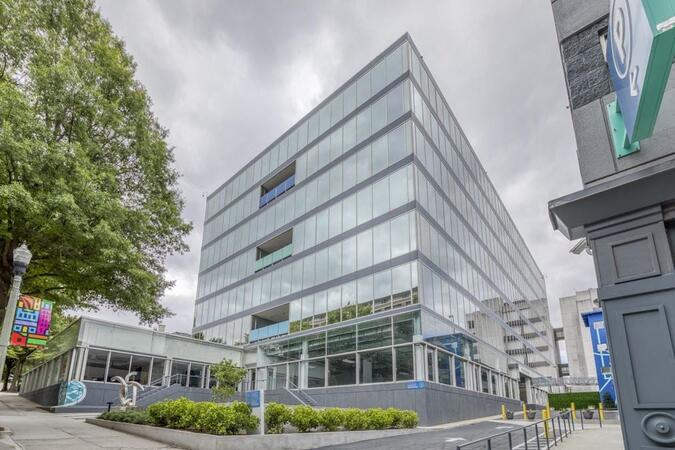
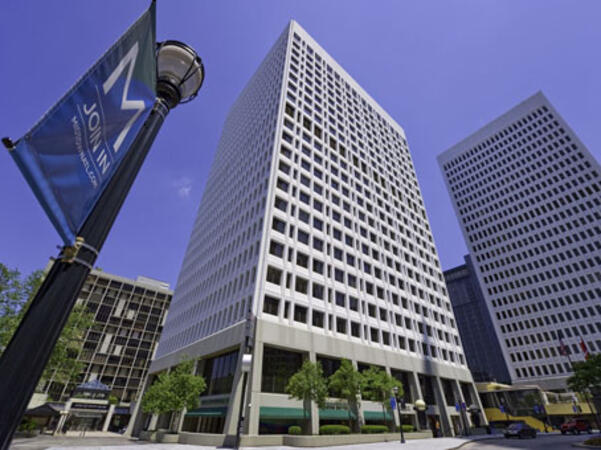
Atlanta, GA – Regus at Colony Squar
1201 Peachtree Street NE, Suite 200, Atlanta, United States, 30361
The venue is centrally located in Midtown Atlanta within the prominent Colony Square complex at 1201 Peachtree Street NE, easily accessed by car via I‑75/85 or GA‑400, with several parking garages nearby. From Hartsfield–Jackson Atlanta International Airport (ATL), around 15 miles south, a taxi or rideshare typically takes 20–30 minutes north along I‑75/85 N. Public transit users can take MARTA Rail to the Arts Center or Midtown stations (0.3–0.5 miles away) and walk easily, and numerous MARTA bus routes along Peachtree Street stop directly outside the entrance.

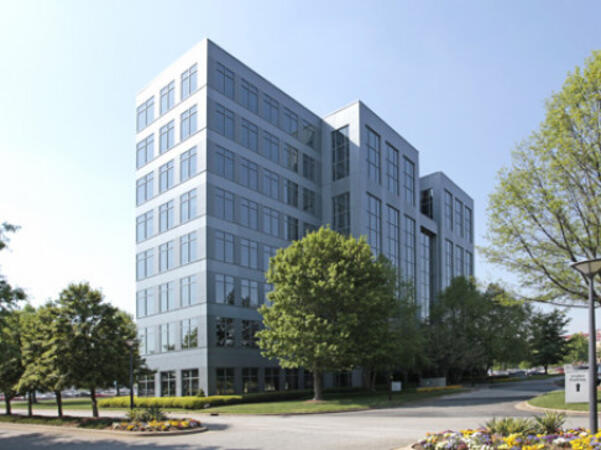
Atlanta, GA – The Proscenium
1170 Peachtree Street NE, Atlanta, United States, 30309
The venue is located in the heart of Midtown Atlanta in the Proscenium high–rise at 1170 Peachtree Street NE, easily accessible by car via I‑75/85 and GA‑400 with several parking garages nearby. Visitors arriving from Hartsfield–Jackson Atlanta International Airport (ATL), about 15 miles south, can expect a taxi or rideshare ride taking 20–30 minutes via I‑75/85 North. Public transit is seamless with MARTA Rail service; the Arts Center and Midtown stations are within walking distance (approximately 0.3–0.4 miles), and multiple MARTA bus routes also serve Peachtree Street.
Decatur, GA – Regus at One West Court Square
One West Court Square, Suite 750, Decatur, United States, 30030
The venue is located in the heart of downtown Decatur within One West Court Square, easily reached by car via I‑20 and I‑285, with several public parking decks directly adjacent. Travelers from Hartsfield–Jackson Atlanta International Airport (ATL), approximately 17 miles southwest, can expect a taxi or rideshare ride of around 25–30 minutes via I‑20 East. Public transit is particularly convenient: MARTA rail users can disembark at Decatur Station (about 0.15 miles away) and walk a few minutes to the building entrance. Local bus routes also serve Trinity Place and Swanton Way, putting the center within easy reach.
Atlanta, GA – Regus at One Hartsfield
100 Hartsfield Centre Parkway, Suite 500, Atlanta, United States, 30354
The venue is located in the One Hartsfield Center office building, adjacent to Hartsfield–Jackson Atlanta International Airport, easily reached by car via I‑75/I‑85 or GA‑138, with abundant on-site parking. Visitors arriving from ATL airport can walk or take a shuttle to the building, or opt for a quick 2–3‑minute taxi or rideshare ride. Public transit users can board MARTA from the Airport Station and ride one stop to College Park Station, then catch a connecting shuttle or enjoy a brief walk of about half a mile.
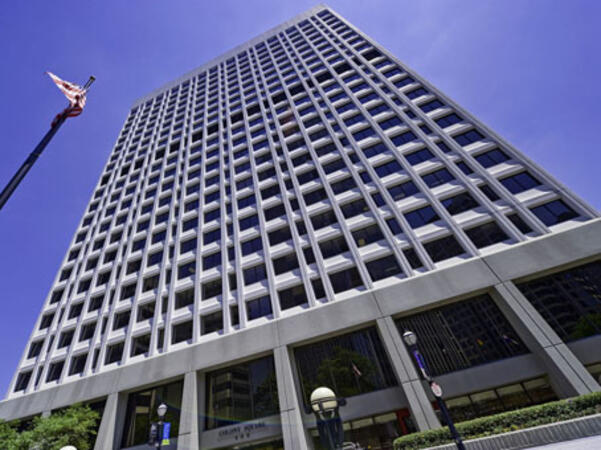
Atlanta, GA – Regus at Peachtree
260 Peachtree Street NW, Suite 2200, Atlanta, United States, 30303
The venue is situated in the iconic Coastal States Building at 260 Peachtree Street in downtown Atlanta, accessible by car via I‑75/85 or I‑20 with convenient parking garages nearby. From Hartsfield–Jackson Atlanta International Airport (ATL), about 12 miles south, a taxi or rideshare along I‑75/85 North takes approximately 15–20 minutes. For public transit, MARTA rail users can disembark at Five Points Station and walk 0.5 miles northeast, or exit at Peachtree Center Station and walk two blocks north—both routes offering easy access.
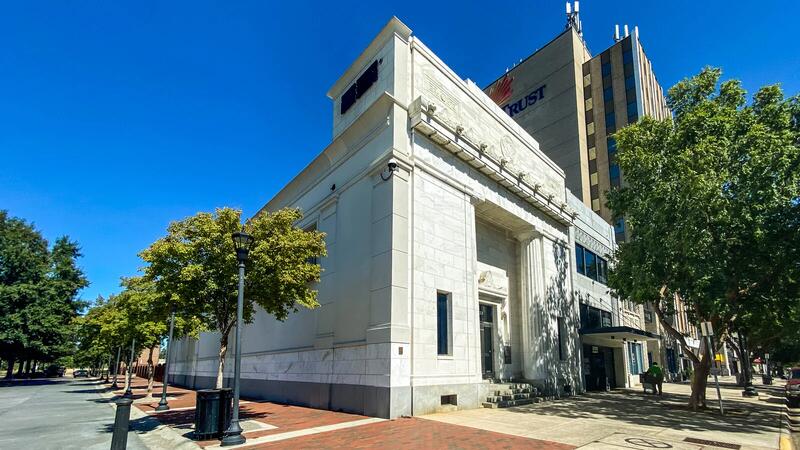
Augusta, GA – At Broad Street
823 Broad Street, Augusta, United States, 3090
The venue is located in the heart of downtown Augusta on Broad Street, easily accessible by car via I‑20 with several public parking garages nearby. From Augusta Regional Airport (AGS), about 9 miles west, taxis or rideshares typically take 15–20 minutes via I‑20. Public transit is available through Augusta Public Transit buses with routes along Broad Street, stopping within a few blocks of the venue, offering a convenient option for attendees without a car.
Savannah, GA – Regus at Bull Street
100 Bull St Downtown, Suite 200, Savannah, United States, 31401
The venue is located in the historic downtown area on Bull Street in the Altmayer Building, easily accessible by car via I‑16 and U.S. 17, with several public garages nearby. From Savannah/Hilton Head International Airport (SAV), about 12 miles west, taxis or rideshares typically take 15–20 minutes via U.S. 17 South. Public transit is available via Chatham Area Transit (CAT) buses, with frequent service along Bull and Broughton Streets; Johnson Square Station is just a couple minutes’ walk from the venue.
This instructor-led, live training in [location] (online or onsite) is aimed at intermediate-level Java developers, software engineers, and cloud enthusiasts who wish to leverage Azure OpenAI for government to create intelligent applications.
By the end of this training, participants will be able to:
- Understand the principles of Generative AI and its various applications.
- Set up and manage an Azure OpenAI service for government use.
- Integrate OpenAI's models into Java applications.
- Deploy AI-powered features within web applications for government.
This instructor-led, live training in Georgia (online or onsite) is designed for intermediate-level cloud engineers and IT professionals who wish to utilize Terraform to automate the deployment, management, and scaling of infrastructure on the Azure cloud platform.
By the end of this training, participants will be able to:
- Comprehend the fundamentals of Terraform and its advantages in infrastructure as code.
- Set up and configure Terraform for use with Azure.
- Develop, test, and deploy Terraform configuration files for various Azure services.
- Manage and scale Azure resources using Terraform.
- Implement best practices for Terraform state management and version control.
- Integrate Terraform with Azure DevOps to facilitate automated deployments.
- Create reusable Terraform modules for consistent resource provisioning in public sector workflows.
- Utilize advanced features of Terraform for complex infrastructure deployments, ensuring alignment with governance and accountability standards for government.
This instructor-led, live training (online or onsite) is aimed at intermediate to advanced professionals who wish to build and deploy AI-powered cloud applications using Microsoft Azure for government.
By the end of this training, participants will be able to:
Develop event-driven and serverless applications using Azure Functions.
Manage Azure storage solutions and virtual machines for efficient data handling.
Deploy and scale web applications using Azure App Service and Docker containers to ensure robust performance.
Integrate AI, machine learning, and natural language processing capabilities with Azure AI Services to enhance application functionality.
Utilize GitHub Copilot to streamline the development process of AI-driven cloud applications for government.
This instructor-led, live training in [location] (online or onsite) is aimed at intermediate-level data engineers who wish to become proficient in utilizing Azure Synapse Analytics for a wide range of data processing, analytics, and visualization tasks for government.
By the end of this training, participants will be able to:
- Understand the core concepts, architecture, and components of Azure Synapse Analytics.
- Create, configure, and manage scalable data warehouses using Azure Synapse.
- Master techniques for ingesting, transforming, and loading data (ETL) from various sources into Azure Synapse.
- Optimize query performance, secure data, and integrate Azure Synapse with Power BI and other tools to visualize data and share insights.
This instructor-led, live training in Georgia (online or onsite) is designed for intermediate-level data engineers who wish to learn how to leverage Azure Data Lake Storage Gen2 for effective data analytics solutions.
By the end of this training, participants will be able to:
- Comprehend the architecture and key features of Azure Data Lake Storage Gen2.
- Optimize data storage and access to enhance cost efficiency and performance.
- Integrate Azure Data Lake Storage Gen2 with other Azure services to support analytics and data processing workflows for government.
- Develop solutions utilizing the Azure Data Lake Storage Gen2 API.
- Troubleshoot common issues and refine storage strategies.
This instructor-led, live training (online or onsite) is designed for government security administrators who wish to learn how to configure Azure cloud security to protect workloads running in Azure.
By the end of this training, participants will be able to:
- Configure host and network security for government.
- Implement advanced security options in Azure.
- Utilize Azure to secure cloud computing workloads.
- Employ endpoint protection services to defend against malware and viruses.
- Secure container workloads running in Azure.
In this instructor-led, live training for government agencies (available online or onsite), participants will learn how to set up and manage a production-scale container environment using Kubernetes on Azure Kubernetes Service (AKS).
By the end of this training, participants will be able to:
- Configure and manage Kubernetes on AKS.
- Deploy, manage, and scale a Kubernetes cluster.
- Deploy containerized (Docker) applications on Azure.
- Migrate an existing Kubernetes environment from on-premise to the AKS cloud.
- Integrate Kubernetes with third-party continuous integration (CI) software.
- Ensure high availability and disaster recovery in Kubernetes.
This course is designed to equip Solutions Architects with the skills necessary to translate business requirements into secure, scalable, and reliable solutions for government. The curriculum covers essential design considerations such as logging, cost analysis, authentication and authorization, governance, security, storage, high availability, and migration. Solutions Architects must make informed decisions across these areas to ensure an effective and cohesive design solution that aligns with public sector workflows and accountability standards.
Learn how to investigate, respond to, and hunt for threats using Microsoft Azure Sentinel, Azure Defender, and Microsoft 365 Defender. This course is designed to help you mitigate cyberthreats using these technologies, specifically by configuring and utilizing Azure Sentinel and Kusto Query Language (KQL) for detection, analysis, and reporting. It is tailored for individuals in Security Operations roles and helps prepare learners for the exam SC-200: Microsoft Security Operations Analyst.
Audience Profile
The Microsoft Security Operations Analyst collaborates with organizational stakeholders to secure information technology systems for government and private organizations. Their primary goal is to reduce risk by rapidly remediating active attacks, advising on improvements to threat protection practices, and referring policy violations to appropriate stakeholders. Responsibilities include threat management, monitoring, and response using a variety of security solutions across the environment. The role primarily involves investigating, responding to, and hunting for threats using Microsoft Azure Sentinel, Azure Defender, Microsoft 365 Defender, and third-party security products. As these tools are critical for operational output, Security Operations Analysts are also key stakeholders in their configuration and deployment.
This course equips students with the essential knowledge and skills to utilize PowerShell for the administration and automation of Windows servers. Students will gain the ability to identify and construct the commands necessary to execute specific tasks. Additionally, they will learn to develop scripts to handle advanced tasks, such as automating repetitive processes and generating reports. The course provides foundational skills that support a wide range of Microsoft products, including Windows Server, Windows Client, Microsoft Azure, and Microsoft 365. While the focus is not on any single product, Windows Server serves as the primary platform for demonstrating the techniques taught in this course, ensuring relevance and applicability for government IT professionals.
This course is designed to instruct Azure administrators on how to plan, deliver, and manage virtual desktop experiences and remote applications for any device on Azure. Participants will gain knowledge through a combination of demonstrations and hands-on laboratory exercises focused on deploying and optimizing these services on Azure Virtual Desktop to ensure efficient performance in multi-session virtual environments. The curriculum aligns with the technical requirements and best practices for government agencies, ensuring that administrators can effectively support secure and scalable remote access solutions for government use.
This course provides the knowledge and skills necessary for designing and implementing DevOps processes and practices, tailored specifically for government agencies. Students will learn how to plan for DevOps, use source control, scale Git for an enterprise, consolidate artifacts, design a dependency management strategy, manage secrets, implement continuous integration, develop a container build strategy, design a release strategy, set up a release management workflow, implement a deployment pattern, and optimize feedback mechanisms.
Audience Profile
This course is designed for professionals interested in designing and implementing DevOps processes or preparing to pass the Microsoft Azure DevOps Solutions certification exam.
Job Role: DevOps Engineer
Preparation for Exam: AZ-400
Skills Gained
Plan for transformation with shared goals and timelines, ensuring alignment with public sector workflows.
Select a project and identify project metrics and Key Performance Indicators (KPIs) to measure success in government projects.
Create a team and agile organizational structure that supports efficient governance and accountability.
Design a tool integration strategy that enhances collaboration and efficiency within the agency.
Develop a license management strategy for tools such as Azure DevOps and GitHub, ensuring compliance with federal regulations.
Design a strategy for end-to-end traceability from work items to working software, supporting transparent project management.
Create an authentication and access strategy that adheres to government security standards.
Develop a strategy for integrating on-premises and cloud resources, ensuring secure data exchange and compliance with federal IT policies.
Explain the benefits of using source control in enhancing project management and collaboration within government agencies.
Describe Azure Repos and GitHub, highlighting their utility in managing large-scale projects for government.
Migrate from TFVC to Git, ensuring a smooth transition that maintains data integrity and compliance with federal standards.
Manage code quality, including technical debt reduction using tools like SonarCloud, to ensure high-quality software development for government applications.
Build organizational knowledge on code quality by implementing best practices and continuous improvement processes.
Explain how to structure Git repositories to support efficient project management and collaboration.
Describe Git branching workflows that facilitate agile development and version control in government projects.
Leverage pull requests for collaboration and code reviews, ensuring a robust peer review process.
Leverage Git hooks for automation, enhancing efficiency and reducing manual errors.
Use Git to foster inner source across the organization, promoting knowledge sharing and innovation within government agencies.
Explain the role of Azure Pipelines and its components in automating build and deployment processes.
Configure agents for use in Azure Pipelines to support scalable and secure continuous integration.
Explain why continuous integration is essential for maintaining high-quality software development standards in government projects.
Implement continuous integration using Azure Pipelines, ensuring compliance with federal IT policies.
Define Site Reliability Engineering (SRE) principles and their application in government IT environments.
Design processes to measure end-user satisfaction and analyze user feedback, enhancing service delivery for government programs.
Design processes to automate application analytics, providing actionable insights for continuous improvement.
Manage alerts and reduce meaningless and non-actionable alerts to ensure effective monitoring and response.
Carry out blameless retrospectives and create a just culture that promotes learning and accountability within government teams.
Define an infrastructure and configuration strategy, including appropriate toolsets for release pipelines and application infrastructure in government settings.
Implement compliance and security measures in your application infrastructure to meet federal standards and regulations.
Describe the potential challenges with integrating open-source software in government projects and how to mitigate them.
Inspect open-source software packages for security and license compliance, ensuring adherence to federal guidelines.
Manage organizational security and compliance policies to protect sensitive data and maintain trust in government services.
Integrate license and vulnerability scans into build and deployment pipelines to ensure continuous compliance and security.
Configure build pipelines to access package security and license ratings, enhancing the integrity of software development for government applications.
In this course, participants will learn how to design and develop services that access local and remote data from various sources. They will also gain skills in developing and deploying services to hybrid environments, including on-premises servers and Microsoft Azure.
Audience Profile
Primary: .NET developers who are interested in learning how to develop services and deploy them to hybrid environments.
Secondary: .NET developers with experience in web application development who are considering the development of new applications or the migration of existing applications to Microsoft Azure.
At Course Completion
Upon completing this course, participants will be able to:
Explain the fundamental concepts of service development and data access strategies using the .NET platform.
Describe the Microsoft Azure cloud platform, including its compute, data, and application hosting capabilities.
Design and develop a data-centric application using Visual Studio 2017 and Entity Framework Core.
Create and consume HTTP services using ASP.NET Core.
Extend HTTP services with advanced features in ASP.NET Core.
Host services both on-premises and in Microsoft Azure environments.
Deploy services to both on-premises and cloud environments, managing the interface and policy configurations for their services.
Select appropriate data storage solutions, implement caching, distribute, and synchronize data.
Monitor, log, and troubleshoot service performance and issues.
Understand claim-based identity concepts and standards, and implement authentication and authorization using Azure Active Directory.
Create scalable and efficient service applications for government and other sectors.
Acquire the essential knowledge for designing an Azure AI solution for government by constructing a customer support chatbot that leverages artificial intelligence from the Microsoft Azure platform. This process includes integrating language understanding and utilizing pre-built AI capabilities within Azure Cognitive Services to enhance service delivery and efficiency.
This course provides an introduction to fundamental concepts related to artificial intelligence (AI) and the Microsoft Azure services that can be utilized to develop AI solutions. It is designed not to turn students into professional data scientists or software developers, but rather to enhance their awareness of common AI applications and enable them to identify appropriate Azure services to support these workloads. The course combines instructor-led sessions with online resources available on the Microsoft Learn platform (https://azure.com/learn). Hands-on exercises are based on modules from Microsoft Learn, and students are encouraged to use this content as reference material to deepen their understanding and explore topics further.
Audience Profile
The Azure AI Fundamentals course is tailored for individuals interested in learning about the types of solutions that artificial intelligence (AI) can enable and the services on Microsoft Azure that can be used to create them. No prior experience with Microsoft Azure is required, but a basic understanding of computer technology and the Internet is assumed. Some concepts covered in the course involve basic mathematical skills, such as interpreting charts. The hands-on activities include working with data and running code, so a foundational knowledge of programming principles will be beneficial.
At Course Completion
Upon completing this course, you will be able to:
Describe AI workloads and considerations for government and other sectors
Explain the fundamental principles of machine learning on Azure
Identify features of computer vision workloads on Azure
Outline features of Natural Language Processing (NLP) workloads on Azure
Detail features of conversational AI workloads on Azure
This instructor-led, live training in [location] (online or onsite) is aimed at engineers who wish to utilize Azure ML's intuitive drag-and-drop platform to deploy Machine Learning workloads without the need for purchasing software and hardware or managing maintenance and deployment.
By the end of this training, participants will be able to:
- Develop highly accurate machine learning models using Python, R, or zero-code tools.
- Utilize Azure’s extensive data sets and algorithms to train and track machine learning and deep-learning models.
- Collaborate effectively in Azure's interactive workspace for developing ML models.
- Select from a variety of Azure-supported ML frameworks, including PyTorch, TensorFlow, and scikit-learn, to meet specific project requirements.
This training is designed to enhance the capabilities of engineers working on government projects by providing them with the skills necessary to leverage Azure ML efficiently.
This three-day course is designed to equip AWS (Amazon Web Services) developers with the skills needed to prepare end-to-end solutions in Microsoft Azure. Throughout the course, participants will construct Azure App Service Web App solutions and Azure Functions, utilize blob or Cosmos DB storage, implement secure cloud solutions that include user authentication and authorization, manage APIs, develop event- and message-based solutions, and monitor, troubleshoot, and optimize their Azure solutions. The curriculum emphasizes how developers can leverage Azure services, with a particular focus on features and tasks that differ from AWS, ensuring a smooth transition for those developing applications hosted in the Azure environment.
Audience Profile
This course is tailored for experienced AWS developers who are interested in expanding their skills to include Azure development. It is particularly beneficial for government professionals looking to enhance their cloud capabilities and align with public sector workflows, governance, and accountability standards.
This course equips IT professionals with the skills needed to manage their Azure subscriptions effectively, secure identities, administer infrastructure, configure virtual networking, connect Azure and on-premises sites, manage network traffic, implement storage solutions, create and scale virtual machines, deploy web apps and containers, back up and share data, and monitor their solutions.
Designed specifically for government Azure Administrators, this course covers the essential tasks of implementing, managing, and monitoring identity, governance, storage, compute, and virtual networks in a cloud environment. Azure Administrators will learn to provision, size, monitor, and adjust resources as needed to ensure optimal performance and compliance with public sector workflows, governance, and accountability standards.
This course is designed to equip developers with the skills needed to create comprehensive solutions in Microsoft Azure for government. Participants will learn how to implement Azure compute solutions, develop Azure Functions, manage and deploy web apps, and utilize Azure storage options. The curriculum also covers implementing authentication and authorization mechanisms, securing solutions through KeyVault and Managed Identities, and connecting to both Azure and third-party services. Additionally, students will explore event- and message-based models, as well as techniques for monitoring, troubleshooting, and optimizing Azure solutions.
Audience Profile
This course is intended for developers interested in Azure development or those preparing to pass the Microsoft Azure Developer Associate certification exam for government.
This course is designed to equip Solutions Architects with the skills necessary to translate business requirements into secure, scalable, and reliable solutions for government. The curriculum covers essential topics such as virtualization, automation, networking, storage, identity management, security, data platforms, and application infrastructure. Each lesson emphasizes how decisions in these areas impact the overall solution.
### Audience Profile
This course is intended for IT Professionals who have expertise in designing and implementing solutions on Microsoft Azure for government. Participants should possess a comprehensive understanding of IT operations, including networking, virtualization, identity management, security, business continuity, disaster recovery, data platforms, budgeting, and governance. Azure Solution Architects will learn to utilize the Azure Portal effectively and, as they gain proficiency, transition to using the Command Line Interface. Candidates must have advanced skills in Azure administration and practical experience with Azure development processes and DevOps methodologies.
This course equips IT Security Professionals with the knowledge and skills necessary to implement security controls, maintain an organization’s security posture, and identify and remediate security vulnerabilities. It covers security for identity and access management, platform protection, data and applications, and security operations, specifically tailored for government environments.
Audience Profile
This course is designed for Azure Security Engineers who are preparing to take the associated certification exam or who are responsible for security tasks in their day-to-day job. It is also beneficial for engineers looking to specialize in providing security for Azure-based digital platforms, playing a crucial role in protecting an organization's data, particularly for government agencies.
Skills Gained
Implement enterprise governance strategies, including role-based access control, Azure policies, and resource locks, tailored for government use.
Set up an Azure AD infrastructure, including users, groups, and multi-factor authentication, to enhance security for government operations.
Deploy Azure AD Identity Protection, incorporating risk policies, conditional access, and access reviews, to safeguard against identity threats in a government context.
Utilize Azure AD Privileged Identity Management for managing Azure AD roles and resources, ensuring secure administration for government environments.
Configure Azure AD Connect with appropriate authentication methods and on-premises directory synchronization to support seamless integration for government systems.
Implement perimeter security strategies using Azure Firewall to protect against external threats in government networks.
Apply network security measures, such as Network Security Groups and Application Security Groups, to enhance the security of government data and applications.
Enforce host security strategies, including endpoint protection, remote access management, update management, and disk encryption, to ensure robust security for government endpoints.
Secure container environments using Azure Container Instances, Azure Container Registry, and Azure Kubernetes, tailored for government compliance and security standards.
Manage secrets and keys securely with Azure Key Vault, ensuring cryptographic material is protected in government applications.
Implement application security strategies, including app registration, managed identities, and service endpoints, to secure government applications and services.
Apply storage security measures, such as shared access signatures, blob retention policies, and Azure Files authentication, to protect government data at rest and in transit.
Enforce database security practices, including authentication, data classification, dynamic data masking, and always encrypted, to safeguard government databases.
Leverage Azure Monitor for comprehensive monitoring, using connected sources, log analytics, and alerts to maintain visibility and control over government systems.
Utilize Azure Security Center to manage security policies, recommendations, and just-in-time virtual machine access, ensuring continuous compliance and threat detection for government operations.
Deploy Azure Sentinel to enhance incident response with workbooks, incidents, and playbooks, providing advanced threat hunting capabilities for government agencies.
This one-day course will provide foundational knowledge on Azure concepts, core Azure services, and management tools for government. It will also cover general security and network security measures, governance, privacy, and compliance features, as well as Azure cost management and service level agreements.
Note: This course does not include an Azure pass or time for participants to engage in hands-on labs. If you are interested in a more interactive, hands-on lab experience, consider the AZ-900T00: Microsoft Azure Fundamentals (2 day) course offered by Govtra. This extended course includes trainer-directed hands-on labs and aligns with the AZ-900 exam objective domain.
This instructor-led, live training in Georgia (online or onsite) is designed for government IT professionals at the beginner level who wish to gain a foundational understanding of Microsoft Azure and cloud computing.
By the end of this training, participants will be able to:
Grasp fundamental cloud concepts.
Identify key Azure services.
Explain core solutions and management tools available in Azure.
Understand general security and network security features for government use.
Comprehend identity, governance, privacy, and compliance features relevant to the public sector.
Familiarize themselves with Azure cost management and Service Level Agreements (SLAs) for government operations.
This training enables participants to enhance their Microsoft Azure solution design skills. Upon completion of this training, participants will understand the features and capabilities of Azure services, enabling them to identify trade-offs and make informed decisions for designing public and hybrid cloud solutions for government. Throughout the training, participants will define the appropriate infrastructure and platform solutions to meet functional, operational, and deployment requirements throughout the solution lifecycle.
This instructor-led, live training in Georgia (online or onsite) is aimed at DevOps engineers, developers, and project managers who wish to utilize Azure DevOps to build and deploy optimized enterprise applications more efficiently than with traditional development methods.
By the end of this training, participants will be able to:
- Understand the essential DevOps terminology and principles.
- Install and configure the necessary Azure DevOps tools for software development.
- Leverage Azure DevOps tools and services to continuously adapt to market changes.
- Develop enterprise applications and assess current development processes using Azure DevOps solutions.
- Manage teams more effectively and expedite software deployment times.
- Implement DevOps practices within their organization, enhancing workflows and accountability for government projects.
This instructor-led, live training in Georgia (online or onsite) is designed for government data scientists who wish to utilize Azure Machine Learning to develop end-to-end machine learning models for predictive analysis.
By the end of this training, participants will be able to:
- Construct machine learning models without programming experience.
- Develop predictive algorithms using Azure Machine Learning.
- Deploy production-ready machine learning algorithms for government applications.
This instructor-led, live training (available online or onsite) is designed for government security administrators who wish to secure Azure workloads.
By the end of this training, participants will be able to:
- Manage host security, network security, and other critical areas.
- Configure storage and database security within Azure.
- Utilize Azure resources to implement effective security monitoring.
- Protect against malicious cyber attacks on data and infrastructures for government operations.
This instructor-led, live training in Georgia (online or onsite) is aimed at developers who wish to learn how to build microservices on Microsoft Azure Service Fabric (ASF) for government.
By the end of this training, participants will be able to:
Utilize ASF as a platform for building and managing microservices in governmental systems.
Comprehend key microservices programming concepts and models relevant to public sector applications.
Establish a cluster in Azure tailored for government workflows.
Deploy microservices on premises or in the cloud, ensuring alignment with governmental IT standards.
Debug and troubleshoot live microservice applications to maintain high levels of service reliability for government operations.
The Azure Bot Service integrates the capabilities of the Microsoft Bot Framework and Azure Functions to facilitate the rapid development of intelligent bots for government.
In this instructor-led, live training, participants will learn how to efficiently create an intelligent bot using Microsoft Azure.
By the end of this training, participants will be able to:
Understand the fundamentals of intelligent bots
Learn how to develop intelligent bots using cloud applications for government
Gain proficiency in using the Microsoft Bot Framework, the Bot Builder SDK, and the Azure Bot Service
Comprehend the design principles of bots through bot patterns
Create their first intelligent bot using Microsoft Azure
Audience
Developers
Hobbyists
Engineers
IT Professionals
Format of the Course
Part lecture, part discussion, with exercises and extensive hands-on practice
This course is designed to equip participants with a comprehensive understanding of Azure SQL Database and the necessary knowledge to migrate MySQL and PostgreSQL workloads to Azure SQL Database.
Audience Profile
The primary audience for this course is database developers who are planning to transition their MySQL or PostgreSQL workloads to Azure SQL Database. The secondary audience includes MySQL/PostgreSQL administrators, who will gain insight into the features and benefits of Azure SQL Database for government use.
At Course Completion
Upon completion of this course, participants will be able to:
Migrate on-premises MySQL databases to Azure SQL Database for MySQL
Migrate on-premises PostgreSQL databases to Azure SQL Database for PostgreSQL
This course is designed to provide students with a comprehensive understanding of database concepts in a cloud environment, foundational skills in cloud data services, and an introduction to cloud data services within Microsoft Azure. Students will learn to identify and describe core data concepts such as relational, non-relational, big data, and analytics, and explore how these technologies are implemented using Microsoft Azure. They will delve into the roles, tasks, and responsibilities associated with data management. The course covers relational data offerings, including provisioning and deploying relational databases, and querying relational data through cloud solutions in Microsoft Azure. Students will also explore non-relational data offerings, such as provisioning and deploying non-relational databases and data stores within Azure. Additionally, they will learn about the processing options available for building data analytics solutions in Azure, including Azure Synapse Analytics, Azure Databricks, and Azure HDInsight. The course concludes with an introduction to Power BI, covering its components and how they work together to create effective data visualizations.
Audience Profile
This course is intended for individuals who are interested in learning the fundamentals of database concepts in a cloud environment, acquiring basic skills in cloud data services, and building their foundational knowledge of cloud data services within Microsoft Azure. It is particularly relevant for those working in or aspiring to work in the public sector, where these skills can enhance data management and analytics capabilities for government.
At Course Completion
Upon completion of this course, students will be able to:
Describe core data concepts in Azure
Explain the principles of relational data in Azure
Explain the principles of non-relational data in Azure
Identify components of a modern data warehouse in Azure
In this instructor-led, live training in Georgia (onsite or remote), participants will gain a comprehensive understanding of the fundamental concepts, components, and services of Microsoft Azure as they work through the development of a sample cloud application for government use.
By the end of this training, participants will be able to:
Understand the foundational aspects of Microsoft Azure
Familiarize themselves with the various Azure tools and services
Acquire the skills necessary to leverage Azure for building cloud applications for government
The Internet of Things (IoT) is a network infrastructure that connects physical devices and software applications wirelessly, enabling them to communicate and exchange data through network communications, cloud computing, and data capture. Azure provides a comprehensive set of cloud services, including an IoT Suite with preconfigured solutions designed to help developers accelerate the development of IoT projects for government.
In this instructor-led, live training, participants will learn how to develop IoT applications using Azure for government.
By the end of this training, participants will be able to:
- Understand the fundamentals of IoT architecture.
- Install and configure Azure IoT Suite.
- Learn the benefits of using Azure in programming IoT systems for government.
- Implement various Azure IoT services (IoT Hub, Functions, Stream Analytics, Power BI, Cosmos DB, DocumentDB, IoT Device Management).
- Build, test, deploy, and troubleshoot an IoT system using Azure for government.
**Audience**
- Developers
- Engineers
**Format of the Course**
- Part lecture, part discussion, exercises, and extensive hands-on practice
**Note**
To request a customized training for this course, please contact us to arrange.
This instructor-led, live training in [location] (online or onsite) is aimed at engineers who wish to deploy Machine Learning workloads to the Azure cloud for government.
By the end of this training, participants will be able to:
- Install and configure Kubernetes, Kubeflow, and other necessary software on Azure.
- Use Azure Kubernetes Service (AKS) to streamline the initialization of a Kubernetes cluster on Azure.
- Create and deploy a Kubernetes pipeline for automating and managing ML models in production environments.
- Train and deploy TensorFlow ML models across multiple GPUs and machines running in parallel.
- Leverage other Azure managed services to extend an ML application, ensuring alignment with public sector workflows and governance.
This instructor-led, live training (available online or onsite) is designed for government machine learning engineers who wish to utilize Azure Machine Learning and Azure DevOps to implement MLOps practices.
By the end of this training, participants will be able to:
- Construct reproducible workflows and machine learning models.
- Manage the entire machine learning lifecycle.
- Track and report on model version history, assets, and other relevant data.
- Deploy production-ready machine learning models in any environment for government use.
This three-day course is designed primarily for IT Professionals with experience in managing on-premises Windows Server environments. The course aims to equip professionals with the skills necessary for planning, implementing, and managing environments that incorporate Azure IaaS-hosted Windows Server-based workloads. It covers leveraging the hybrid capabilities of Azure, migrating virtual and physical server workloads to Azure IaaS, and managing and securing Azure VMs running Windows Server 2019. This training is tailored to enhance technical proficiency for government IT teams.
Microsoft Azure provides robust infrastructure and deployment solutions for government agencies. These services are designed to support scalable, secure, and efficient operations that align with public sector workflows, governance, and accountability requirements. Azure's infrastructure ensures high availability and reliability, while its deployment tools facilitate seamless integration and management of resources, enhancing overall operational effectiveness for government use.
Read more...
Last Updated:
Testimonials (11)
Examples and their usage
Dariusz Frycz - WASKO SPOLKA AKCYJNA
Course - AZ-040T00: Automating Administration with PowerShell
I loved the technical aspects of the exercises - it was great seeing Terraform in action and being able to see the creation of the resources in Azure.
Brett Hawson - Reach Plc
Course - Terraform on Microsoft Azure
the instructor :)
Jakub - Elsta sp. z o.o.
Course - AZ-900T00 Microsoft Azure Fundamentals
It was very much what we asked for—and quite a balanced amount of content and exercises that covered the different profiles of the engineers in the company who participated.
Arturo Sanchez - INAIT SA
Course - Microsoft Azure Infrastructure and Deployment
Assimilable form of classes
Marek - Uniwersytet Szczecinski
Course - AZ-104T00-A: Microsoft Azure Administrator
I've got to try out resources that I've never used before.
Daniel - INIT GmbH
Course - Architecting Microsoft Azure Solutions
The Exercises
Khaled Altawallbeh - Accenture Industrial SS
Course - Azure Machine Learning (AML)
very friendly and helpful
Aktar Hossain - Unit4
Course - Building Microservices with Microsoft Azure Service Fabric (ASF)
The practical part, I was able to perform exercises and to test the Microsoft Azure features
Alex Bela - Continental Automotive Romania SRL
Course - Programming for IoT with Azure
Practical part and interaction with students
Piotr Madej - EY Global Services (Poland) Sp. z o.o.
Online MS Azure training in Georgia, Microsoft Azure training courses in Georgia, Weekend Microsoft Azure courses in Georgia, Evening Azure training in Georgia, MS Azure instructor-led in Georgia, Microsoft Azure trainer in Georgia, Azure boot camp in Georgia, Microsoft Azure private courses in Georgia, Online Azure training in Georgia, Evening MS Azure courses in Georgia, Azure classes in Georgia, Microsoft Azure on-site in Georgia, Microsoft Azure instructor-led in Georgia, Weekend MS Azure training in Georgia, Azure coaching in Georgia, Microsoft Azure one on one training in Georgia, MS Azure instructor in Georgia