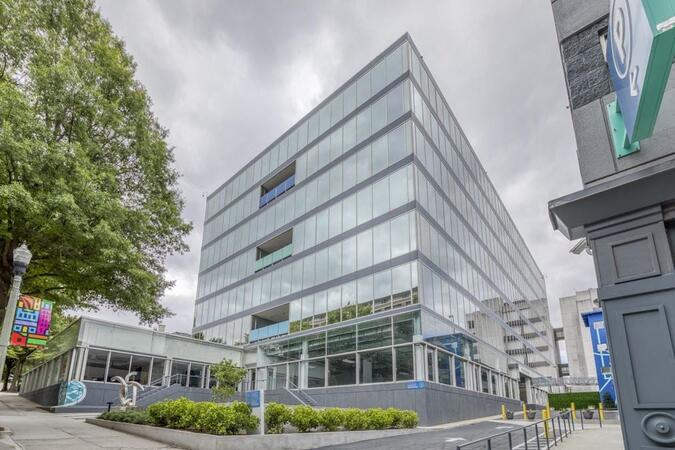
NobleProg delivers specialized Data Visualization training courses in Georgia, catering to professionals across the US Florida sales area. These sessions are designed to enhance technical expertise and leadership skills tailored to the local industry demands. By leveraging our extensive network, participants gain access to high-quality instruction and practical learning experiences within the region.
Whether delivered remotely or on-site, instructor-led Data Visualization programs utilize interactive discussions and practical exercises to equip participants with the methodologies, tools, and techniques necessary for effective data reporting tailored to diverse audiences. These courses incorporate case study analysis to illustrate real-world applications of visualization solutions, demonstrating how organizations derive actionable insights and address critical operational questions.
Data Visualization training offerings include "online live training" or "onsite live training." Online sessions (also referred to as remote live training) are conducted via an interactive remote desktop. Onsite training may be hosted at local government facilities in Georgia or at NobleProg corporate training centers in Georgia, ensuring tailored support for government agencies and public sector workflows.
NobleProg -- Your Local Training Provider
Atlanta, GA – Regus at Colony Squar
1201 Peachtree Street NE, Suite 200, Atlanta, United States, 30361
The venue is centrally located in Midtown Atlanta within the prominent Colony Square complex at 1201 Peachtree Street NE, easily accessed by car via I‑75/85 or GA‑400, with several parking garages nearby. From Hartsfield–Jackson Atlanta International Airport (ATL), around 15 miles south, a taxi or rideshare typically takes 20–30 minutes north along I‑75/85 N. Public transit users can take MARTA Rail to the Arts Center or Midtown stations (0.3–0.5 miles away) and walk easily, and numerous MARTA bus routes along Peachtree Street stop directly outside the entrance.
Atlanta, GA – The Proscenium
1170 Peachtree Street NE, Atlanta, United States, 30309
The venue is located in the heart of Midtown Atlanta in the Proscenium high–rise at 1170 Peachtree Street NE, easily accessible by car via I‑75/85 and GA‑400 with several parking garages nearby. Visitors arriving from Hartsfield–Jackson Atlanta International Airport (ATL), about 15 miles south, can expect a taxi or rideshare ride taking 20–30 minutes via I‑75/85 North. Public transit is seamless with MARTA Rail service; the Arts Center and Midtown stations are within walking distance (approximately 0.3–0.4 miles), and multiple MARTA bus routes also serve Peachtree Street.
Decatur, GA – Regus at One West Court Square
One West Court Square, Suite 750, Decatur, United States, 30030
The venue is located in the heart of downtown Decatur within One West Court Square, easily reached by car via I‑20 and I‑285, with several public parking decks directly adjacent. Travelers from Hartsfield–Jackson Atlanta International Airport (ATL), approximately 17 miles southwest, can expect a taxi or rideshare ride of around 25–30 minutes via I‑20 East. Public transit is particularly convenient: MARTA rail users can disembark at Decatur Station (about 0.15 miles away) and walk a few minutes to the building entrance. Local bus routes also serve Trinity Place and Swanton Way, putting the center within easy reach.
Atlanta, GA – Regus at One Hartsfield
100 Hartsfield Centre Parkway, Suite 500, Atlanta, United States, 30354
The venue is located in the One Hartsfield Center office building, adjacent to Hartsfield–Jackson Atlanta International Airport, easily reached by car via I‑75/I‑85 or GA‑138, with abundant on-site parking. Visitors arriving from ATL airport can walk or take a shuttle to the building, or opt for a quick 2–3‑minute taxi or rideshare ride. Public transit users can board MARTA from the Airport Station and ride one stop to College Park Station, then catch a connecting shuttle or enjoy a brief walk of about half a mile.
Atlanta, GA – Regus at Peachtree
260 Peachtree Street NW, Suite 2200, Atlanta, United States, 30303
The venue is situated in the iconic Coastal States Building at 260 Peachtree Street in downtown Atlanta, accessible by car via I‑75/85 or I‑20 with convenient parking garages nearby. From Hartsfield–Jackson Atlanta International Airport (ATL), about 12 miles south, a taxi or rideshare along I‑75/85 North takes approximately 15–20 minutes. For public transit, MARTA rail users can disembark at Five Points Station and walk 0.5 miles northeast, or exit at Peachtree Center Station and walk two blocks north—both routes offering easy access.
Augusta, GA – At Broad Street
823 Broad Street, Augusta, United States, 3090
The venue is located in the heart of downtown Augusta on Broad Street, easily accessible by car via I‑20 with several public parking garages nearby. From Augusta Regional Airport (AGS), about 9 miles west, taxis or rideshares typically take 15–20 minutes via I‑20. Public transit is available through Augusta Public Transit buses with routes along Broad Street, stopping within a few blocks of the venue, offering a convenient option for attendees without a car.
Savannah, GA – Regus at Bull Street
100 Bull St Downtown, Suite 200, Savannah, United States, 31401
The venue is located in the historic downtown area on Bull Street in the Altmayer Building, easily accessible by car via I‑16 and U.S. 17, with several public garages nearby. From Savannah/Hilton Head International Airport (SAV), about 12 miles west, taxis or rideshares typically take 15–20 minutes via U.S. 17 South. Public transit is available via Chatham Area Transit (CAT) buses, with frequent service along Bull and Broughton Streets; Johnson Square Station is just a couple minutes’ walk from the venue.
Grafana and Prometheus constitute industry-standard instrumentation used to monitor, visualize, and generate alerts regarding IT infrastructure and application metrics via real-time dashboards and system integrations.
This instructor-led, live training (delivered online or onsite) is directed at intermediate to advanced IT professionals seeking to integrate Grafana with Prometheus and diverse data sources to construct actionable visualizations and alerts across distributed systems for government operations.
Upon completion of this training, participants will demonstrate the ability to:
Install and configure Grafana and Prometheus in production-grade environments.
Integrate multiple data sources, including SQL databases, Elasticsearch, InfluxDB, and cloud APIs.
Develop advanced dashboards incorporating variables, templating, data transformations, and alerting mechanisms.
Apply best practices in data modeling, performance tuning, and user access control for government contexts.
Course Format
Interactive lectures and facilitated discussion.
Extensive exercises and practical application.
Hands-on implementation within a live laboratory environment.
Course Customization Options
To request a customized training curriculum aligned with specific agency requirements, please contact the provider to arrange details.
This instructor-led live training, conducted in Georgia (online or on-site), is designed for intermediate-level Grafana users seeking to develop interactive, drill-down dashboards featuring dynamic thresholds and contextual updates.
Upon completion of this training, participants will be able to:
Develop dashboards that respond to user interactions, such as selecting a graph bar
Implement in-place visual drill-downs without opening new tabs
Configure pie charts and detailed panels based on selection filters
Utilize dynamic thresholds that react to user input and real-time data
This instructor-led, live instructional session in Georgia (delivered online or in-person) is directed at mid-level system administrators and monitoring specialists aiming to leverage Grafana for establishing monitoring solutions, managing dashboards, and creating alerts for government agencies.
Upon completion of this training, participants will be able to:
Distinguish between observability concepts and standard monitoring methodologies.
Perform the installation and initial configuration of the Grafana server.
Configure and link diverse data sources, including Prometheus, InfluxDB, and ElasticSearch.
Develop, oversee, and customize dashboards and visual elements.
Leverage variables and queries to build dynamic dashboard capabilities.
Implement notification and alerting mechanisms through the Grafana interface.
Install and maintain plugins to extend platform utility for government use cases.
This instructor-led, live training in Georgia (available online or on-site) is targeted at senior DevOps engineers and Site Reliability Engineers (SREs) seeking to manage and scale Prometheus and Grafana for large-scale environments effectively.
By the conclusion of this training, participants will be proficient in:
Architecting Prometheus and Grafana for large-scale and distributed government environments.
Optimizing Prometheus performance for high-traffic governmental systems.
Configuring Grafana for large data sets and complex visualizations for public sector use.
Implementing advanced troubleshooting and scalability strategies.
This instructor-led, live training in Georgia (delivered online or in-person) targets intermediate-level developers and DevOps engineers aiming to instrument applications for effective custom metric export and monitoring using Prometheus and Grafana for government operations.
Upon completion of this training, participants will be able to:
Comprehend the significance of custom metrics in application monitoring.
Instrument applications to export custom metrics for Prometheus.
Design and configure Grafana dashboards to visualize custom metrics.
Implement best practices for integrating monitoring into the development lifecycle.
This instructor-led, live training in Georgia (available online or onsite) is intended for advanced-level Kubernetes administrators and DevOps engineers seeking to enhance their monitoring proficiency for Kubernetes clusters using Prometheus and Grafana for government operations.
Upon completion of this training, participants will be able to:
Deploy Prometheus and Grafana for Kubernetes monitoring.
Monitor essential metrics for pods, nodes, and services.
Construct dynamic dashboards to visualize cluster health and performance.
Implement alerting strategies for proactive issue resolution.
Apply best practices for scaling monitoring solutions in Kubernetes environments.
This instructor-led, live training session in Georgia (conducted online or onsite) is intended for advanced-level DevOps and SRE professionals aiming to improve their alerting and automation proficiencies with Grafana and Prometheus.
Upon completion of this training, participants will be able to:
Create and administer advanced alerting rules in Prometheus.
Integrate Prometheus Alertmanager with external tools using webhooks.
Automate responses to alerts for expedited issue resolution.
Utilize Grafana to visualize and manage alert status effectively.
This instructor-led, live training session, delivered in Georgia (online or in person), targets intermediate-level cloud and DevOps engineers aiming to advance cloud observability practices using Grafana and Prometheus.
By the conclusion of this program, participants will be prepared to:
Recognize the benefits of integrating Grafana and Prometheus with cloud platforms.
Deploy Prometheus for the monitoring of cloud-based resources.
Configure Grafana for the visualization of cloud service metrics.
Apply cloud-native tools and integrations to support scalable monitoring efforts.
This instructor-led, live training in Georgia (online or onsite) targets intermediate DevOps and SRE specialists aiming to develop significant dashboards and refine monitoring practices for government use using Grafana and Prometheus.
Upon completion, participants will be capable of:
Applying best practices for effective dashboard design.
Constructing and setting up advanced Grafana components.
Using Grafana templating for flexible and reusable interfaces.
Deploying alert systems to strengthen operational insight.
This course outlines methodologies and best practices for modeling, visualizing, and analyzing data with Power BI, aligned with operational and technical standards. It covers data access and processing from both relational and non-relational sources. Furthermore, the course addresses the implementation of security standards and policies across the Power BI environment, including datasets and user groups. It also discusses the management and deployment of reports and dashboards for effective content distribution.
This instructor-led, live training session in Georgia (delivered online or onsite) is intended for entry-level system administrators and DevOps engineers aiming to develop core monitoring proficiency using Grafana and Prometheus for government applications.
Upon completion of this training, participants will be able to:
Understand the rationale and necessity of surveillance within IT infrastructures.
Install and configure Grafana and Prometheus for basic monitoring duties.
Create basic dashboards and alerts to present system performance data.
Apply standard practices for monitoring system availability and performance.
This instructor-led, live training conducted in Georgia (online or onsite) is tailored for beginner-level data scientists and professionals who require the ability to create meaningful and visually effective data visualizations.
By the conclusion of this training, participants will possess the capability to:
Configure and operate Google Colab for visualization purposes.
Generate various plot types utilizing Matplotlib.
Leverage Seaborn for advanced visualization techniques.
Customize plots to ensure optimal presentation and clarity.
Interpret and present data accurately using visual tools, supporting data-driven decision-making.
This instructor-led, live training session conducted in Georgia (available online or on-site) is targeted at junior-level IT specialists and DevOps engineers aiming to acquire proficiency in the foundational operations of Grafana and Prometheus.
Upon completion of this training, participants will be capable of:
Explaining the strategic purpose and core functionalities of Grafana and Prometheus.
Performing the installation and configuration of Grafana and Prometheus on Linux environments.
Establishing fundamental data sources and constructing dashboards in Grafana.
Overseeing system metrics and rendering data visualizations via Prometheus.
The Elastic Stack (ELK) provides a robust platform for the real-time search, analysis, and visualization of log data from diverse sources.
This instructor-led training session, available online or onsite, is designed for intermediate-level IT professionals seeking to enhance their ELK proficiency. The curriculum focuses on managing distributed log data, automating alerts, and developing advanced visualizations and dashboards for government operations.
Upon completion of this training, participants will be able to:
Configure advanced ingestion and parsing workflows from multiple sources, including enterprise databases.
Develop customized Kibana dashboards tailored to specific teams or operational use cases.
Implement email notifications and condition-based alerting systems.
Apply regular expressions to enhance the precision of log searches.
Manage user roles and access permissions to ensure a secure log environment.
Interact with the Elasticsearch REST API for automation and system integration.
Course Format
Interactive lectures and facilitated discussions.
Extensive exercises and practical applications.
Hands-on implementation within a live laboratory environment.
Course Customization Options
Contact the training provider to arrange customized instruction for this course as needed.
This live, instructor-led training in Georgia (delivered remotely or on-site) targets intermediate-level administrators and developers aiming to refine their Elasticsearch administration skills. The curriculum emphasizes advanced Kibana dashboard development and system maintenance, ensuring robust operations for government.
Upon completion, participants will be equipped to:
Provision and configure Elasticsearch and Kibana environments for high-level administration and dashboard creation.
Establish and oversee Elasticsearch indices, mappings, and data models.
Construct advanced queries and filters to extract meaningful insights from data repositories.
Develop interactive dashboards in Kibana utilizing a variety of visualization types and analytical techniques.
Enforce best practices in the administration, optimization, and troubleshooting of these systems.
Data analysis entails the systematic examination, cleansing, transformation, and modeling of information to derive actionable insights, establish conclusions, and support governance. This instructor-led, live training (delivered online or in person) is designed for intermediate-level personnel seeking to manage, analyze, and visualize data for operational performance and decision support. Upon completion of this course, participants will possess the ability to: create and administer database systems; apply regression, classification, and foundational machine learning models; construct dynamic reports and dashboards utilizing Excel and Power BI; and employ statistical methodologies to inform policy decisions and analyze trends. Course Format: interactive lectures and discussions; extensive exercises and practice; hands-on implementation in a live-lab environment. Customization: to request a tailored training program for this curriculum, please contact us to arrange details.
This instructor-led, live training session in Georgia (online or on-site) is tailored for intermediate-level data analysts aiming to master and apply the advanced features and components of Grafana for data visualization and analysis for government contexts.
By the conclusion of this training, participants will be capable of:
Developing a deep proficiency in advanced Grafana concepts and core components.
Employing template variables and dynamic dashboards to improve data visualization outcomes.
Crafting complex queries via the Grafana Query Language.
Implementing best practices for Grafana scaling, performance optimization, and high availability assurance.
This instructor-led, live training in Georgia (online or in person) is designed for data analysts who intend to build analytic applications using Python with Plotly and Dash.
Upon completion of this training, participants will be able to:
Configure real-time interactive dashboards for streaming live data updates.
Develop interactive dashboards using Python for data science solutions.
Secure interactive dashboards using advanced authentication methods.
This course outlines the various methods and best practices aligned with business and technical requirements for modeling, visualizing, and analyzing data using Power BI. It demonstrates how to access and process data from a range of sources, including both relational and non-relational databases. Additionally, the course explores the implementation of appropriate security standards and policies across the Power BI environment, including datasets and user groups. It further addresses the management and deployment of reports and dashboards for secure sharing and content distribution.
Target Audience
This course is designed for data professionals and business intelligence specialists seeking to master accurate data analysis using Power BI. It is also tailored for individuals who develop reports that visualize data from platform technologies hosted in the cloud or on-premises.
This course addresses the methodologies and best practices aligned with business and technical requirements for modeling, visualizing, and analyzing data using Power BI. It demonstrates how to access and process data from diverse sources, including both relational and non-relational databases. The course further examines the implementation of robust security standards and policies across the Power BI environment, encompassing datasets and user groups. Additionally, it covers the management and deployment of reports and dashboards for secure content distribution. Finally, it provides instructions on constructing paginated reports within the Power BI service and publishing them to workspaces for integration.
This instructor-led, live training in Georgia is intended for system administrators tasked with configuring an ELK stack (Elasticsearch, Logstash, and Kibana). Please note that a minimum of three participants is required to conduct this course.
The instruction commences with an examination of ELK architecture and functional capabilities, followed by live laboratory implementation and practical application. Hands-on exercises form a significant portion of the training, providing participants with the opportunity to apply their knowledge in real-world scenarios while receiving feedback on their performance.
This instructor-led, live training in Georgia (onsite or remote) is designed for data analysts who wish to use Grafana for monitoring and visualizing data.
By the end of this training, participants will be able to:
Set up the necessary development environment to begin creating visualizations in Grafana.
Configure Grafana for high availability.
Customize panels and dashboards with data.
Configure a reverse proxy to optimize loading speeds.
This module outlines the procedures for acquiring, transforming, and preparing data to generate interactive dashboards suitable for government operations.
Power BI serves as a prominent data visualization and business intelligence platform. It comprises a suite of data connectors, applications, and software services designed to retrieve data from diverse sources, process and transform that data, and generate comprehensive reports for governance and accountability purposes.
The platform also supports the publication of insights for organizational stakeholders, facilitating access via mobile devices, tablets, and other endpoints. This tutorial details a systematic approach for establishing connections to multiple data sources, executing data transformations, and constructing analytical views including charts, tables, matrices, and maps, tailored for government applications.
In this instructor-led, live training conducted in Georgia (onsite or remote), participants will acquire the skills to utilize Microsoft Power BI for analyzing and visualizing data through a series of sample data sets, a capability that is highly relevant for government workflows.
By the conclusion of this training, participants will be able to:
Create visually compelling dashboards that provide valuable insights into data for government use.
Obtain and integrate data from multiple data sources to ensure comprehensive reporting.
Build and share visualizations with team members to foster collaboration.
Adjust data with Power BI Desktop to maintain accuracy and relevance.
This instructor-led, live training in Georgia (online or on-site) is designed for developers who intend to utilize BusinessEvents and ActiveMatrix Service Bus to develop, deploy, and manage event-driven applications.
Upon completion of this training, participants will be equipped to:
Establish the requisite development environment to initiate coding.
Construct distributed, stateful, and rule-based event-processing systems.
Manage business event data and enforce appropriate business rules.
Minimize event response latency in large-scale, data-driven applications.
Develop applications for critical functions such as fraud detection, track-and-trace operations, and real-time customer offer generation.
This four-day training in Georgia guides introductory users from fundamental Tableau capabilities to advanced data visualization techniques. Participants will learn to connect data, develop calculations, construct dashboards, and publish insights. Includes hands-on laboratories and a final project to enhance analytical skills for government operations.
Read more...
Last Updated:
Testimonials (6)
The basic structure of Power BI, its main functions, as well as some advanced functions
Alessandro Binaghi - Great Place to Work(R) Institute Italia Srl
Course - PL-300: Microsoft Power BI Data Analyst
engagement with the attendees
Magdeline Matsie Mokonyane-Motha - Tshwane University of Technology
Course - PL-300T00: Microsoft Power BI Data Analyst
Smart work reporting criteria
Siyabonga Kubeka - NTCSA
Course - Power BI for Business Analysts
The coding and analysis, how the information come together in a report which will be useful for my work
Nokuthula Dhludhlu - National Transmission Company South Africa
Course - Analyzing Data with Power BI
workshops, practical examples
Martin Stuparek - Orange Slovensko, a.s.
Course - Monitoring with Grafana
The content is very helpful, and the trainer makes it more easier to understand
Ibrahim Al mayahi - Vastech SA
Course - Advanced Elasticsearch and Kibana Administration
Online Data Visualization training in Georgia, Data Visualization training courses in Georgia, Weekend Data Visualization courses in Georgia, Evening Data Visualization training in Georgia, Data Visualization instructor-led in Georgia, Data Visualization classes in Georgia, Data Visualization trainer in Georgia, Data Visualization private courses in Georgia, Data Visualization coaching in Georgia, Data Visualization one on one training in Georgia, Data Visualization on-site in Georgia, Evening Data Visualization courses in Georgia, Data Visualization instructor-led in Georgia, Data Visualization instructor in Georgia, Data Visualization boot camp in Georgia, Weekend Data Visualization training in Georgia, Online Data Visualization training in Georgia