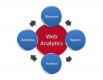
Introduction to Google Analytics Training Course
Google Analytics serves as a web-based analytics platform designed for the monitoring and reporting of digital properties. This tool enables organizations to derive actionable insights and support evidence-based decision-making in operational contexts.
This instructor-led professional development program, available in online or on-site formats, is specifically designed for data analysts seeking to leverage Google Analytics for the systematic tracking and reporting of web traffic and user engagement metrics.
Upon completion of this program, participants will be proficient in:
- Configuring Google Analytics to systematically collect and store website data.
- Generating and interpreting analytical reports.
- Deriving strategic insights to facilitate data-driven operational decisions.
Instructional Format
- Interactive lectures facilitated by structured discussion.
- Extensive practical exercises and skill-reinforcement activities.
- Applied implementation within a controlled live-lab environment.
Customization for Government
- To initiate a tailored training program for government operations, please contact the administrative office to coordinate scheduling and specific curriculum requirements.
Course Outline
Introduction
Overview of Google Analytics
- Definition of Google Analytics
- Key capabilities of Google Analytics
Environment Preparation
- Configuration of Google Analytics
Administration
- Managing configuration settings
Reporting
- Data import and export procedures
- Development of custom reports
- Construction and distribution of dashboards
- Integration of quick-access shortcuts
Data Visualization
- Incorporation and comparison of metrics
- Organization of data sets
- Generation of charts and graphical representations
- Utilization of search functionalities
Summary and Conclusion
Requirements
- Fundamental proficiency with personal computing systems
Target Audience
- Data Analysts
Runs with a minimum of 4 + people. For 1-to-1 or private group training, request a quote.
Introduction to Google Analytics Training Course - Booking
Introduction to Google Analytics Training Course - Enquiry
Introduction to Google Analytics - Consultancy Enquiry
Testimonials (2)
The final day which is the Machine Learning Topic
John Erick Baltazar - Globe Telecom
Course - Google BigQuery
It was a really good training course, well prepared and explained by the trainer with great hands on experience on GCP.
Mircea
Course - Google Cloud Platform Basics and Management
Upcoming Courses
Related Courses
Google Cloud Digital Leader (CDL) – Certification Preparation
14 HoursThis instructor-led, live training in US is designed for entry-level business professionals seeking to prepare for the Google Cloud Digital Leader certification.
Upon completion of this training, participants will be able to:
- Articulate how Google Cloud facilitates digital and data transformation.
- Describe Google Cloud AI/ML, infrastructure, security, and operations at a strategic business level.
- Prepare for the certification assessment through simulated questions and systematic review.
Google Cloud Platform Fundamentals and Core Service
24 HoursThis instructor-led, live training in US (delivered online or onsite) is designed for entry-level IT professionals who wish to utilize Google Cloud Platform to understand core services, deploy cloud workloads, and adhere to operational best practices for government contexts.
Upon completion of this training, participants will be able to describe core Google Cloud services, deploy basic workloads, and implement security and monitoring protocols.
Google Cloud Generative AI Leader – Certification Preparation
14 HoursThis live, instructor-led training is tailored for entry-level business professionals and leaders preparing for the Google Cloud Generative AI Leader certification.
Upon completion, participants will be able to:
- Explain the fundamentals of generative AI and Google’s foundation models.
- Describe Google Cloud’s generative AI offerings and associated agent tooling.
- Apply prompt engineering, grounding, and Retrieval-Augmented Generation (RAG) to optimize model output.
- Understand secure and responsible AI frameworks to support business adoption.
Architecting with Google Compute Engine
21 HoursThis three-day instructor-led course introduces participants to the comprehensive and flexible infrastructure and platform services provided by Google Cloud Platform, with a focus on Compute Engine. Through a combination of presentations, demos, and hands-on labs, participants explore and deploy solution elements, including infrastructure components such as networks, systems, and application services. This course also covers deploying practical solutions including securely interconnecting networks, customer-supplied encryption keys, security and access management, quotas and billing, and resource monitoring.
Google BigQuery
28 HoursThis instructor-led, live training, conducted in US (online or onsite), is designed for advanced-level data analysts seeking to acquire proficiency in using Google BigQuery for data querying, optimization, and machine learning integration for government.
Upon completion of this training, participants will be capable of:
- Understanding the foundational aspects of Google BigQuery and its utility in data analytics and cloud computing for government.
- Utilizing Google BigQuery for effective data management and the execution of complex SQL queries.
- Implementing strategies to optimize query performance and resource utilization.
- Integrating BigQuery with complementary Google Cloud services to enhance operational capabilities.
Google Certified Associate Cloud Engineer
35 HoursThis instructor-led, live training in US (online or onsite) is intended for mid-level information technology professionals seeking to acquire the competencies required to deploy, manage, and operate workloads on Google Cloud, as well as to prepare for the Google Certified Associate Cloud Engineer credential. This course is for government professionals seeking to enhance their technical proficiency in cloud environments.
Upon completion of this training, participants will be able to:
- Establish and oversee Google Cloud projects, resources, network configurations, and storage services.
- Deploy and manage applications utilizing Compute Engine, Google Kubernetes Engine (GKE), Cloud Run, and App Engine.
- Configure identity and access management, security measures, and billing budgets, alerts, and cost monitoring mechanisms.
- Provision and automate cloud infrastructure using Terraform and Cloud Build tools.
- Monitor, diagnose, and optimize Google Cloud environments using Cloud Monitoring and Cloud Logging tools.
- Comprehend the features of Vertex AI and Google Cloud AI services applicable to standard business and operational scenarios.
Google Cloud Platform Basics and Management
21 HoursThis facilitated, live instruction session in US (delivered remotely or on-site) targets introductory-level information technology specialists seeking to administer and sustain the Google Cloud Platform for government.
Upon completion of this instructional program, attendees will be equipped to:
- Comprehend the foundational services and architectural components of GCP.
- Acquire proficiency in governing network structures and virtual compute resources.
- Apprehend and execute standard security protocols within the GCP environment.
- Investigate Kubernetes orchestration and container lifecycle management on GCP.
- Master the array of persistence options and their configuration methodologies.
- Provision and tune database services within the GCP framework.
Google Cybersecurity Professional
35 HoursGoogle Docs - 1 Day
7 HoursGoogle Docs provides a cloud-based document management system, enabling secure access and synchronization from any compatible device. Users can author and modify documents directly within a web browser without the need for specialized local software. The platform supports concurrent user collaboration, allowing stakeholders to observe real-time changes, with all modifications automatically saved to ensure data integrity and availability for government operations.
This curriculum provides training on accessing the Google Docs environment, creating and formatting documents, and applying standardized templates to ensure consistent output. It covers methods to enhance document structure using tables of contents, headers, footers, tables, and visual elements such as images and diagrams. The course details sharing protocols, including the examination of collaborator roles and permission settings necessary for secure information exchange. Participants will learn to manage document versions to maintain an accurate audit trail. The training emphasizes real-time collaboration features, including the creation and management of comments and action items to track progress. Additionally, the module reviews essential tools, configuration preferences for optimized workflows, and the use of integrated resources like Google Explore to augment content quality and relevance for government audiences.
Mastering Google Earth Pro
21 HoursThis live, instructor-led instructional session, conducted in US (either virtually or on-site), is designed for intermediate-to-advanced Geographic Information System (GIS) specialists seeking to utilize Google Earth Pro for mapping, data visualization, and geographic analysis.
Upon completion of this curriculum, participants will possess the ability to:
- Operate the Google Earth Pro interface with proficiency, identifying the operational logic of integrated tools and configuration options.
- Execute efficient global navigation using Google Earth Pro, leveraging search protocols, coordinate inputs, and diverse viewing perspectives.
- Construct, modify, and deploy placemarks, paths, and polygons to delineate and evaluate specific geographic regions.
- Leverage Google Earth Pro for high-level visualization tasks, encompassing three-dimensional building models, archival imagery, and street-level integration.
Google Sheets - 1 Day
7 HoursLEARNING OBJECTIVES
-
Capable of adding, importing, managing, and formatting data within Google Sheets.
-
Able to filter, summarize, and secure data assets in Google Sheets.
-
Skilled in performing calculations and visualizing spreadsheet data for reporting.
-
Proficient in applying best practices for secure sharing and collaboration in Google Sheets.
Google Workspace for Commercial Managers
7 HoursThis instructor-led, live training, conducted at the designated US (online or onsite), is targeted at beginner-level administrative and commercial personnel. The instruction focuses on deploying Google Workspace tools to improve productivity, collaboration, and organizational structure within their respective governmental roles.
Upon completion of this training, participants will be equipped to:
- Exhibit foundational understanding of the Google Workspace platform.
- Efficiently schedule and manage official meetings using Google Calendar.
- Host, join, and oversee virtual meetings, while utilizing collaboration features such as screen sharing.
- Generate professional documentation, apply collaborative editing features, and convert documents into various standard formats.
- Develop, format, and disseminate presentations, while engaging in collaborative editing with other stakeholders.
Google Workspace: Communication, Collaboration, and Productivity
14 HoursGoogle Workspace constitutes a comprehensive suite of cloud-based applications engineered to optimize communication, interdepartmental collaboration, and operational efficiency within professional and academic sectors. This blended training curriculum integrates virtual and in-person modules to equip participants with the technical proficiency required to utilize Gmail, Calendar, Meet, Drive, Docs, Sheets, Slides, and Chat/Gemini, supported by hands-on practical exercises and structured guidance.
This instructor-led program, conducted through both online and onsite formats, is designed for professionals ranging from novice to intermediate levels who aim to refine their utilization of Google Workspace to streamline team workflows and institutional operations for government contexts.
Upon successful completion of this training, participants will possess the capacity to:
- Efficiently organize and oversee electronic correspondence, event scheduling, and virtual meetings utilizing Gmail, Calendar, and Meet.
- Engage in real-time collaborative workflows using Google Drive, Docs, Sheets, and Slides.
- Deploy communication tools such as Chat/Gemini to optimize team interactions and information sharing.
- Produce practical operational outputs, including structured schedules, joint administrative reports, data dashboards, and official presentations.
Instructional Methodology
- Blended learning model: 2 hours of virtual instruction combined with 12 hours of in-person engagement.
- Interactive lectures facilitated by guided discussion and peer exchange.
- Practical exercises, collaborative group projects, and operational simulations.
- Supplementary video tutorials and directed virtual practice assignments.
Curriculum Tailoring
- To request a customized version aligned with specific organizational processes, please initiate contact to arrange tailored instruction.
Google Workspace (G Suite) Essentials
7 HoursLooker Studio: Data Visualization & Interactive Reporting
7 HoursThis course is structured to provide government personnel with the necessary knowledge and practical skills to leverage Looker Studio for data visualization and reporting. Participants will learn to connect data sources, manage metrics and dimensions, and design interactive dashboards that deliver actionable insights for government operations.