Online or onsite, instructor-led live Content Management System (CMS) training courses provide hands-on practice to demonstrate how to implement a CMS for creating, modifying, and managing content on a website.
CMS training is available as "online live training" or "onsite live training." Online live training, also known as "remote live training," is conducted through an interactive remote desktop. Onsite live training can be arranged at customer premises in Florida or in Govtra corporate training centers in Florida.
Govtra -- Your Local Training Provider for government solutions
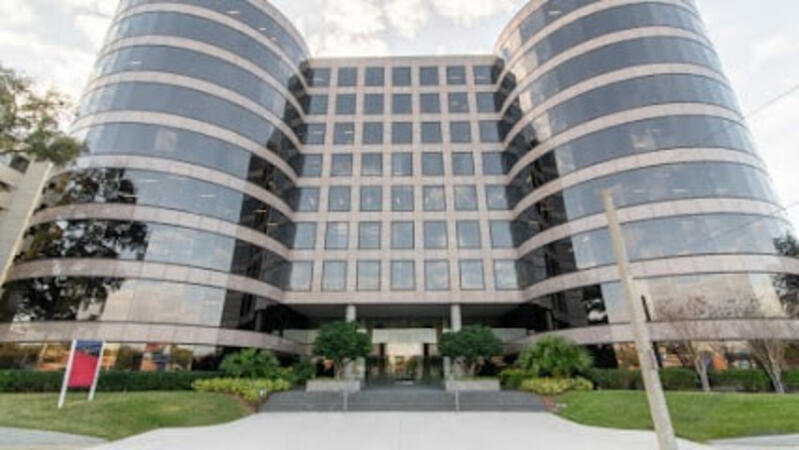
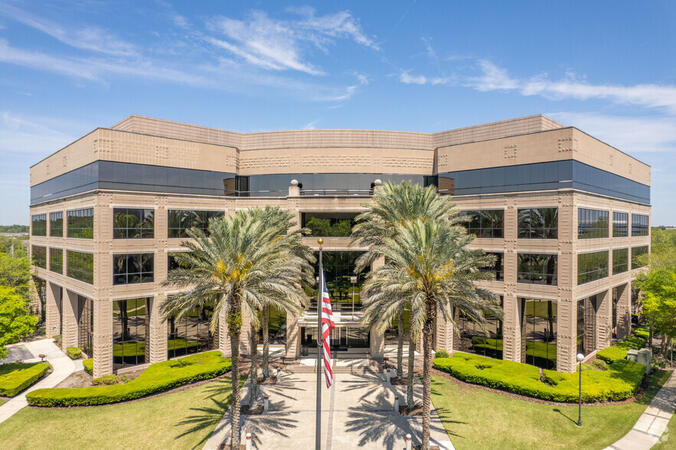
Jacksonville, FL – Deerwood Park
10151 Deerwood Park Blvd 200, Suite 250, Jacksonville, United States, 32256
The venue is nestled in the Deerwood Park campus at 10151 Deerwood Park Boulevard, just off J. Turner Butler Boulevard (JTB) and I‑295, with free on-site parking and adjacent lots. From Jacksonville International Airport (JAX), approximately 18 miles north, a taxi or rideshare takes about 25 minutes via I‑95 South and JTB West. Public transit is available via Jacksonville’s JTA bus routes stopping within walking distance, making the landscaped campus—complete with fountains, cafes, and scenic walkways—easily accessible for attendees without a car.
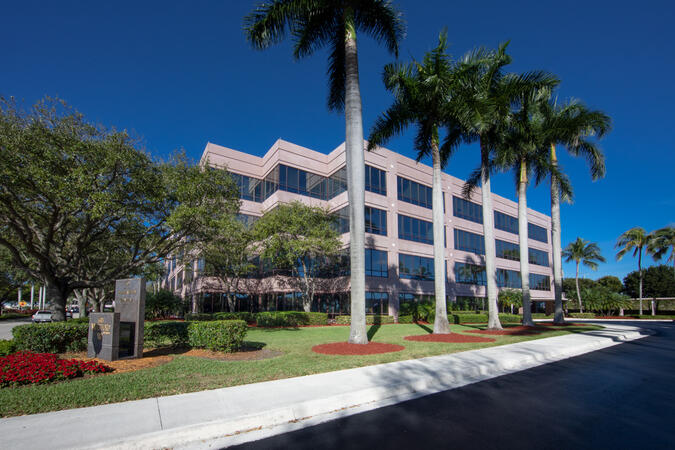
Miami, FL – Regus at Waterford at Blue Lagoon
6303 Blue Lagoon Drive, Suite 400, Miami, United States, 33126
The venue is set within the Waterford business park at 6303 Blue Lagoon Drive, just minutes from Miami International Airport. It’s accessible by car via I‑95, Florida Turnpike, 826, or Dolphin Expressway, with abundant covered and surface parking on-site. From Miami International Airport (MIA), a taxi or rideshare takes approximately 10 minutes via the Dolphin Expressway. Public transit options include TheBus routes and nearby Tri-Rail stations, with the property a short walk from bus stops—making it convenient even for attendees without a car.

Tampa, FL – Regus at Wells Fargo Center
100 S. Ashley Drive, Suite 600, Tampa, United States, 33602
The venue is located in the 22-story Wells Fargo Center in downtown Tampa, easily accessible by car via I‑275, I‑4, I‑75, or the Selmon Expressway, with covered garage parking (610+ spaces) directly connected to the building. From Tampa International Airport (TPA), a taxi or rideshare takes about 15 minutes via I‑275 East and Ashley Drive. Public transit is excellent with the Downtown Tampa Station (NFTA Metro Rail) just a block away and several bus routes running along Ashley and Brorein Streets, making it ideal for attendees arriving without cars.
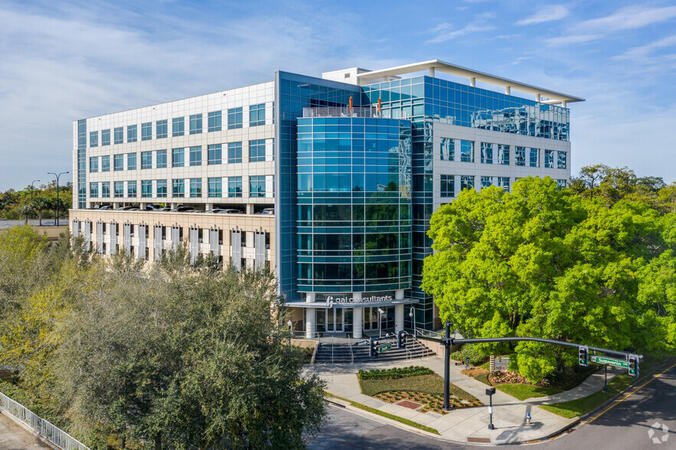
FL, Orlando – GAI Building
618 E. South Street Suite 500, Orlando, United States, 32801
The venue is located in the GAI Building with the CNS Healthcare logo at the front.
FL, Jacksonville - Bank of America Tower
50 N. Laura Street Suite 2500, Jacksonville, United States, 32202
The office is located in a premier office tower in Downtown Jacksonville on the 42nd floor. This Class A LEED Certified building is situated in the Northbank Office Market Preeminent location that provides commanding views. Downtown Trolley and Bus stops are located just across the street on Forsyth with easy access to I-95 leading to I-10 and I-295. Convenient to Jacksonville International Airport, the building is also just minutes to Everbank Field, Jacksonville Landing, Times Union Performing Arts Center, Jacksonville Veterans Memorial Arena and Jacksonville Public Library. Spectacular views of the St John's River in Jacksonville, Florida are one of many features that make the Bank of America Tower office space stand out. The office space occupies a blue granite tower in the heart of the city's central business district. The iconic tower is one of the best-known business premises in the southeastern United States and includes a statement lobby and class-A workspace. Businesses of all kinds appreciate Jacksonville's location at the crossroads of three major railroads and three interstates, and its international airport.
FL, Tallahassee – Alliance Center
113 South Monroe Street 1st Floor, Tallahassee, united states, 32301
The venue is located in the Alliance Center across the street from FUBA and the Florida Optometric Association.
FL, West Palm Beach - Philips Point
777 South Flagler Drive, West Palm Beach, United States, 33401
The venue is located in the Philips Point building just off the Royal Park Bridge.
FL, Aventura - Corporate Center
20801 Biscayne Blvd., Miami, united states, 33180
The venue is located in the Grove Bank & Trust building just off Biscayne Blvd.
FL, Fort Lauderdale - Corporate Center
Corporate Center, 110 East Broward Blvd., Fort Lauderdale, United States, 33301
The venue is located in the Corporate Center across the street from the Uniform Advantage Corporate Office and just next door to Colliers International.
Miami Beach, FL – Regus at Meridian Center
1688 Meridian Avenue, Suites 600/700, Miami Beach, United States, 33139
The venue is located on the corner of Meridian Avenue and 17th Street in Miami Beach’s vibrant City Center district, accessible by car via I‑195 and the MacArthur Causeway with underground and street parking nearby. From Miami International Airport (MIA), taxis or rideshares typically take 15–20 minutes via I‑195 East and Biscayne Boulevard. Public transit is seamless: several Metrobus routes serve Meridian Avenue, and the nearby 17th Street trolley stop makes it easy to reach without a car. The central location places the venue steps from the Miami Beach Convention Center, Lincoln Road Mall, restaurants, galleries, and retail.
Tampa, FL - Regus - One Urban Centre at Westshore
4830 W Kennedy Blvd #600, Tampa, United States, 33609
The venue is located in the Westshore business district at 4830 West Kennedy Boulevard, seamlessly accessible by car via I‑275 or I‑75 with secure underground and surface parking on-site. From Tampa International Airport (TPA), take Memorial Highway to I‑275 South and exit at West Kennedy Boulevard—taxi or rideshare typically takes about 15–20 minutes. Public transit users can reach the venue via HART bus routes (such as Route 2 or 32) stopping nearby, followed by a short walk into the building lobby.
Drupal 10 is a robust open-source content management system used to develop and manage dynamic websites and applications.
This instructor-led, live training (online or onsite) is designed for beginner to intermediate web administrators, content managers, and developers who wish to learn how to build, manage, and customize websites using Drupal 10.
By the end of this training, participants will be able to:
- Understand Drupal’s ecosystem, features, and user interface.
- Construct and configure sites with content types, fields, and navigation.
- Manage content through taxonomies and media tools.
- Set up users, roles, permissions, and content workflows.
- Install and configure modules, themes, and site settings.
- Apply basic theming and optimization best practices.
**Format of the Course**
- Interactive lecture and discussion.
- Extensive exercises and practice sessions.
- Hands-on implementation in a live-lab environment.
**Course Customization Options for Government**
- To request a customized training for this course tailored to specific government needs, please contact us to arrange.
This instructor-led, live training in Florida (online or onsite) is designed for government website administrators at beginner to intermediate levels who wish to efficiently manage a Backdrop CMS website without requiring extensive coding knowledge.
By the end of this training, participants will be able to:
- Install, configure, and maintain a Backdrop CMS website.
- Manage content, users, and permissions effectively.
- Customize the website layout and appearance.
- Extend website functionality using modules and themes.
- Perform backups and adhere to security best practices for government.
This instructor-led, live training in [location] (online or onsite) is designed for intermediate-level developers who wish to build, extend, and customize websites using Backdrop CMS. The training aims to enhance the skills necessary for effective website development and management, aligning with public sector workflows and governance.
By the end of this training, participants will be able to:
- Install and configure Backdrop CMS.
- Develop and customize themes to meet specific design requirements.
- Build custom modules to extend the functionality of the CMS.
- Integrate third-party APIs and services for enhanced capabilities.
- Manage databases and optimize performance to ensure efficient operations.
This comprehensive training is tailored to support developers in their roles for government, ensuring they have the necessary tools and knowledge to deliver robust and secure web solutions.
This instructor-led, live training in [location] (online or onsite) is aimed at beginner-level web content managers who wish to update content, manage menus, work with taxonomy, and upload PDFs or images in Drupal for government websites.
By the end of this training, participants will be able to:
- Navigate the Drupal interface and understand key features.
- Create and manage menus to enhance site navigation.
- Use taxonomy to categorize and organize content effectively.
- Upload and manage PDFs, images, and other media files.
- Edit and publish basic content pages for government websites.
This instructor-led, live training in Florida (online or onsite) is designed for government participants at a beginner level who wish to understand the fundamentals of Drupal 11 and learn how to build, manage, and customize websites using its features.
By the end of this training, participants will be able to:
- Install and configure Drupal 11 on local or cloud environments.
- Create and manage content using the Drupal interface.
- Customize the appearance of websites with themes.
- Extend website functionality with modules and plugins.
- Understand user roles, permissions, and site security basics for government use.
- Deploy and maintain Drupal 11 websites effectively.
This instructor-led, live training in [location] (online or onsite) is designed for beginner-level content managers who wish to learn the essential concepts, tools, and best practices for managing content using a Content Management System (CMS).
By the end of this training, participants will be able to:
- Understand the key features and components of popular CMS platforms.
- Create, edit, and publish content within a CMS.
- Implement SEO best practices in a CMS to enhance search engine ranking.
- Manage user roles and permissions to facilitate collaboration within the CMS.
- Integrate multimedia elements (images, videos, etc.) effectively into content.
- Troubleshoot basic CMS issues and understand CMS security practices.
- Utilize analytics tools to measure and improve content performance for government use.
This instructor-led, live training in Florida (online or onsite) is designed for system administrators who wish to set up and manage a Drupal 11 website for government use.
By the end of this training, participants will be able to:
- Install and configure Drupal 11.
- Deploy, test, and monitor a Drupal 11 website.
- Set up and manage user accounts.
- Secure a Drupal 11 website.
- Optimize the performance of a Drupal 11 website.
- Perform scheduled backups.
- Deploy multiple versions of a Drupal 11 website (multilingual, mobile, etc.).
This instructor-led, live training in Florida (online or onsite) is aimed at developers who wish to utilize Contentful to update website or mobile app content for government use.
By the end of this training, participants will be able to:
Set up a Contentful account for government purposes.
Manage web and mobile application content in Contentful for government projects.
Learn how to efficiently manage and update web or mobile application content for government applications.
This instructor-led, live training (online or onsite) is designed for intermediate-level developers who wish to master Drupal 10, with a focus on custom module creation, development practices, and the integration of DevOps processes using Azure.
By the end of this training, participants will be able to:
- Understand the core functionalities and new features of Drupal 10.
- Develop custom modules that align with specific business requirements.
- Implement best practices in Drupal development for government projects.
- Configure and manage development environments using Azure services.
- Automate deployment and scaling processes using Azure DevOps tools.
Learning Management System (LMS) platforms are extensively utilized in educational, corporate, and government settings to manage, deliver, and track digital training and learning experiences.
This instructor-led, live training (conducted online or on-site) is designed for beginner to intermediate professionals who aim to achieve certification-level skills in managing, administering, and optimizing an LMS platform to support learning and development programs for government.
By the end of this training, participants will be able to:
Set up and configure a learning management system for their organization.
Enroll users, assign roles, and manage access permissions.
Create, organize, and monitor courses and learning paths.
Generate reports and track learner progress and performance.
Format of the Course
Interactive lecture and discussion.
Extensive exercises and practice sessions.
Hands-on implementation in a live-lab environment.
Course Customization Options
To request a customized training for this course, please contact us to arrange.
This instructor-led, live training (online or onsite) is designed for beginner-level web developers, web designers, and WordPress administrators who wish to learn how to install, administer, and optimize WordPress sites, enabling them to create and manage professional and responsive websites.
By the end of this training, participants will be able to:
- Understand the fundamentals of WordPress, including its features and benefits.
- Install and configure WordPress on a web server for government use.
- Utilize plugins, servers, and templates to enhance WordPress functionality and performance.
- Create and manage custom post types in WordPress.
- Develop WordPress sites at basic, intermediate, and advanced levels.
- Use Elementor to design and customize WordPress sites effectively.
- Implement site maps and breadcrumbs for improved navigation on WordPress sites.
- Apply best practices in web and responsive design for WordPress sites.
- Optimize WordPress sites for SEO and Google Analytics integration.
This instructor-led, live training in [location] (online or onsite) is designed for system administrators who wish to set up and manage a Drupal 8 website for government use. By the end of this training, participants will be able to:
- Install and configure Drupal 8.
- Deploy, test, and monitor a Drupal 8 website.
- Set up and manage user accounts.
- Secure a Drupal 8 website.
- Optimize the performance of a Drupal 8 website.
- Perform scheduled backups.
- Deploy multiple versions of a Drupal 8 website (multilingual, mobile, etc.).
This course is designed for individuals who are new to Drupal 8. It will guide participants through the essentials of managing a basic community website using Drupal, covering key features and expectations. The training emphasizes practical skills that align with public sector workflows, governance, and accountability, making it particularly useful for government professionals seeking to enhance their web management capabilities.
This course has been developed for government professionals, including developers, architects, and project managers who are interested in working with the Drupal 8 platform. Participants will gain the skills necessary to override existing functionality and to create deployable modules that align with public sector workflows and governance requirements.
This course focuses on Drupal, specifically the Drupal Themes workshop, which equips web developers with the skills to create and modify Drupal themes. Understanding the flexibility of Drupal themes is crucial, but this can only be fully leveraged by grasping how theme engines function. Participants will learn how to interactively alter existing themes and develop new ones from scratch. Additionally, the course covers the fundamentals of the Twig template engine and its integration with Drupal 8, ensuring that web developers are well-prepared for government projects that require robust and adaptable web solutions.
This course has been designed for individuals and organizations interested in developing robust applications using Drupal. It focuses on the non-technical aspects of Drupal, enabling users to build applications without any coding requirements, thereby enhancing efficiency and accessibility for government workflows.
Drupal continues to be the most reliable and secure content management system (CMS), and with the release of Drupal 9, it has become even more powerful for site builders and ambitious developers looking to develop their websites on this platform. This enhanced version is particularly beneficial for government agencies seeking robust digital solutions.
Is the Drupal 9/10 Learning Curve Steep?
The short answer is No. The longer explanation is that Drupal has become increasingly user-friendly with each update, making significant strides since its inception nearly two decades ago. This latest version, Drupal 9, continues this trend by improving ease of use while maintaining its technical prowess.
By the end of this training, participants will be able to:
Install and configure Drupal on both localhost/apache and live servers.
Understand the core concepts and architecture of Drupal, including entities, taxonomies, and views.
Build robust websites using modern site-building techniques in Drupal.
Develop themes for Drupal 9, utilizing starter kits, front-end development (FED), and tools like Gulp for theme initialization.
Implement component-based development approaches in Drupal.
Format of the Course
Interactive lectures and discussions.
Extensive exercises and practice sessions.
Hands-on implementation in a live-lab environment.
Course Customization Options
To request a customized training for government or other specific needs, please contact us to arrange the details.
Drupal is an open-source content management system (CMS) used to build scalable, secure, and flexible websites and digital experiences. With its powerful content modeling, role-based permissions, and theming capabilities, Drupal is widely utilized for enterprise websites, government portals, community platforms, and more.
This instructor-led, live training (online or onsite) is aimed at participants new to Drupal who wish to learn how to administer, manage, and customize Drupal websites effectively for government use.
By the end of this training, participants will be able to:
Install, configure, and navigate a Drupal site.
Manage users, roles, and permissions.
Create and organize content with content types, fields, and taxonomies.
Apply and customize themes using modern front-end tools.
Maintain, secure, and extend Drupal websites with modules and best practices.
Format of the Course
Interactive lecture and discussion.
Hands-on exercises and practice.
Practical implementation in a live-lab environment.
Course Customization Options
To request a customized training for this course, please contact us to arrange.
This course has been developed for government developers, architects, and project managers who are interested in working with the Drupal 11 platform. Participants will gain knowledge on how to customize and extend existing functionalities, as well as how to create and deploy modules effectively.
This course provides guidance on creating responsive and adaptive designs using the most stable version of Drupal and its modules. For government agencies, it emphasizes utilizing Drupal modules to minimize the amount of custom CSS or JavaScript code required, ensuring efficient and effective web development practices.
This course focuses on Drupal, a powerful content management system. The Drupal Themes workshop is designed to equip web developers with the skills needed to create and modify Drupal themes effectively. Understanding the flexibility of Drupal themes requires a solid grasp of how theme engines function. Participants will learn how to interactively adjust existing themes and develop new ones from scratch. Additionally, the course covers the fundamentals of the Twig template engine and its integration with Drupal 11, ensuring that developers are well-versed in these essential tools for government web development projects.
Magento is the world's leading content management system (CMS) for e-commerce, utilized by major brands such as Samsung, Lenovo, and Nike. It is also widely adopted by small and medium-sized e-commerce companies.
This instructor-led training, available both on-site and remotely, provides participants with an in-depth understanding of Magento’s features, strengths, weaknesses, and implementation strategies within an organization. Case studies are presented to highlight both successful and unsuccessful real-world implementations. Additionally, the course discusses future trends in the adoption of Magento in the market.
By the end of this training, participants will be able to:
Manage sales, inventory, and customers using the Magento back-end
Set up and manage the front-end for a highly customized user experience
Integrate existing systems with a Magento e-commerce solution
Facilitate integration between existing systems and partners who also use Magento
Audience
Managers evaluating e-commerce solutions for government and private sector use
Engineers considering the implementation of Magento in their organizations
Format of the Course
Combination of lectures, discussions, practical exercises, and live demonstrations
Note
To request a customized training for government or private sector needs, please contact us to arrange.
This instructor-led, live training (online or onsite) is designed for government web and Java developers at beginner to intermediate levels who wish to learn how to develop and deploy custom applications on the Liferay platform.
By the end of this training, participants will be able to:
- Develop custom portlets and applications using Liferay’s Plugins SDK.
- Integrate Java portlets and leverage Liferay's service architecture.
- Customize the portal with hooks, themes, and layout templates.
- Utilize Liferay Developer Studio for development and deployment.
- Apply best practices in Liferay development to ensure efficient and maintainable applications for government use.
This instructor-led, live training (online or onsite) is designed for web developers who wish to create a web application using Magento 2. By the end of this training, participants will be able to:
- Master Magento 2 development patterns, design patterns, and methodologies.
- Design and customize themes in Magento 2.
- Implement customizations to Magento 2 functionality through extensions.
This training aligns with best practices for government web applications, ensuring that developers can meet the specific needs of public sector projects.
Magento Commerce is the leading platform for open commerce innovation, facilitating over $50B in gross merchandise volume annually.
Audience
This course is designed for engineers and developers who are tasked with deploying and utilizing Magento 2.1 as an ecommerce solution for government agencies.
Upon completing this course, participants will be able to:
Comprehend Magento’s architecture and deployment processes
Execute installation, production environment setup, architectural tasks, and configuration
Evaluate code quality, conduct debugging, and implement monitoring practices
Implement advanced features such as elastic search, multiple websites, and logging
Tailor Magento's webstore to meet specific agency requirements
This instructor-led, live training in [location] (online or onsite) is aimed at developers who wish to use Magento Commerce Cloud to design, build, and develop e-commerce websites for government and enterprise-scale businesses in the Cloud.
By the end of this training, participants will be able to:
- Set up the necessary development environment to start developing enterprise e-commerce sites using Magento Commerce Cloud.
- Understand the infrastructure, technology stack, and services required to host an online store in the Cloud.
- Learn how to configure and manage a cloud project in Magento using the Project Web Interface and Command Line Interface (CLI).
- Integrate supported services (such as Fastly, New Relic, Blackfire, and Sendgrid) to optimize site performance and features.
- Configure and maintain a highly secure platform to eliminate cyber threats and vulnerabilities.
- Build, test, and deploy sites to staging and production environments, and perform post-launch checks and maintenance.
This instructor-led, live training (online or onsite) is aimed at developers who wish to use Magento to design and build a secure and user-friendly online shopping site for government.
By the end of this training, participants will be able to:
- Set up the necessary development environment to start developing e-commerce sites with Magento.
- Understand the architecture, core concepts, modules, and file structure in Magento.
- Develop a functional and robust online store by customizing Magento components and modules.
- Implement security enhancement practices in Magento to reduce vulnerabilities and potential cyber attacks.
In this instructor-led, live training in [location], participants will learn how to add categories and store products, process purchase orders and manage shipments, execute product promotions, oversee customer and permission management, operate multiple websites and stores, and more.
By the end of this training, participants will:
- Possess a comprehensive, expert-level understanding of Magento usage and functionality for government applications.
- Be capable of independently running and managing multiple websites and stores to meet specific business needs.
- Be able to streamline organizational activities by simplifying and minimizing daily administration and maintenance efforts.
This instructor-led, live training in [location] (online or onsite) is aimed at software architects and developers who wish to learn highly-effective techniques for defining the requirements needed to design and develop an e-commerce site using Magento.
By the end of this training, participants will be able to:
- Understand the architecture, features, and core functionalities of Magento.
- Learn how to create user stories, use cases, and workflows based on real-world scenarios.
- Utilize tools and templates available in Magento to gather and define functional requirements.
- Define integration and infrastructure requirements for design and development, ensuring alignment with public sector workflows and governance standards for government.
Learning Management Systems (LMS) are utilized by trainers and educators for developing online courses that integrate methods such as blended learning, distance education, flipped classrooms, and other e-learning strategies in schools, universities, workplaces, and the private sector.
This instructor-led training is designed for technical users, including system administrators and course managers, who benefit from a practical, hands-on approach to learning how to implement and deploy an LMS for government and other organizations.
By the end of this training, participants will comprehend the architecture, design, and functional principles underlying an LMS. Through live practice and implementation, they will gain the skills necessary to install, configure, manage, optimize, troubleshoot, and deploy an LMS system in their own environment.
**Format of the Course:**
- Part lecture, part discussion, exercises, and extensive hands-on practice
**Note:**
- This training will utilize Moodle as a sample LMS implementation.
- To use a different LMS or customize any other aspect of this training, please contact us to arrange.
Learning Management Systems (LMS) are utilized by trainers and educators for developing online courses that incorporate strategies such as blended learning, distance education, flipped classrooms, and other e-learning approaches in educational institutions, universities, workplaces, and the private sector.
In this instructor-led, live training, participants will learn how to set up and manage courses, organize a course homepage and its layout, arrange and evaluate assignments, provide feedback, run quizzes, track learning progress, facilitate online discussions with learners, use the gradebook and other advanced grading methods, conduct surveys, host workshops, and more.
By the end of this training, participants will be able to:
Gain a comprehensive understanding of an LMS and all its primary features.
Create, design, add, configure, and manage courses based on their specific needs.
Add, configure, and manage course resources and activities, including assignments, chat, feedback, forums, lessons, quizzes, SCORM, surveys, workshops, gradebooks, and more.
Enhance the teaching, interaction, and learning experience for their audience.
Format of the Course
Part lecture, part discussion, exercises, and extensive hands-on practice
Note
This training will use Moodle as the LMS for all exercises.
To use a different LMS or customize any other aspect of this training, please contact us to arrange. This service is tailored to meet specific needs and requirements for government agencies and organizations.
This instructor-led, live training in Florida (online or onsite) is aimed at sysadmins who wish to install, configure, deploy, and maintain an Open edX system for government use.
By the end of this training, participants will be able to:
Install and configure a production-grade Open edX system tailored for government operations.
Define user roles and permissions in alignment with public sector governance requirements.
Configure databases and perform maintenance operations to ensure continuous service delivery.
Secure, monitor, optimize, and troubleshoot a live Open edX system to meet government standards.
Perform administration tasks, including backup, restore, and site migration, to support robust public sector workflows.
This instructor-led, live training in Florida (online or onsite) is aimed at developers who wish to customize and extend an online course based on the Open edX platform for government use.
By the end of this training, participants will be able to:
- Set up the necessary development environment to start developing.
- Understand the architecture, tools, and development process of Open edX.
- Build, test, and deploy new applications and services to enhance an Open edX course.
- Integrate existing web, desktop, and mobile applications and content into an Open edX course for government.
- Track, monitor, and analyze the activity and performance of an Open edX service or application.
With a market share of 60%, WordPress is the Content Management System (CMS) of choice for many high-profile websites. PHP, a server-side language, powers approximately 82 percent of the web.
In this instructor-led, live training (onsite or remote), participants with little to no previous programming experience will learn how to customize a WordPress website using PHP.
By the end of this training, participants will be able to:
Set up the development tools necessary for quickly starting work with PHP
Understand and modify various types of PHP files in WordPress
Grasp PHP syntax, including conditional statements, loops, functions, and more
Create their own plugin or theme within WordPress
Debug, deploy, and troubleshoot a WordPress website for government applications
Audience
Web designers
Content creators with technical skills
Business owners with technical skills
Developers new to PHP
Format of the Course
Interactive lecture and discussion
Extensive exercises and practice sessions
Hands-on implementation in a live-lab environment
Note
To request a customized training for this course, please contact us to arrange.
This instructor-led, live training (online or onsite) is aimed at developers who wish to use Shopify to design, develop, and manage scalable e-commerce applications for government use.
By the end of this training, participants will be able to:
- Set up the necessary development environment to start building Shopify apps.
- Understand the features and architecture of the Shopify e-commerce platform.
- Gain insight into the fundamentals of e-commerce and how to leverage Shopify for business needs.
- Learn to create a Shopify app using Shopify CLI, Polaris, App Bridge, and GraphQL.
- Develop REST APIs to extend and scale the functionalities of Shopify apps.
- Familiarize themselves with the tools and best practices in developing Shopify apps for government.
This instructor-led, live training (online or onsite) is designed for individuals preparing for Learning Management System (LMS) Administrator roles or related administrative positions who seek to develop practical, job-ready skills in LMS setup and management.
By the end of this training, participants will be able to:
- Comprehend the essential responsibilities of an LMS Administrator
- Create and manage users, groups, and permissions
- Effectively build and organize training content
- Generate compliance-ready reports and maintain LMS governance for government
This training ensures that participants are well-prepared to support efficient and compliant learning management processes in a public sector environment.
This instructor-led, live training (online or onsite) is aimed at web developers or web content managers who wish to use TinaCMS to create, edit, review, and publish website content in real-time while maintaining control of the code.
By the end of this training, participants will be able to:
- Set up the necessary development environment to start using TinaCMS for government.
- Create, edit, and customize web pages directly from the web user interface.
- Manage the editor by configuring backend APIs within the source code.
- Integrate other data sources, workflows, and plugins to enhance functionality.
Veeva Vault is a cloud-based content management platform and suite of applications designed for life sciences organizations.
This instructor-led, live training in Florida (online or onsite) is aimed at end-users who wish to utilize Veeva Vault to enhance the management of life science documents and data for government.
By the end of this training, participants will be able to manage documents, track product information, and collaborate effectively with other team members.
This course is open to all individuals, but it is particularly suited for those who are interested in creating a website without the need for coding or programming skills. It is designed to empower participants, including those in government roles, to build functional and effective websites using user-friendly tools and platforms.
In this instructor-led, live training in Florida (onsite or remote), participants will enhance their WordPress skills as they learn to set up, customize, and deploy a complex commercial-grade website based on WordPress for government use.
By the end of this training, participants will be able to:
- Install and configure WordPress locally and in the cloud (single and multi-site).
- Build a sophisticated e-commerce website.
- Customize an existing website.
- Brand a website using custom themes.
- Enable booking and membership functionality.
- Set up and administer different user roles (editors, admins, etc.).
- Create a private or public social network.
- Optimize a WordPress website for SEO (Search Engine Optimization).
- Backup and restore a WordPress website.
- Maintain and troubleshoot a live, production WordPress website for government operations.
Read more...
Last Updated:
Testimonials (8)
The energy the trainer had, the engagement and the willingness to assist when we got stuck
Refiloe Fifi Mupaya
Course - Introduction to Drupal 11
Lukasz demonstrated great patience and addressed all of my questions with thoroughness.
Sylvia - Intrepid Museum
Course - Master Drupal 9 Site Building / Architecture
Where to find modules and illustration on how to implement
Anthony Modise
Course - Drupal 8 for Developers
How it covered the topic in a highly comprehensive manner.
Kathryn Blanch - Thales Group
Course - Drupal 8 Themes
Topics that were covered were done well and with relevant exercises, and several times Lukasz also referred back to the structure of our own council website to show where certain entities we had talked about in the training were already in use on the site, which I thought was a good way to cement the ideas that had been learned.
Rob O'Driscoll - Limerick City & County Council
Course - Building Web Applications with Drupal 8, Views, Fields and Panels
Good background on the foundation of the platform.
Peter Kasper - Innovapost
Course - Wordpress Advanced
I liked the most that the trainer was very open to questions from the participants and always did a review of what was taught across the training at the beginning of the meeting.
Adrian Cosmin Ursu
Course - Liferay Development
Ability to try out each part on Rural as I learn about it. Trainer was very knowledgeable and helpful.
Online CMS training in Florida, CMS (Content Management System) training courses in Florida, Weekend Content Management System (CMS) courses in Florida, Evening CMS (Content Management System) training in Florida, Content Management System instructor-led in Florida, CMS (Content Management System) instructor-led in Florida, Evening Content Management System (CMS) courses in Florida, CMS instructor in Florida, CMS (Content Management System) coaching in Florida, Online Content Management System (CMS) training in Florida, CMS classes in Florida, CMS (Content Management System) private courses in Florida, CMS boot camp in Florida, CMS (Content Management System) on-site in Florida, Weekend CMS training in Florida, Content Management System (CMS) trainer in Florida, Content Management System (CMS) one on one training in Florida