NobleProg delivers tailored Computer Graphics training courses across Alabama, helping professionals in cities like Birmingham, Montgomery, and Huntsville acquire essential skills. Our flexible learning options support local businesses and individuals seeking to enhance their expertise in Computer Graphics methodologies. Whether online or in-person, we empower Alabamians to stay competitive in the evolving job market through high-quality Computer Graphics education.
Instructor-led Computer Graphics courses, delivered either virtually or at physical locations, utilize interactive discourse and practical exercises to illustrate core principles.
This instruction is offered as "online live training" or "onsite live training." The online modality, also referred to as remote live training, is facilitated via an interactive remote desktop environment. Onsite sessions are conducted at client facilities within the specified region or at NobleProg corporate training centers in Alabama. These programs are designed specifically for government.
NobleProg -- Your Local Training Provider
Birmingham, AL – Regus at Shipt Tower (Downtown)
420 20th St S, Suite 2200, Birmingham, United States, 35203
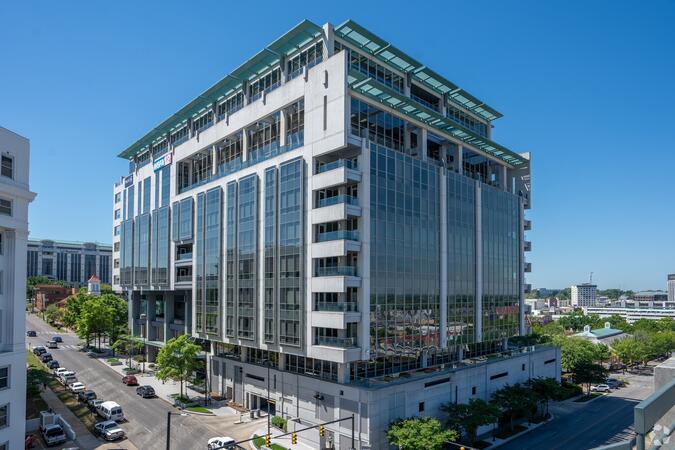
The venue is located in downtown Birmingham within the prominent Shipt Tower at 420 North 20th Street, easily reached by car via I‑59, I‑20, or I‑65, with nearby public parking garages. From Birmingham–Shuttlesworth International Airport (BHM), a taxi or rideshare typically takes 10–15 minutes via I‑20 West and US‑31 North. Public transit users can take MAX bus routes stopping on 20th Street or near 4th Avenue North, placing the centre within a few minutes’ walk—offering good access for attendees without cars.
Birmingham, AL – Regus at Chase Corporate Center
1 Chase Corporate Drive, Suite 400, Birmingham, United States, 35244
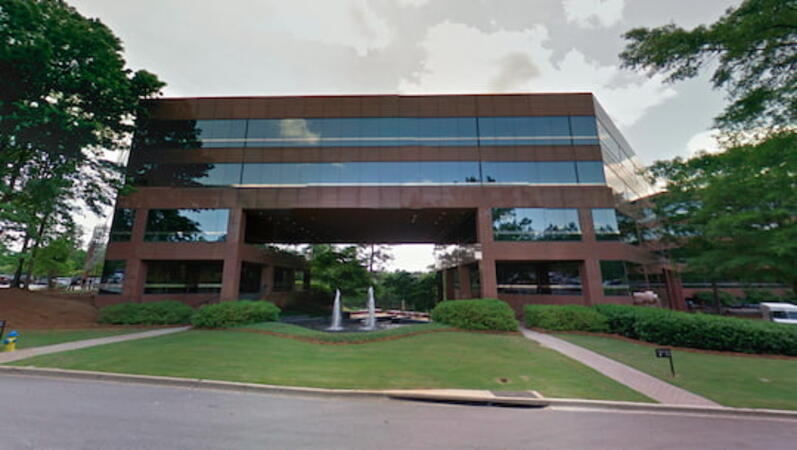
The venue sits in the Chase Corporate Center just off Highway 31 near I‑459 and Highway 280, within a serene, landscaped corporate campus. Visitors arriving by car benefit from plentiful free parking on-site and adjoining garages. From Birmingham–Shuttlesworth International Airport (BHM), taxis or rideshares take around 15–20 minutes via I‑459 North and Highway 280. Public transit riders can use MAX bus routes stopping close to the corporate park, though most attendees prefer driving or rideshare. The tranquil campus setting offers easy access to nearby gyms, retail, and restaurants for break or post-session gatherings.
Birmingham, AL - Regus at One Perimeter Park
1 Perimeter Park South, Birmingham, United States, 35243
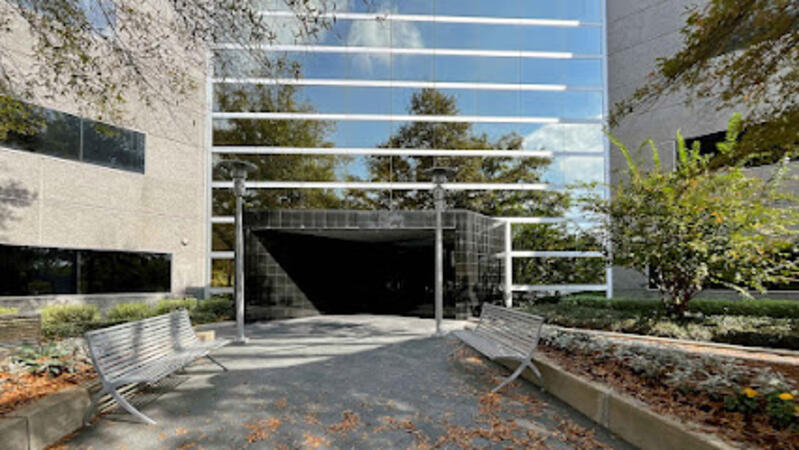
The venue is located in the Perimeter Park business complex off I‑459 near Highway 280, offering easy access by car with ample on-site parking. Visitors arriving by air from Birmingham‑Shuttlesworth International Airport (BHM), about 15 miles away, can expect a traditional taxi or rideshare ride of approximately 20–25 minutes via I‑459 South and Highway 280. Public transit options include nearby Jefferson County Transit buses that run along Valleydale Road, with stops within a few blocks of Perimeter Park, making it reasonably accessible without a car.
Huntsville, AL – Regus at Cummings Research Park
7027 Old Madison Pike NW, Suite 108, Huntsville, United States, 35806
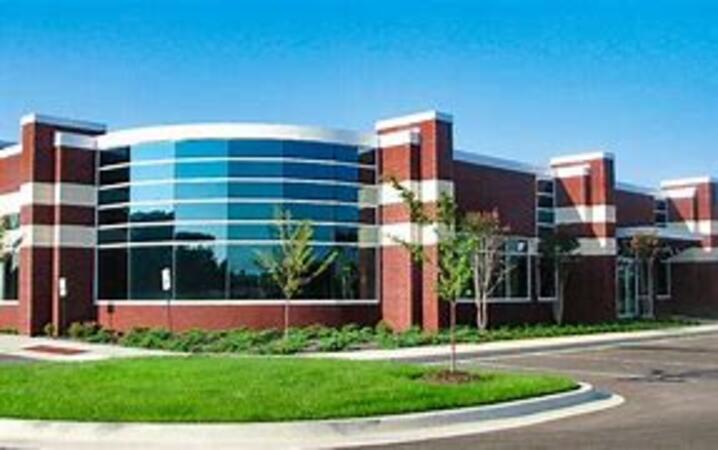
The venue is located in Cummings Research Park, a premier business and technology hub with easy access by car via I‑565 or U.S. Highway 72, and plenty of on-site parking available. From Huntsville International Airport (HSV), approximately 10 miles southeast, taxis or rideshares take around 15–20 minutes heading northwest on U.S. 72. Those relying on public transit can take Rocket City Transit route 22, which stops near the park entrance, offering a convenient option for attendees without a car.
Montgomery, AL - Regus at RSA Dexter Avenue
445 Dexter Avenue, Suite 4050, Montgomery, United States, 36104
The venue is located in the heart of downtown Montgomery on Dexter Avenue, easily accessible by car via I‑65 and US‑80; nearby surface and garage parking are available in the RSA building complex. From Montgomery Regional Airport (MGM), about 9 miles southeast of downtown, a taxi or rideshare typically takes 15–20 minutes via I‑65 North and I‑85 North. Public transit is available via the Montgomery Transit System (MTS) with bus routes running along Court Street and Commerce Street, both within a few blocks’ walk of the venue.
The Huawei Ascend series comprises AI processors engineered for high-performance inference and training operations.
This instructor-led, live training session, available online or in-person, is designed for intermediate-level AI engineers and data scientists seeking to develop and optimize neural network models utilizing Huawei’s Ascend platform and the CANN toolkit. This curriculum is tailored for government agencies requiring advanced AI infrastructure expertise.
Upon completion of this training, participants will be equipped to:
Establish and configure the CANN development environment.
Develop AI applications through MindSpore and CloudMatrix workflows.
Enhance performance on Ascend NPUs by implementing custom operators and tiling techniques.
Deploy models to edge or cloud environments for government use cases.
Course Format
Interactive lectures and facilitated discussions.
Hands-on application of Huawei Ascend and the CANN toolkit within sample applications.
Guided exercises emphasizing model construction, training, and deployment.
Course Customization Options
To request a customized training program aligned with specific infrastructure or dataset requirements, please contact us to arrange a consultation for government stakeholders.
Huawei's AI infrastructure, ranging from the foundational CANN SDK to the advanced MindSpore framework, provides a cohesive environment for AI development and deployment, specifically optimized for Ascend hardware performance.
This instructor-led training session, available in online or on-site formats, is designed for technical professionals at the beginner to intermediate level who seek to understand the interoperability of CANN and MindSpore components in supporting AI lifecycle management and infrastructure decision-making for government and other sectors.
Upon completion of this training, participants will be equipped to:
Comprehend the hierarchical architecture of Huawei's AI computing stack.
Recognize the role of CANN in enabling model optimization and hardware-level execution.
Assess the MindSpore framework and associated toolchain in comparison to industry-standard alternatives.
Evaluate the placement of Huawei's AI stack within enterprise or hybrid cloud/on-premises environments.
Instructional Format
Interactive lectures and facilitated discussions.
Customization Options for the Course
To initiate a customized training program tailored for government or specific organizational needs, please establish contact for scheduling arrangements.
This instructor-led, live training session in Alabama (conducted online or onsite) is designed for developers with beginner to intermediate proficiency who require proficiency in programming heterogeneous devices and leveraging their parallel capabilities for government applications.
Upon completion of this training, participants will be able to:
Establish a compliant OpenACC development environment.
Develop and execute fundamental OpenACC programs.
Apply OpenACC directives and clauses to code annotations.
Utilize the OpenACC API and associated libraries.
Profile, debug, and optimize OpenACC program performance.
The Compute Architecture for Neural Networks (CANN) Software Development Kit offers robust mechanisms for the deployment and optimization of real-time artificial intelligence applications in computer vision and natural language processing, particularly on Huawei Ascend infrastructure.
This instructor-led, live training course, available in online or on-site formats, is designed for intermediate-level AI practitioners seeking to build, deploy, and optimize vision and language models using the CANN SDK for production use cases for government.
Upon completion of this training, participants will be equipped to:
Deploy and optimize CV and NLP models using CANN and AscendCL.
Leverage CANN tools to convert models and integrate them into live operational pipelines.
Enhance inference performance for tasks such as detection, classification, and sentiment analysis.
Construct real-time CV/NLP pipelines suitable for edge or cloud-based deployment scenarios for government.
Course Format
Interactive lectures and technical demonstrations.
Practical laboratory exercises focused on model deployment and performance profiling.
Design of live pipelines utilizing authentic CV and NLP use cases.
Customization Options
To request tailored training aligned with specific operational needs for government, please contact the program office to arrange.
This instructor-led, live training in Alabama (online or onsite) is designed for developers with beginner to intermediate proficiency who seek to master the fundamentals of GPU programming and the primary frameworks for developing GPU-accelerated applications.
Upon completion of this training, participants will be able to: Define the distinctions between CPU and GPU computing and evaluate the benefits and challenges associated with GPU programming.
Select the appropriate framework and tool for specific GPU application requirements.
Develop a foundational GPU program performing vector addition using one or more supported frameworks and tools.
Utilize the respective APIs, languages, and libraries to query device information, manage device memory allocation and deallocation, transfer data between host and device, initiate kernels, and synchronize threads.
Apply the respective memory spaces, such as global, local, constant, and private, to enhance data transfer efficiency and memory access patterns.
Manage parallelism using the respective execution models, including work-items, work-groups, threads, blocks, and grids.
Perform debugging and testing of GPU programs using tools such as CodeXL, CUDA-GDB, CUDA-MEMCHECK, and NVIDIA Nsight.
Optimize GPU program performance through techniques such as coalescing, caching, prefetching, and profiling.
CANN TIK (Tensor Instruction Kernel) and Apache TVM facilitate the advanced optimization and customization of AI model operators for Huawei Ascend hardware.
This instructor-led, live training (available online or onsite) is designed for advanced system developers seeking to build, deploy, and tune custom operators for AI models using CANN’s TIK programming model and TVM compiler integration.
Upon completion of this training, participants will be able to:
Develop and test custom AI operators using the TIK DSL for Ascend processors.
Integrate custom operators into the CANN runtime and execution graph.
Leverage TVM for operator scheduling, auto-tuning, and benchmarking.
Debug and optimize instruction-level performance for custom computation patterns.
Format of the Course
Interactive instruction and practical demonstration.
Hands-on coding of operators using TIK and TVM pipelines.
Testing and tuning on Ascend hardware or simulation environments.
Course Customization Options
To request a customized training for government, please contact us to arrange details.
This instructor-led, live training in Alabama (online or on-site) is intended for developers with beginner to intermediate proficiency who aim to implement and evaluate different GPU programming frameworks, focusing on their functional attributes, performance outputs, and cross-platform compatibility.
Upon completion of this training, participants will be capable of the following:
Establishing a development environment equipped with the OpenCL SDK, CUDA Toolkit, ROCm Platform, compatible hardware devices, and Visual Studio Code.
Constructing a basic vector addition application using OpenCL, CUDA, and ROCm, including a comparative assessment of their syntactic structures and execution behaviors.
Utilizing native APIs to retrieve device information, manage memory allocation and deallocation, transfer data between host and device, initiate kernel execution, and synchronize processing threads.
Writing device-executable kernels in the respective languages to perform parallel data manipulation.
Applying built-in functions, variables, and library utilities to execute standard computational tasks.
Optimizing data transfer and memory access patterns by leveraging specific memory spaces, including global, local, constant, and private storage.
Managing parallelism by controlling threads, blocks, and grids within the respective execution models.
Debugging and testing GPU applications using diagnostic tools such as CodeXL, CUDA-GDB, CUDA-MEMCHECK, and NVIDIA Nsight.
Enhancing GPU application performance through techniques including coalescing, caching, prefetching, and profiling.
CloudMatrix serves as a unified platform for AI development and deployment, engineered to support scalable, production-grade inference pipelines for government use cases.
This live training, delivered online or onsite, is designed for professionals with beginner to intermediate experience who intend to deploy and monitor AI models using CloudMatrix, with integration of CANN and MindSpore.
Upon completion, participants will be equipped to:
Leverage CloudMatrix for model packaging, deployment, and service delivery.
Convert and optimize models for compatibility with Ascend chipsets.
Configure pipelines for both real-time and batch inference operations.
Monitor deployments and optimize performance in production environments.
Course Structure
Interactive instruction and collaborative discussion.
Practical application of CloudMatrix through real-world deployment scenarios.
Structured exercises emphasizing conversion, optimization, and scalability.
Customization Options
For tailored training aligned with specific AI infrastructure or cloud environments, please contact the relevant authority for arrangements.
This instructor-led live training in Alabama (online or on-site) is designed for artists, game developers, or new users seeking to employ Blender for the creation of 3D models for interactive applications, video games, animated films, and other digital media.
Upon completion of this training, participants will be prepared to:
Develop animations and visual effects using Blender.
Incorporate curves, surfaces, metaballs, and hair particles to simulate realistic 3D movements.
Apply non-destructive modeling and animation methods.
Export 3D models and assets to game engines, 3D printers, or other software platforms.
Huawei’s Ascend CANN toolkit facilitates robust AI inference capabilities on edge devices, including the Ascend 310. CANN provides critical tools for compiling, optimizing, and deploying models in environments with restricted compute and memory resources, supporting operational efficiency for government applications.
This instructor-led live training, available online or onsite, is designed for intermediate-level AI developers and integrators tasked with deploying and optimizing models on Ascend edge devices using the CANN toolchain.
Upon completion of this training, participants will be equipped to:
Prepare and convert AI models for the Ascend 310 platform using CANN tools.
Develop lightweight inference pipelines utilizing MindSpore Lite and AscendCL.
Optimize model performance in environments with limited compute and memory capacities.
Deploy and monitor AI applications in practical edge scenarios relevant to public sector operations.
Course Delivery Format
Interactive lectures accompanied by technical demonstrations.
Hands-on laboratory exercises focused on edge-specific models and operational scenarios.
Live deployment examples executed on virtual or physical edge hardware.
Customization Options for Course Content
To request tailored training materials for this course, please contact our team to discuss specific requirements.
This instructor-led, live training session in Alabama (conducted online or onsite) is designed for developers at beginner to intermediate levels who require proficiency in installing and utilizing ROCm on Windows to program AMD GPUs and leverage their parallel processing capabilities.
Upon completion of this training, participants will be equipped to:
Configure a development environment incorporating the ROCm Platform, AMD GPU hardware, and Visual Studio Code on Windows.
Develop foundational ROCm applications that execute vector addition on the GPU and retrieve results from GPU memory.
Utilize the ROCm API to query device information, manage device memory allocation, transfer data between host and device, launch kernels, and synchronize threads.
Employ the HIP language to author kernels for GPU execution and data manipulation.
Leverage HIP built-in functions, variables, and libraries to execute standard computational tasks.
Apply ROCm and HIP memory spaces, such as global, shared, constant, and local, to optimize data transfer and access efficiency.
Utilize ROCm and HIP execution models to manage the threads, blocks, and grids that define parallelism.
Perform debugging and testing of ROCm and HIP applications using tools such as the ROCm Debugger and ROCm Profiler.
Optimize ROCm and HIP applications using techniques including coalescing, caching, prefetching, and profiling.
This instructor-led, live training in Alabama (online or onsite) is tailored for beginner to intermediate developers aiming to utilize ROCm and HIP for programming AMD GPUs to exploit parallel processing capabilities for government and public sector operations.
By the conclusion of this training, participants will be able to:
Establish a development environment comprising the ROCm Platform, AMD GPUs, and Visual Studio Code.
Construct a basic ROCm program that performs vector addition on the GPU and retrieves results from GPU memory.
Utilize the ROCm API to query device information, manage device memory, transfer data between host and device, launch kernels, and synchronize threads.
Employ the HIP language to create kernels that execute on the GPU and manipulate data.
Apply HIP built-in functions, variables, and libraries to perform standard tasks and operations.
Leverage ROCm and HIP memory spaces, including global, shared, constant, and local, to optimize data transfers and memory access patterns.
Manage ROCm and HIP execution models to control threads, blocks, and grids defining parallelism.
Debug and test ROCm and HIP programs using tools such as the ROCm Debugger and ROCm Profiler.
Optimize ROCm and HIP programs using techniques such as coalescing, caching, prefetching, and profiling.
This instructor-led, live training in Alabama (delivered online or on-site) is designed for artists, game developers, or individuals with no prior experience who intend to utilize Blender for the creation of 3D models for interactive applications, video games, and animated films in government contexts.
Upon completion of this training, participants will possess the ability to:
Comprehend the principles and core concepts of 3D modeling.
Examine a range of modes and tools for modeling and editing 3D meshes.
Employ tools for UV mapping, unwrapping, sculpting, and painting 3D models for rendering.
CANN (Compute Architecture for Neural Networks) constitutes Huawei’s artificial intelligence computing toolkit, designed to compile, optimize, and deploy AI models on Ascend AI processors for government and public sector applications.
This instructor-led, live training session (available online or onsite) is designed for entry-level AI developers seeking to comprehend the integration of CANN within the model lifecycle, from training through to deployment, and its interoperability with frameworks such as MindSpore, TensorFlow, and PyTorch.
Upon completion of this training, participants will possess the capability to:
Comprehend the objectives and architectural design of the CANN toolkit.
Establish a development environment incorporating CANN and MindSpore.
Convert and deploy basic AI models onto Ascend hardware.
Acquire foundational knowledge supporting future CANN optimization and integration projects.
Instructional Methodology
Interactive lectures and facilitated discussions.
Practical laboratory exercises involving simple model deployment.
Detailed walkthrough of the CANN toolchain and integration points.
Customization Options for the Course
To request a tailored training program for this course, please contact the designated office to arrange suitable provisions.
Ascend, Biren, and Cambricon represent premier AI hardware platforms in China, each providing distinct acceleration and profiling capabilities for production-scale AI workloads.
This instructor-led, live training, available online or onsite, is designed for advanced AI infrastructure and performance engineers seeking to optimize model inference and training workflows across multiple Chinese AI chip platforms.
Upon completion of this training, participants will be able to:
Conduct comprehensive benchmarking of models on Ascend, Biren, and Cambricon platforms.
Identify system bottlenecks and inefficiencies in memory and compute resources.
Apply optimization strategies at the graph, kernel, and operator levels.
Tune deployment pipelines to enhance throughput and reduce latency for government operations.
Course Delivery Format
Interactive lectures facilitated by expert discussion.
Hands-on application of profiling and optimization tools specific to each platform.
Guided exercises emphasizing practical tuning scenarios relevant to public sector needs.
Customization Opportunities
To arrange a customized training session tailored to your specific performance environment or model type, please contact us to establish a schedule.
This instructor-led, live training conducted in Alabama (online or onsite) is intended for graphic designers and animators with beginner to intermediate experience who aim to learn the creation of high-quality animations, interactive media, and engaging web content for government use using Adobe Animate.
Upon completion of this training, participants will be able to:
Navigate the Adobe Animate interface and utilize its tools.
Create and edit animations using keyframes, motion tweens, and shape tweens.
Design interactive animations and applications with ActionScript and JavaScript.
Incorporate audio and video elements into projects.
Export animations for web, video, and mobile platforms.
The CANN SDK (Compute Architecture for Neural Networks) serves as Huawei’s foundational AI computing platform, enabling developers to calibrate and enhance the operational efficiency of neural networks deployed on Ascend AI processors.
This instructor-led, live instruction (available online or on-site) is designed for senior AI developers and systems engineers seeking to refine inference capabilities through CANN’s advanced toolset, including the Graph Engine, TIK, and custom operator creation.
Upon completion of this training, participants will be equipped to:
Comprehend the CANN runtime structure and its performance lifecycle.
Employ profiling instruments and the Graph Engine for performance evaluation and refinement.
Develop and optimize proprietary operators utilizing TIK and TVM.
Address memory constraints and augment model throughput for government applications.
Instructional Methodology
Interactive presentations and facilitated discussions.
Practical laboratories incorporating real-time profiling and operator calibration.
Refinement exercises utilizing edge-case deployment scenarios for government sectors.
Instructional Adaptation Options
To request a customized training curriculum for this module, please contact the provider for coordination.
Chinese GPU architectures, including Huawei Ascend, Biren, and Cambricon MLUs, provide viable CUDA alternatives designed for local AI and high-performance computing markets.
This instructor-led, live training program (available online or on-site) is intended for advanced GPU developers and infrastructure specialists seeking to migrate and optimize existing CUDA applications for deployment on Chinese hardware platforms for government use.
Upon completion of this training, participants will be equipped to:
Assess the compatibility of existing CUDA workloads with domestic chip alternatives.
Execute the porting of CUDA codebases to Huawei CANN, Biren SDK, and Cambricon BANGPy environments.
Analyze performance metrics and identify critical optimization opportunities across different platforms.
Resolve operational challenges associated with cross-architecture support and secure deployment.
Course Delivery Format
Interactive instruction facilitated by structured discussions.
Practical laboratory sessions focused on code translation and performance benchmarking.
Supervised exercises emphasizing multi-GPU adaptation and integration strategies.
Customization Options
To request a tailored training program aligned with specific platform requirements or CUDA projects, please contact the provider to coordinate arrangements.
This instructor-led, live training session in Alabama (available online or onsite) is tailored for developers at the beginner to intermediate level who intend to utilize CUDA for programming NVIDIA GPUs and harnessing their parallel capabilities.
By the conclusion of this training, participants will be equipped to:
Configure a development environment encompassing the CUDA Toolkit, an NVIDIA GPU, and Visual Studio Code.
Construct a basic CUDA application that executes vector addition on the GPU and retrieves computational results from GPU memory.
Employ the CUDA API to query device specifications, manage memory allocation and deallocation, transfer data between host and device, launch kernels, and synchronize thread operations.
Utilize the CUDA C/C++ language to author kernels that execute on the GPU and manipulate data structures.
Apply CUDA built-in functions, variables, and libraries to perform routine operations and tasks.
Leverage CUDA memory spaces, including global, shared, constant, and local memory, to optimize data transfer and access efficiency.
Manage the CUDA execution model to control threads, blocks, and grids that establish parallelism.
Debug and test CUDA applications using diagnostic tools such as CUDA-GDB, CUDA-MEMCHECK, and NVIDIA Nsight.
Optimize CUDA application performance utilizing techniques such as coalescing, caching, prefetching, and profiling.
Psdto3D101 is a specialized software solution developed for generating lenticular files featuring 3D, flip, morph, and motion visual effects. This training program equips participants with the necessary competencies to effectively manage and utilize Psdto3D101 for the production of high-quality lenticular materials, addressing both administrative oversight and creative design requirements.
This live, instructor-led course is available in online or on-site formats and is tailored for graphic and print professionals ranging from beginner to intermediate skill levels who seek to develop, administer, and refine lenticular files using the Psdto3D101 platform.
Upon completion of this instruction, participants will possess the ability to:
Comprehend the foundational principles of lenticular printing and design methodologies.
Operate and configure Psdto3D101 to accommodate diverse project specifications.
Generate 3D, flip, and motion effects through the application of layers and sequences.
Export and finalize lenticular files suitable for professional printing standards.
Course Delivery Method
Interactive instruction and collaborative discussion.
Applied exercises utilizing Psdto3D101 software for government-related documentation or materials.
Practical implementation within a live laboratory setting.
Course Adaptation Options
To initiate a tailored training program for government use or specific organizational needs, please contact our office for scheduling and customization.
This live training in Alabama guides intermediate AI developers in deploying models on Ascend processors using the CANN toolkit. The curriculum covers converting frameworks like PyTorch and TensorFlow, optimizing performance, and debugging issues to support efficient edge and cloud inference scenarios for government use.
Biren AI Accelerators are high-performance GPU systems engineered for artificial intelligence and high-performance computing workloads, supporting extensive model training and inference tasks.
This instructor-led training program, available in online or onsite formats, is designed for developers with intermediate to advanced expertise. It focuses on programming and optimizing applications using Biren’s proprietary GPU stack, incorporating practical comparisons to CUDA-based environments.
Upon completion of this training, participants will be equipped to:
Comprehend Biren GPU architecture and memory hierarchy structures.
Configure development environments and leverage Biren’s programming model.
Translate and optimize CUDA-style code for Biren platforms.
Implement performance tuning and diagnostic techniques.
Course Delivery Format
Interactive lectures and facilitated discussions.
Hands-on implementation of Biren SDK within sample GPU workloads.
Structured exercises emphasizing code migration and performance tuning.
Customization Options for Government and Institutional Use
To request tailored training content for government agencies or specific integration needs, please contact our coordination office.
This instructor-led live training session, conducted in Alabama (either online or on-site), is directed toward artists, game developers, and individuals with no prior experience who intend to utilize Blender to generate 3D models for interactive applications, video games, animated films, and related domains.
Upon completion of this training, participants will be equipped to:
Comprehend the foundational principles and core concepts of 3D modeling.
Utilize diverse modes and tools for modeling and editing 3D meshes.
Develop animations and visual effects using Blender.
Incorporate curves, surfaces, metaballs, and hair particles to simulate realistic 3D motion.
Employ tools for UV mapping, unwrapping, sculpting, and painting 3D models.
Export 3D models and assets to game engines, 3D printers, or other compatible software platforms.
Cambricon Machine Learning Units (MLUs) represent specialized artificial intelligence hardware engineered for optimized inference and training workloads in both edge and data center environments.
This instructor-led, live training program, available in online or on-site formats, is designed for intermediate-level developers seeking to build and deploy artificial intelligence models using the BANGPy framework and Neuware SDK on Cambricon MLU hardware.
Upon completion of this training, participants will be able to:
Establish and configure BANGPy and Neuware development environments.
Develop and optimize Python- and C++-based models for Cambricon MLUs.
Deploy models to edge and data center devices utilizing the Neuware runtime.
Integrate machine learning workflows with MLU-specific acceleration features.
Instructional Methodology
Interactive lectures and facilitated discussions.
Hands-on application of BANGPy and Neuware for development and deployment tasks.
Structured exercises emphasizing optimization, integration, and system testing.
Customization Opportunities for Government and Enterprise Entities
Organizations seeking a customized training curriculum tailored to specific Cambricon device models or operational use cases are encouraged to contact us for coordination.
This instructor-led, live training session, available online or onsite, is intended for introductory-level system administrators and information technology specialists seeking to implement, configure, oversee, and address challenges in CUDA environments.
Upon completion of this training, participants will be equipped to:
Comprehend the architectural structure, components, and capabilities of CUDA.
This instructor-led, live training in Alabama (delivered online or onsite) is designed for developers with beginner to intermediate proficiency who intend to program heterogeneous devices for government applications and exploit parallel processing capabilities.
Upon completion of this training, participants will possess the capability to:
Configure a development environment encompassing the OpenCL SDK, OpenCL-compatible hardware, and Visual Studio Code.
Develop a foundational OpenCL application executing vector addition on the device and retrieving results from device memory.
Utilize the OpenCL API to query device details and instantiate contexts, command queues, buffers, kernels, and events.
Compose kernels for device execution and data manipulation using the OpenCL C language.
Apply OpenCL built-in functions, extensions, and libraries to execute standard tasks and operations.
Leverage OpenCL host and device memory architectures to optimize data transfer and memory access patterns.
Manage work-items, work-groups, and ND-ranges through the OpenCL execution framework.
Conduct debugging and testing of OpenCL applications using tools such as CodeXL, Intel VTune, and NVIDIA Nsight.
Optimize OpenCL applications via techniques including vectorization, loop unrolling, local memory utilization, and profiling.
This instructor-led, live training in Alabama (available online or onsite) is designed for personnel with beginner to advanced proficiency in 3D design and additive manufacturing who require the ability to design, simulate, and prepare models for 3D printing using Fusion 360.
Upon completion of this program, participants will be able to:
Install and configure Fusion 360 to ensure optimal operational performance.
Execute design, modeling, and simulation activities within a unified workflow environment.
Optimize design parameters and prepare files for additive manufacturing processes.
Manage collaborative workflows and data sharing utilizing the cloud capabilities of Fusion 360.
This instructor-led, live training in Alabama (delivered online or onsite) is designed for C++ developers aiming to utilize CUDA for application acceleration, high-performance GPU kernel development, and the application of parallel algorithm libraries in scientific computing, data processing, and machine learning contexts for government operations.
This instructor-led, live training in Alabama (online or onsite) is intended for C/C++ developers seeking to apply CUDA for accelerating compute-intensive applications, including data processing, scientific simulations, machine learning workloads, and image processing pipelines.
This instructor-led, live training in Alabama (available online or onsite) is designed for software developers, data analysts, and technical professionals seeking to utilize TensorFlow 2.x and Keras to construct, train, and deploy robust deep learning models for computer vision, natural language processing, and multimodal applications for government.
Participate in this practical training to master FreeCAD, an open-source parametric three-dimensional modeling platform. Develop competencies in designing real-world objects for construction or additive manufacturing, exporting to standardized formats such as STEP and STL, and automating workflows through Python. This course is suited for design professionals and engineers.
This instructor-led, live professional development course in Alabama examines the methodologies for programming GPUs to execute parallel computing workloads. It provides comprehensive guidance on utilizing diverse computational platforms, mastering the CUDA ecosystem and its capabilities, and implementing rigorous optimization protocols within CUDA. These competencies support critical government operations, including deep learning analysis, large-scale data analytics, advanced image processing, and complex engineering simulations.
Read more...
Last Updated:
Testimonials (2)
the point that Huba took the time to sit with me as the lesser knowledgeable of the application and go through each part and explain where i had gone wrong and how to correct the issue
Paul - Nottinghamshire Police
Course - Blender: 3D Modeling Fundamentals
Trainers energy and humor.
Tadeusz Kaluba - Nokia Solutions and Networks Sp. z o.o.
Online Computer Graphics training in Alabama, Computer Graphics training courses in Alabama, Weekend Computer Graphics courses in Alabama, Evening Computer Graphics training in Alabama, Computer Graphics instructor-led in Alabama, Computer Graphics on-site in Alabama, Evening Computer Graphics courses in Alabama, Weekend Computer Graphics training in Alabama, Computer Graphics classes in Alabama, Computer Graphics boot camp in Alabama, Computer Graphics trainer in Alabama, Computer Graphics private courses in Alabama, Online Computer Graphics training in Alabama, Computer Graphics instructor-led in Alabama, Computer Graphics one on one training in Alabama, Computer Graphics coaching in Alabama, Computer Graphics instructor in Alabama