

Online or onsite, instructor-led live Adobe training courses demonstrate through interactive discussion and hands-on practice both introductory and advanced topics for the most popular Adobe products.
Adobe training is available as "online live training" or "onsite live training." Online live training (also known as "remote live training") is conducted via an interactive, remote desktop. Onsite live training can be conducted locally at customer premises in Georgia or in Govtra corporate training centers in Georgia.
Govtra -- Your Local Training Provider for government and public sector organizations.
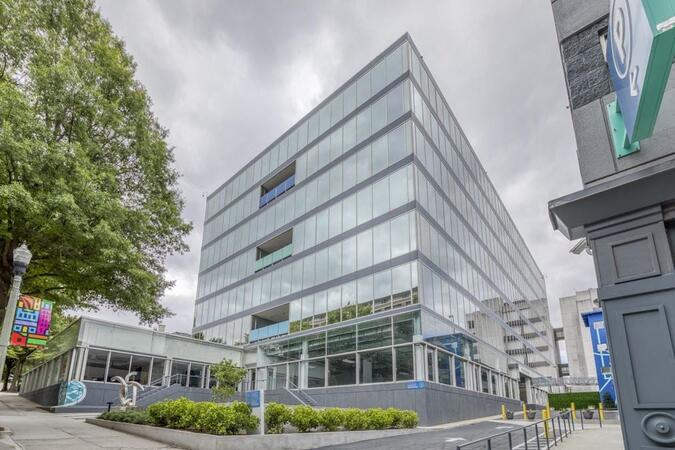
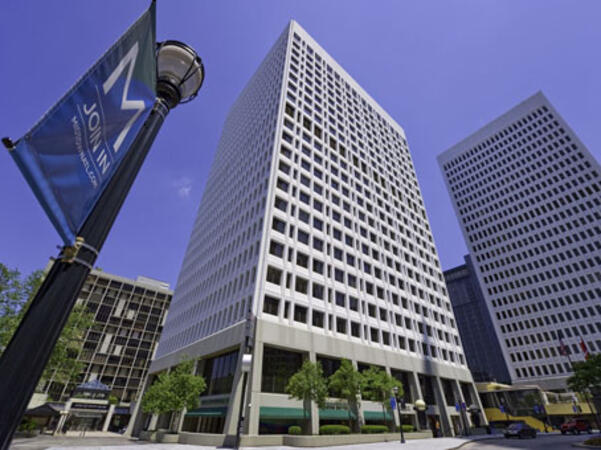
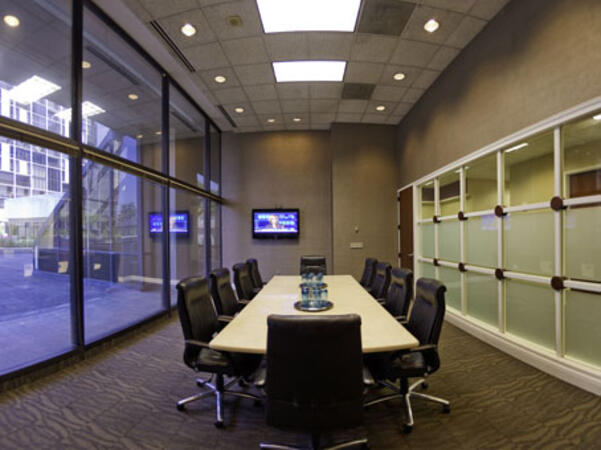
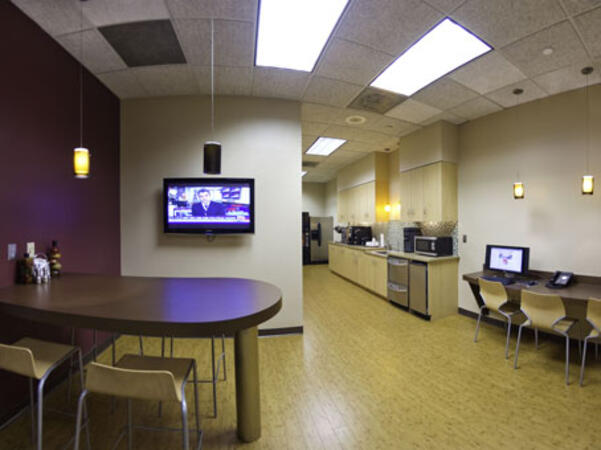
Atlanta, GA – Regus at Colony Squar
1201 Peachtree Street NE, Suite 200, Atlanta, United States, 30361
The venue is centrally located in Midtown Atlanta within the prominent Colony Square complex at 1201 Peachtree Street NE, easily accessed by car via I‑75/85 or GA‑400, with several parking garages nearby. From Hartsfield–Jackson Atlanta International Airport (ATL), around 15 miles south, a taxi or rideshare typically takes 20–30 minutes north along I‑75/85 N. Public transit users can take MARTA Rail to the Arts Center or Midtown stations (0.3–0.5 miles away) and walk easily, and numerous MARTA bus routes along Peachtree Street stop directly outside the entrance.
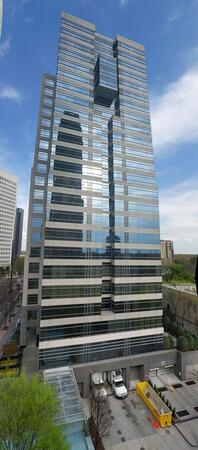
Atlanta, GA – The Proscenium
1170 Peachtree Street NE, Atlanta, United States, 30309
The venue is located in the heart of Midtown Atlanta in the Proscenium high–rise at 1170 Peachtree Street NE, easily accessible by car via I‑75/85 and GA‑400 with several parking garages nearby. Visitors arriving from Hartsfield–Jackson Atlanta International Airport (ATL), about 15 miles south, can expect a taxi or rideshare ride taking 20–30 minutes via I‑75/85 North. Public transit is seamless with MARTA Rail service; the Arts Center and Midtown stations are within walking distance (approximately 0.3–0.4 miles), and multiple MARTA bus routes also serve Peachtree Street.
Decatur, GA – Regus at One West Court Square
One West Court Square, Suite 750, Decatur, United States, 30030
The venue is located in the heart of downtown Decatur within One West Court Square, easily reached by car via I‑20 and I‑285, with several public parking decks directly adjacent. Travelers from Hartsfield–Jackson Atlanta International Airport (ATL), approximately 17 miles southwest, can expect a taxi or rideshare ride of around 25–30 minutes via I‑20 East. Public transit is particularly convenient: MARTA rail users can disembark at Decatur Station (about 0.15 miles away) and walk a few minutes to the building entrance. Local bus routes also serve Trinity Place and Swanton Way, putting the center within easy reach.
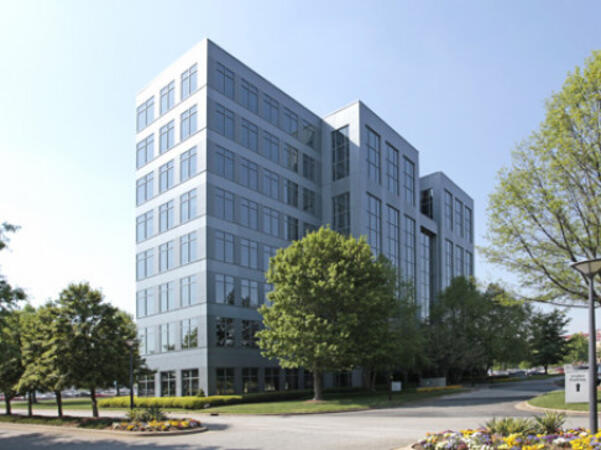
Atlanta, GA – Regus at One Hartsfield
100 Hartsfield Centre Parkway, Suite 500, Atlanta, United States, 30354
The venue is located in the One Hartsfield Center office building, adjacent to Hartsfield–Jackson Atlanta International Airport, easily reached by car via I‑75/I‑85 or GA‑138, with abundant on-site parking. Visitors arriving from ATL airport can walk or take a shuttle to the building, or opt for a quick 2–3‑minute taxi or rideshare ride. Public transit users can board MARTA from the Airport Station and ride one stop to College Park Station, then catch a connecting shuttle or enjoy a brief walk of about half a mile.
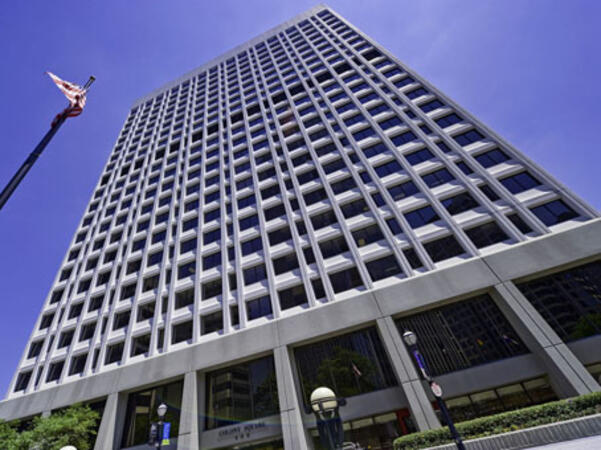
Atlanta, GA – Regus at Peachtree
260 Peachtree Street NW, Suite 2200, Atlanta, United States, 30303
The venue is situated in the iconic Coastal States Building at 260 Peachtree Street in downtown Atlanta, accessible by car via I‑75/85 or I‑20 with convenient parking garages nearby. From Hartsfield–Jackson Atlanta International Airport (ATL), about 12 miles south, a taxi or rideshare along I‑75/85 North takes approximately 15–20 minutes. For public transit, MARTA rail users can disembark at Five Points Station and walk 0.5 miles northeast, or exit at Peachtree Center Station and walk two blocks north—both routes offering easy access.
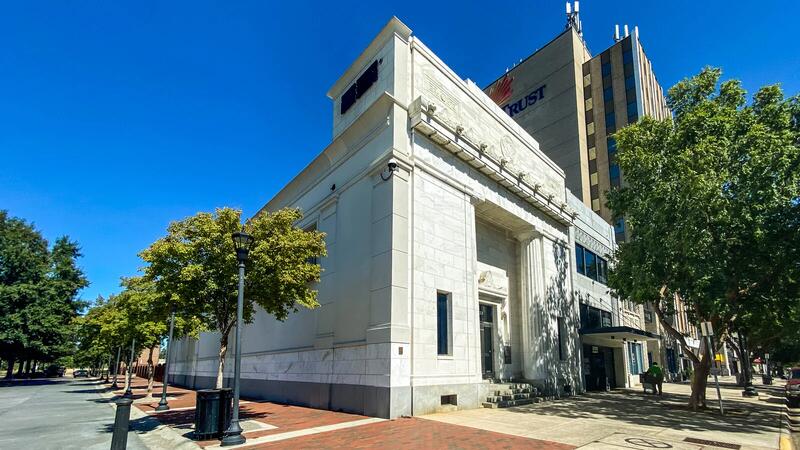
Augusta, GA – At Broad Street
823 Broad Street, Augusta, United States, 3090
The venue is located in the heart of downtown Augusta on Broad Street, easily accessible by car via I‑20 with several public parking garages nearby. From Augusta Regional Airport (AGS), about 9 miles west, taxis or rideshares typically take 15–20 minutes via I‑20. Public transit is available through Augusta Public Transit buses with routes along Broad Street, stopping within a few blocks of the venue, offering a convenient option for attendees without a car.
Savannah, GA – Regus at Bull Street
100 Bull St Downtown, Suite 200, Savannah, United States, 31401
The venue is located in the historic downtown area on Bull Street in the Altmayer Building, easily accessible by car via I‑16 and U.S. 17, with several public garages nearby. From Savannah/Hilton Head International Airport (SAV), about 12 miles west, taxis or rideshares typically take 15–20 minutes via U.S. 17 South. Public transit is available via Chatham Area Transit (CAT) buses, with frequent service along Bull and Broughton Streets; Johnson Square Station is just a couple minutes’ walk from the venue.
Adobe Marketo Engage is a robust platform designed for marketing automation and CRM integration, enabling organizations to create, automate, and evaluate personalized marketing campaigns across various channels. This course provides participants with the knowledge and practical skills necessary to develop intelligent workflows, segment audiences, utilize AI-driven personalization, and effectively analyze campaign performance.
This instructor-led, live training (available online or on-site) is tailored for beginner-level to intermediate-level professionals who seek to enhance their competencies in using Adobe Marketo Engage to plan, execute, and optimize omnichannel marketing campaigns, both for academic and commercial purposes.
By the end of this training, participants will be able to:
Navigate the Marketo Engage interface and comprehend its core automation features.
Design and implement lead nurturing workflows and dynamic content campaigns.
Segment and manage audiences using smart lists and AI-driven insights.
Integrate CRM systems for seamless data synchronization and tracking.
Analyze performance metrics and apply optimization techniques based on campaign data.
Develop an end-to-end automated marketing project relevant to higher education.
Format of the Course
Theoretical presentation with real-world examples for government.
Hands-on demonstrations in a controlled lab environment.
Interactive exercises and a practical workshop project.
Final evaluation through the presentation of a functional automated campaign.
Course Customization Options
To request a customized training for this course, please contact us to arrange.
Adobe Creative Cloud is a comprehensive suite of industry-standard tools designed for creative professionals, enabling high-quality design, multimedia production, and collaboration. This course provides faculty members with hands-on experience using Adobe’s core applications to design academic and institutional materials, thereby enhancing creativity, innovation, and communication in the teaching–learning process.
This instructor-led, live training (available online or onsite) is aimed at beginner to intermediate-level participants who wish to develop digital competencies in graphic design, multimedia editing, and academic content creation using Adobe Creative Cloud tools for government.
By the end of this training, participants will be able to:
Navigate the Adobe Creative Cloud ecosystem and manage files through the cloud.
Design and edit professional visual materials using Photoshop, Illustrator, and InDesign.
Create engaging video and motion graphics content with Premiere Pro and After Effects.
Produce and secure PDF documents using Adobe Acrobat Pro DC.
Leverage Adobe Express and Firefly for generative AI design and digital marketing assets.
Integrate Adobe tools to develop institutional and academic multimedia projects.
Format of the Course
Project-based learning with hands-on exercises.
Guided demonstrations using official Adobe software.
Practical assignments, partial evaluations, and a final integrative project.
Course Customization Options
To request a customized training for this course, please contact us to arrange.
Adobe Hyvä is a modern frontend framework designed for Magento 2, which replaces the Luma stack with a performance-focused and developer-friendly architecture.
This instructor-led, live training (available online or onsite) is targeted at intermediate to advanced-level Magento developers who wish to implement and customize Hyvä Themes in Adobe Commerce (Magento 2) projects for government use.
By the end of this training, participants will be able to:
Understand the architecture and benefits of Hyvä Themes.
Install and configure a Hyvä-based Magento 2 store.
Customize templates, styles, and layout using Alpine.js and Tailwind CSS.
Integrate third-party modules and ensure compatibility with Hyvä.
Optimize performance and user experience with Hyvä's lean frontend stack.
Format of the Course
Interactive lecture and discussion
Hands-on exercises and labs
Live development environment implementation
Course Customization Options
To request a customized training for this course, please contact Govtra to arrange.
Adobe Express is a user-friendly, cloud-based design tool that enables individuals and teams to quickly create high-quality graphics, videos, and branded content without advanced design experience.
This instructor-led, live training (online or onsite) is aimed at beginner-level users who wish to create visually appealing marketing assets, presentations, and social media content using Adobe Express for government applications.
By the end of this training, participants will be able to:
Navigate the Adobe Express interface and use templates effectively.
Create social media graphics, flyers, presentations, and short videos.
Apply branding elements such as colors, logos, and fonts consistently.
Collaborate and publish designs using Adobe Express's cloud features.
Format of the Course
Interactive lecture and discussion.
Extensive exercises and practice sessions.
Hands-on implementation in a live-lab environment.
Course Customization Options
To request a customized training for this course, please contact us to arrange.
This instructor-led, live training in Georgia (online or onsite) is designed for government professionals at the beginner to intermediate level who aim to optimize their document workflows using Adobe Acrobat and AI-powered tools.
By the end of this training, participants will be able to:
Create and edit PDF documents from a variety of sources.
Modify PDF content, including text, images, and formatting.
Use annotation and markup tools for document review and collaboration.
Implement security features to protect sensitive PDF documents.
Leverage AI-powered tools to automate PDF-related tasks and enhance efficiency.
This instructor-led, live training in Georgia (online or onsite) is aimed at beginner to intermediate graphic designers and animators who wish to learn how to create compelling animations, interactive media, and engaging web content using Adobe Animate for government projects.
By the end of this training, participants will be able to:
Navigate the Adobe Animate interface and tools effectively.
Create and edit animations utilizing keyframes, motion tweens, and shape tweens.
Design interactive animations and applications with ActionScript and JavaScript for government use.
Incorporate audio and video elements into their projects seamlessly.
Export animations for web, video, and mobile platforms to support public sector workflows.
This instructor-led, live training in Georgia (online or onsite) is aimed at beginner-level content developers who wish to gain a foundational understanding of Adobe After Effects, Adobe Premiere Pro, Adobe Illustrator, Adobe Animate, and Adobe Character Animator for government.
By the end of this training, participants will be able to:
Understand the core functionalities of each software tool in the Adobe Creative Suite.
Utilize tools and techniques in Adobe After Effects for motion graphics, Adobe Premiere Pro for video editing, Adobe Illustrator for graphic design, Adobe Animate for animations, and Adobe Character Animator for character animation within public sector workflows.
Enhance creative design and production capabilities, enabling faster and more efficient development of high-quality digital content for government.
This course provides an overview of the Dreamweaver tool, focusing on its application for government use. It covers the challenges and best practices involved in creating web pages, utilizing templates, efficiently creating tables and layers, inserting graphics, and designing an aesthetically pleasing menu. Additionally, the course addresses the process of deploying content to a server environment that aligns with public sector workflows and governance requirements.
This instructor-led, live training in Georgia (online or onsite) is aimed at beginner-level to intermediate-level developers and UI/UX designers who wish to use Adobe LiveCycle Designer for government to create interactive and dynamic PDF forms.
By the end of this training, participants will be able to:
Create and edit PDF forms with various elements and properties.
Add scripts and logic to PDF forms using JavaScript.
Validate and secure PDF forms.
Integrate PDF forms with data sources and web services.
Deploy and distribute PDF forms for government use.
This instructor-led, live training (online or onsite) is aimed at beginner-level to intermediate-level photo enthusiasts and graphic designers who wish to use Adobe Photoshop Elements to edit and enhance their photos for government use.
By the end of this training, participants will be able to:
Edit and enhance their photos with various tools and functions for government projects.
Organize and manage their photo collections with the organizer for efficient retrieval and use in official documents.
Create and share photo projects such as slideshows, collages, and calendars to support public sector communications.
Apply artistic effects and filters to their photos to meet specific visual communication needs for government.
Perform basic and advanced photo retouching techniques to ensure high-quality images in official publications.
Adobe Acrobat Reader, for many individuals, is primarily used to view PDF files.
However, this application also enables the submission of PDF documents according to specific requirements and can replace other documents created in popular programs such as Microsoft Office, Word, Excel, and PowerPoint by converting them into this format.
The training on Creating PDF Documents is designed for individuals who want to master the techniques for composing PDF documents for government use.
Form of Conduct
Exercises are preceded by a lecture from the instructor.
Gain proficiency in using this comprehensive software tool to efficiently create motion graphics and visual effects for film, video, multimedia, and the Web.
After Effects CC software enables you to produce cinematic visual effects and motion graphics more quickly than ever before.
For Online Live Attendees:
Training events will be conducted at a local training center equipped with state-of-the-art video conferencing technology, allowing the course to be broadcast to multiple locations. Participants will experience the same classroom environment and can interact live with the instructor. The instructor will appear on a large, high-definition screen, facilitating interactive video and audio communication with students. A second high-definition screen will display the instructor’s live presentation.
What You'll Learn:
• Global performance cache
• Text and shape extrusion
• Mask feathering options
Who Should Attend:
Video, animation, and graphics professionals who require a working knowledge of Adobe After Effects CC for government projects.
The Adobe After Effects Essentials training course, spanning two days, provides a comprehensive overview of the essential skills required to effectively use Adobe After Effects. Participants will learn how to manage layers within After Effects, understand keyframe animation, control animations, work with transparency, and gain a deeper understanding of rendering and output processes. By the conclusion of the course, attendees will be proficient in editing video content using After Effects and applying best practices for government.
The Adobe After Effects Essentials course is designed to cover all fundamental skills necessary for the post-production of high-quality video content, ensuring alignment with professional standards for government use.
This instructor-led, live training in Georgia (online or onsite) is aimed at marketers and analysts who wish to use Adobe Analytics to analyze and optimize their organization's website performance for government.
By the end of this training, participants will be able to:
Understand the benefits of web analytics in a public sector context.
Generate reports that provide actionable insights into organizational operations.
Collect and segment data for government-specific metrics.
Set up and utilize metrics aligned with public sector goals.
Analyze visitor behavior to enhance user experience on government websites.
Create and manage campaigns to improve the performance of a website or marketing initiative for government.
This instructor-led, live training in Georgia (online or onsite) is designed for graphic designers and illustrators who aim to utilize the advanced tools in Adobe Illustrator to create professional and high-quality vector artwork, illustrations, and graphic designs for government.
By the end of this training, participants will be able to:
Understand the new and advanced features in Adobe Illustrator.
Master tips and techniques for using advanced Illustrator tools effectively.
Convert hand sketches into digital images.
Produce professional-grade graphics, logos, and animated GIFs.
Transform, blend, and distort texts and images with precision.
This course focuses on the essential features of Photoshop to enable participants to navigate the environment and effectively use Photoshop tools for working with photographic images.
Learning Objectives
This course will prepare you to utilize the most common basic features of Adobe Photoshop CC. In this course, you will:
Identify the components and capabilities of Photoshop CC for government applications.
Create foundational images for government use.
Manage selections and layers efficiently in a government context.
Modify and repair images, and manage color accurately for government projects.
Refine images by adjusting layers, using camera raw, and applying advanced image refinement techniques for government needs.
Import, export, organize, and save files in compliance with government standards.
This course explores advanced image creation and editing techniques, providing hands-on activities that demonstrate how these methods can be combined to produce compelling visual effects for government.
Learning Objectives
This course will equip you with the essential skills to utilize the most common features of Adobe Photoshop CC. In this course, you will:
Create raster images using brushes, gradients, and tool presets.
Apply vector paths, shape drawing tools, type, and special typographic effects.
Utilize advanced layer techniques, including masks, filters, layers, and smart objects.
Implement actions and batch processing to automate tasks efficiently for government workflows.
Edit video by incorporating timelines, transitions, graphics, titles, and animation.
Establish project requirements by identifying the purpose, target audience, copyright regulations, and project management tasks for government projects.
This instructor-led, live training in Georgia (online or onsite) is designed for government web designers who wish to create applications using Adobe XD.
By the end of this training, participants will be able to:
Configure Adobe XD to begin designing an application.
Develop rapid wireframes.
Create prototypes that include micro interactions.
Incorporate UX designs into a professional portfolio for government use.
The training provides practical knowledge on how to create an interactive eLearning platform for government. In addition to learning the basic concepts, students will also learn best practices for creating and publishing Captivate projects. During the training, you will learn:
Recording demonstrations
Editing demonstrations
Working with objects in the Timeline
Working with images
Publishing your projects
Adding audio
Recording simulations
Adding animation
Creating a slideshow
Transferring results to a Learning Management System
This course is designed for government professionals who compose text and graphics and require the capability to expand these elements into various formats such as presentations, books, pamphlets, and other interactive materials. These materials can be accessed on a range of devices including computers, laptops, tablets, smartphones, and mobile phones for government use.
This instructor-led, live training in Georgia (online or onsite) is aimed at beginner-level to intermediate-level graphic designers, marketing professionals, and publishing specialists who wish to use Adobe InDesign to create professional-quality books, brochures, posters, and marketing materials for government.
By the end of this training, participants will be able to:
Navigate the Adobe InDesign interface efficiently.
Set up projects with the correct dimensions and layouts.
Work with text, images, and graphics to create compelling designs.
Utilize styles, templates, and color palettes for consistency and efficiency.
Prepare files for professional printing or digital publishing.
We invite you to participate in a course dedicated to image processing using Adobe Photoshop for government professionals.
The course is designed for those who wish to learn how to effectively manage colors, prepare images for presentation, perform editing and retouching, create collages, and utilize the RAW format.
Our instructors will demonstrate techniques to fine-tune photographs to bring out their best qualities. We will cover all the tools available in a photo editor’s toolkit.
You will have the opportunity to gain new knowledge through numerous examples and practical exercises conducted under the guidance of experienced instructors. Additionally, you will have access to prepared materials to enhance your learning experience. Benefit from expert insights to streamline your workflow and avoid unnecessary trial and error.
In this instructor-led, live training, participants will learn how to utilize Adobe Photoshop's photo-enhancement features as they engage in a series of hands-on exercises designed to improve the quality of a set of sample photographs.
By the end of this training, participants will be able to:
Apply Photoshop's photo-enhancing tools to modify the quality of a photograph
Adjust sharpness and blur settings to highlight key features in a photograph
Modify coloring and facial expressions within photographs
Prepare photographs for printing or further development
Audience
Photography beginners and enthusiasts, including those working in roles for government
Format of the Course
Part lecture, part discussion, with exercises and extensive hands-on practice
This course is designed to equip participants with comprehensive knowledge on working with Adobe Premiere Pro, including essential installation procedures, the complete lifecycle of project development, and the proficient utilization of its tools for government.
This course provides a comprehensive overview of using InDesign to create documents with a well-designed, professional appearance, including the use of paragraph and character styles, layout features, and customized text and graphics. Advanced InDesign techniques will be introduced progressively to enhance both the visual appeal and functionality of your documents for government use.
This instructor-led, live training in Georgia (online or onsite) is aimed at web designers who wish to create mobile interfaces using Adobe Illustrator and Adobe After Effects for government.
By the end of this training, participants will be able to:
Implement UI/UX designs for a responsive mobile application aligned with public sector workflows.
Prepare and animate designs in Adobe Illustrator to meet government standards.
Create reusable components that enhance efficiency and consistency in government projects.
Incorporate advanced animations with Adobe After Effects to improve user engagement for government applications.
Graphics programs Adobe is a set of tools for creating, editing and manipulating graphics, multimedia and documents. Adobe Systems is known for creating many professional programs dedicated to graphics, multimedia, photo editing, website design and more. Here are some of the main graphics programs created by Adobe: Adobe Photoshop Jest is one of the most popular raster graphics editing programs. It allows you to manipulate photos, create graphics, retouch, color correction and many other advanced operations. Adobe Illustrator Focused on vector graphics, Illustrator lets you create logos, illustrations, vector graphics, typographic designs, and more that can be scaled without losing quality.
Read more...
Last Updated:
Testimonials (3)
the examples the trainer used in each subject which made it easier to understand
huda Alyassi - Dubai Government Human Resources Dept.
Course - Adobe XD
The trainer listened to my wishes and adjusted the training meeting my specific needs.
Online Adobe training in Georgia, Adobe training courses in Georgia, Weekend Adobe courses in Georgia, Evening Adobe training in Georgia, Adobe instructor-led in Georgia, Adobe boot camp in Georgia, Adobe private courses in Georgia, Weekend Adobe training in Georgia, Adobe instructor in Georgia, Adobe instructor-led in Georgia, Adobe coaching in Georgia, Adobe classes in Georgia, Evening Adobe courses in Georgia, Adobe on-site in Georgia, Online Adobe training in Georgia, Adobe trainer in Georgia, Adobe one on one training in Georgia