NobleProg provides comprehensive Adobe training programs across Wisconsin, catering to professionals in both urban centers and rural communities. These courses are designed to equip learners with practical skills and industry-relevant knowledge tailored to the region's economic landscape. Whether in Milwaukee, Madison, or surrounding areas, participants gain access to expert-led instruction that supports career advancement and organizational growth.
Instructor-led live Adobe training, available via online or onsite delivery, utilizes interactive dialogue and practical application to cover both foundational and advanced concepts for the most widely used Adobe solutions.
Adobe instruction is offered as "online live training" or "onsite live training." Online live training, also known as "remote live training," is facilitated through an interactive remote desktop. Onsite live training can be conducted locally at customer facilities in Wisconsin or at NobleProg corporate training centers in Wisconsin. This approach is specifically tailored for government.
NobleProg -- Your Local Training Provider
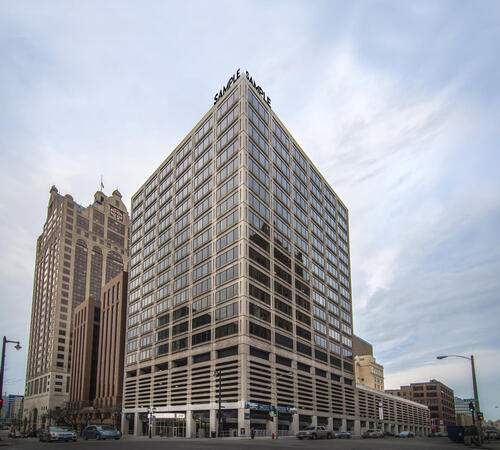
Milwaukee, WI - Downtown Milwaukee
250 E Wisconsin Ave 18th floor, Milwaukee, United States, 53202
This Regus centre is located on the 18th floor of Two‑Fifty in downtown Milwaukee, with excellent car access via I‑43 or I‑794 and secure paid underground parking within the building. From General Mitchell International Airport (MKE), take I‑94 West to I‑794, then exit onto East Wisconsin Avenue; the taxi or rideshare ride typically takes 15–20 minutes. Public transit users can use MCTS bus routes along Wisconsin Avenue or nearby stops such as Cathedral Square—followed by a short walk into the building’s lobby.
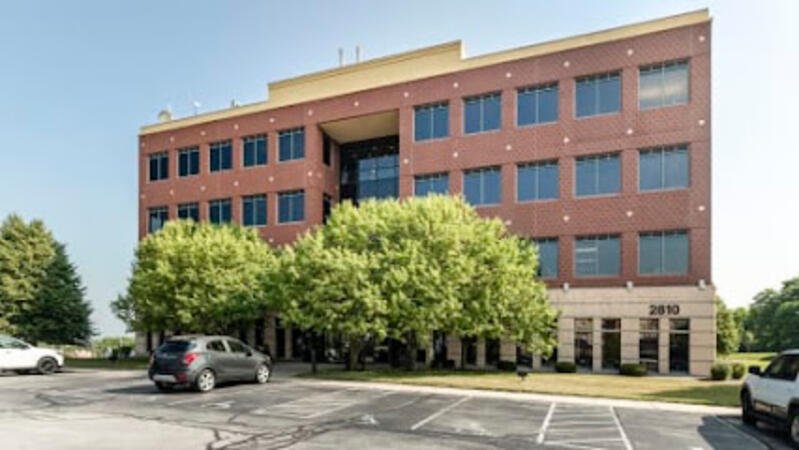
Madison, WI - Regus - Madison East - Park Bank Plaza
2810 Crossroads Dr #4000, Madison, United States, 53718
The venue occupies the 4th floor of Park Bank Plaza, a modern office tower in East Madison’s High Crossing district at 2810 Crossroads Drive. It is convenient by car via I‑90/94 and Highway 51, with secure covered parking on-site. From Dane County Regional Airport (MSN), head west on US 12/18, merge onto I‑90/94, exit at Crossroads Drive for a 15-minute taxi or rideshare ride. Metro Transit buses stop directly at Crossroads Drive; it’s just a short walk from the bus stop to the Regus entrance.
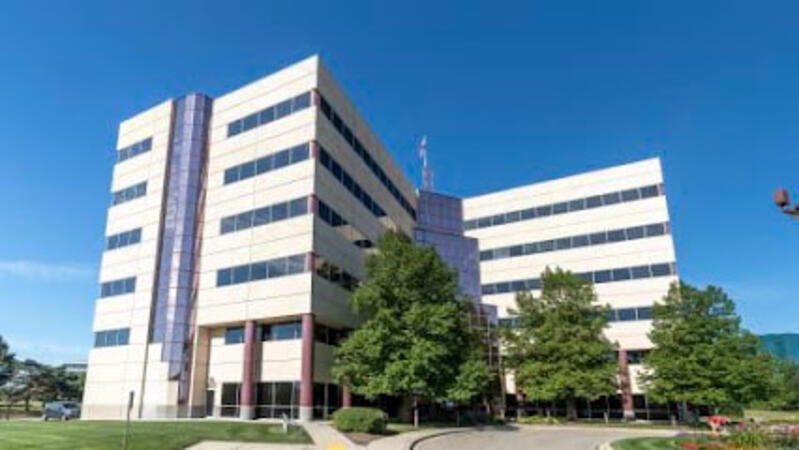
Middleton, WI - Regus - Middleton Greenway
8383 Greenway Blvd #600, Middleton, United States, 53562
The Regus centre at Middleton Greenway is situated in the award-winning Smith & Gesteland Building at 8383 Greenway Boulevard. It’s easily accessible by car via I‑90/I‑94 and Highway 51, with secure covered parking on-site and ample surface spaces. From Dane County Regional Airport (MSN), travel south on Highway 51 and merge onto I‑90/I‑94, exiting at Greenway Boulevard—taxi or rideshare typically takes about 20 minutes. Public transit users can take Metro Transit routes to the Greenway Boulevard stop just outside the building; the entrance is a short walk from the bus stop.
This instructor-led training in Wisconsin covers the fundamentals of Adobe Marketo Engage, ranging from campaign automation to AI-driven personalization and CRM integration. Participants acquire hands-on skills to design workflows, segment audiences, and analyze performance for omnichannel strategies for government and institutional use.
This hands-on training in Wisconsin equips faculty with Adobe Creative Cloud skills for academic content creation. Learn Photoshop, Illustrator, InDesign, and video tools. Master design, multimedia, and AI features to enhance institutional communication and teaching materials for government and educational stakeholders.
Adobe Hyvä serves as a contemporary frontend framework for Magento 2, designed to supersede the Luma stack with an architecture that prioritizes performance and developer efficiency for government digital services.
This live, instructor-led training program, available online or in-person, is tailored for intermediate to advanced Magento developers tasked with implementing and customizing Hyvä Themes in Adobe Commerce (Magento 2) projects for government applications.
Upon completion of this training, participants will possess the capability to:
Comprehend the architectural design and operational advantages of Hyvä Themes.
Execute the installation and configuration of Hyvä-based Magento 2 store environments.
Modify templates, styling, and layout structures using Alpine.js and Tailwind CSS.
Integrate third-party modules while ensuring strict compatibility with the Hyvä framework.
Enhance performance and user experience through the streamlined frontend capabilities of Hyvä.
Training Delivery Format
Facilitated lectures and structured discussions
Practical exercises and laboratory sessions
Implementation within a live development environment
Course Tailoring Options
To arrange customized training for this curriculum, please contact the relevant department to coordinate requirements for government use.
Adobe Express serves as an intuitive, cloud-based design solution that empowers individuals and teams to efficiently produce high-quality graphics, videos, and branded materials without requiring advanced design expertise. This tool is particularly well-suited for creating digital assets for government communications and public engagement.
This instructor-led, live training program (delivered online or in-person) is designed for entry-level users seeking to develop visually compelling marketing materials, presentations, and social media content using Adobe Express.
Upon completion of this training, participants will be equipped to:
Navigate the Adobe Express interface and leverage templates effectively.
Produce social media graphics, flyers, presentations, and short-form video content.
Consistently apply branding elements such as color schemes, logos, and typography.
Utilize Adobe Express cloud capabilities to collaborate and publish designs.
Course Delivery Format
Interactive instruction and facilitated discussion.
Extensive exercises and practical application opportunities.
Hands-on implementation within a live laboratory environment.
Customization Options
To arrange customized training specific to this course for government needs, please contact the training coordinator.
This live, instructor-led training in Wisconsin (delivered online or on-site) is designed for professionals at novice to intermediate levels who aim to refine document management workflows utilizing Adobe Acrobat and AI-enabled tools for government use.
Following the completion of this instruction, participants will be equipped to:
Generate and modify PDF documents from a variety of source files.
Alter PDF content, including text elements, images, and structural formatting.
Apply annotation and markup instruments for thorough document scrutiny.
Enact security protocols to ensure the protection of PDF files.
Leverage AI-driven utilities to automate PDF-centric operations.
This instructor-led, live training conducted in Wisconsin (online or onsite) is intended for graphic designers and animators with beginner to intermediate experience who aim to learn the creation of high-quality animations, interactive media, and engaging web content for government use using Adobe Animate.
Upon completion of this training, participants will be able to:
Navigate the Adobe Animate interface and utilize its tools.
Create and edit animations using keyframes, motion tweens, and shape tweens.
Design interactive animations and applications with ActionScript and JavaScript.
Incorporate audio and video elements into projects.
Export animations for web, video, and mobile platforms.
This instructor-led, live training in Wisconsin (delivered online or on-site) is intended for entry-level content developers seeking a foundational understanding of Adobe After Effects, Adobe Premiere Pro, Adobe Illustrator, Adobe Animate, and Adobe Character Animator.
Upon completion of this training, participants will be equipped to:
Comprehend the primary functionalities of each software application within the Adobe Creative Suite.
Apply tools and methodologies in Adobe After Effects for motion graphics, Adobe Premiere Pro for video editing, Adobe Illustrator for graphic design, Adobe Animate for animation production, and Adobe Character Animator for character animation, for government communications and internal training needs.
Enhance creative design and production competencies, thereby facilitating the more efficient and rapid development of high-quality digital content.
This 14-hour course in Wisconsin covers Adobe Acrobat PDF creation for government workflows, from converting Office documents to advanced batch processing. Participants will master form creation, security protocols, and portfolio features, building practical skills for efficient document management in professional settings.
This two-day instructor-led module in Wisconsin provides essential Adobe After Effects proficiency, covering layer management, keyframing, animation control, transparency, and rendering. Participants will gain the capability to produce professional video content adhering to industry standards for government media production.
This instructor-led, live training conducted in Wisconsin (online or onsite) is intended for graphic designers and illustrators seeking to utilize advanced Adobe Illustrator tools to produce professional-grade vector artwork, illustrations, and graphic designs for government applications.
Upon completion of this training, participants will be able to:
Gain comprehensive understanding of new and advanced features in Adobe Illustrator.
Develop proficiency in utilizing advanced Illustrator tools through established best practices.
Convert hand-drawn sketches into digital image formats.
Generate professional-grade graphics, logos, and animated GIFs.
Execute transformations, blending, and distortions on text and image elements.
Automate workflows to streamline repetitive tasks.
This instructor-led, live training in Wisconsin (available online or on-site) is designed for advanced-level creative professionals who aim to utilize Adobe Creative Cloud to produce advanced branded graphics, professional video content, motion assets, and integrated digital media deliverables for government.
Upon completion of this training, participants will be able to create advanced visual assets, edit and finalize professional video, build motion graphics, and streamline workflows across Adobe applications.
This instructor-led, live training in Wisconsin (available online or onsite) is designed for mid-level creative professionals seeking to utilize Adobe Creative Cloud to produce institutionally compliant graphics, professional video content, and digital media assets.
By the end of this training, participants will be able to: create standardized brand assets, edit professional video, produce basic motion graphics, and optimize workflows across Adobe applications for government operations.
This professional development course provides practical proficiency in constructing interactive digital learning environments. Beyond foundational concepts, participants will master established methodologies for developing and deploying Captivate modules for government training needs. Key competencies acquired include:
Capturing procedural demonstrations
Modifying recorded demonstrations
Managing interactive objects via the Timeline
Integrating visual media assets
Finalizing and distributing project outputs
Incorporating audio narration
Constructing simulation-based training modules
Implementing animated elements
Creating automated presentation sequences
Reporting performance data to Learning Management Systems
Adobe InDesign is a professional-grade desktop publishing platform utilized for the creation of layouts intended for print and digital distribution channels.
This instructor-led live training, available via online or onsite delivery, is designed for graphic designers, marketing professionals, and publishing specialists at the beginner to intermediate level. It focuses on the production of high-quality publications, including books, brochures, posters, and marketing collateral suitable for government operations.
By the conclusion of this training, participants will be equipped to:
Efficiently navigate the Adobe InDesign user interface.
Establish projects with accurate dimensions and structural layouts.
Integrate text, images, and graphics to produce cohesive designs.
Leverage styles, templates, and color palettes to ensure consistency and operational efficiency.
Finalize files for professional printing or digital publication standards.
Training Format
Interactive lectures and professional discussions.
Extensive exercises and practical application activities.
Hands-on implementation within a live laboratory environment.
Course Customization
To arrange customized training for government purposes, please contact our coordination team to discuss specific requirements.
This instructor-led, live training program in Wisconsin (available online or on-site) is intended for individuals aiming to develop proficiency in graphic design.
Upon completion, participants will be able to:
Apply basic design theories and utilize effective techniques.
Effectively use Adobe Creative Cloud applications, including Photoshop, Illustrator, and InDesign.
Identify alternatives to the Adobe Creative Cloud suite.
Monitor and adapt to current design trends.
Read more...
Last Updated:
Testimonials (4)
What I liked most about the training was the technical color and video performance theory session. It helped me clearly understand the reasoning behind key production decisions, such as why specific frame rates are chosen for different types of videos and how particular color spaces impact visual quality and performance. Having this theoretical foundation made the technical concepts more meaningful and easier to apply in practical scenarios.
Jason Lee
Course - Adobe Creative Cloud (After Effects, Premiere Pro, Illustrator, Animate, and Character Animator) for Beginners
Marko was very knowledgeable, friendly and explained in a very clear way. He also brought so many use cases, examples from his broad experience and was super interactive with us.
Delia Roxana Isfan-Stan
Course - Adobe Acrobat: PDF Creation and Editing
Marko’s openness to answer all our questions
Lorena Calin - BAT
Course - Adobe After Effects Essentials
I liked the part the most where we learn how to create objects.
Online Adobe training in Wisconsin, Adobe training courses in Wisconsin, Weekend Adobe courses in Wisconsin, Evening Adobe training in Wisconsin, Adobe instructor-led in Wisconsin, Adobe one on one training in Wisconsin, Weekend Adobe training in Wisconsin, Adobe private courses in Wisconsin, Adobe instructor-led in Wisconsin, Adobe on-site in Wisconsin, Adobe instructor in Wisconsin, Evening Adobe courses in Wisconsin, Adobe trainer in Wisconsin, Adobe coaching in Wisconsin, Adobe boot camp in Wisconsin, Adobe classes in Wisconsin, Online Adobe training in Wisconsin