

Instructor-led Graphic Design training courses, available both online and onsite, provide a comprehensive overview of the fundamentals and advanced topics through interactive hands-on practice. These courses are designed to enhance the skills necessary for government professionals.
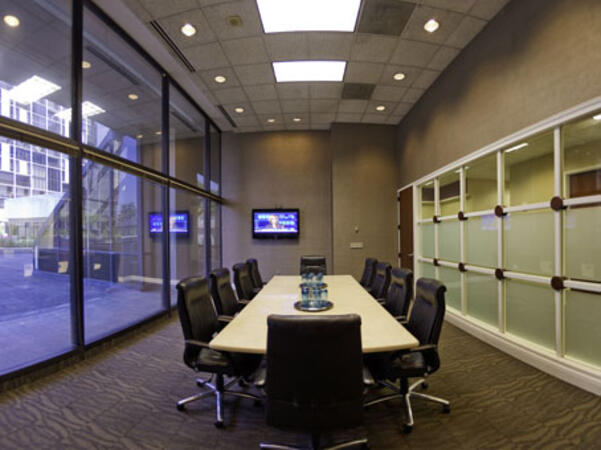
Graphic Design training can be conducted as "online live training" or "onsite live training." Online live training, also known as "remote live training," is delivered via an interactive remote desktop environment. Onsite live training can be arranged at customer premises in Atlanta or at NobleProg corporate training centers in Atlanta.
NobleProg -- Your Local Training Provider for government agencies and organizations.
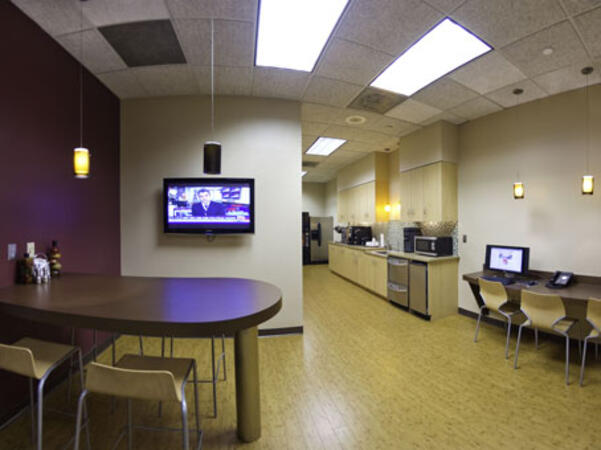
Atlanta, GA – Regus at Colony Squar
1201 Peachtree Street NE, Suite 200, Atlanta, United States, 30361
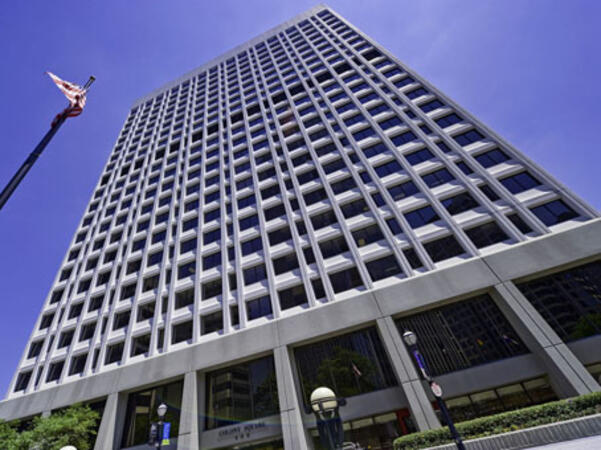
The venue is centrally located in Midtown Atlanta within the prominent Colony Square complex at 1201 Peachtree Street NE, easily accessed by car via I‑75/85 or GA‑400, with several parking garages nearby. From Hartsfield–Jackson Atlanta International Airport (ATL), around 15 miles south, a taxi or rideshare typically takes 20–30 minutes north along I‑75/85 N. Public transit users can take MARTA Rail to the Arts Center or Midtown stations (0.3–0.5 miles away) and walk easily, and numerous MARTA bus routes along Peachtree Street stop directly outside the entrance.
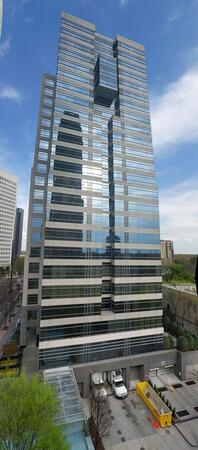
Atlanta, GA – The Proscenium
1170 Peachtree Street NE, Atlanta, United States, 30309
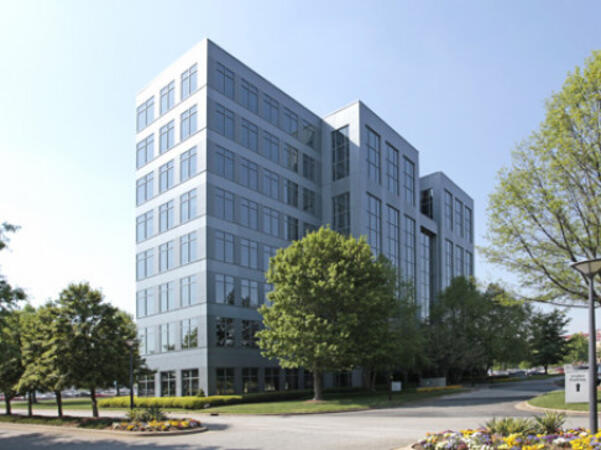
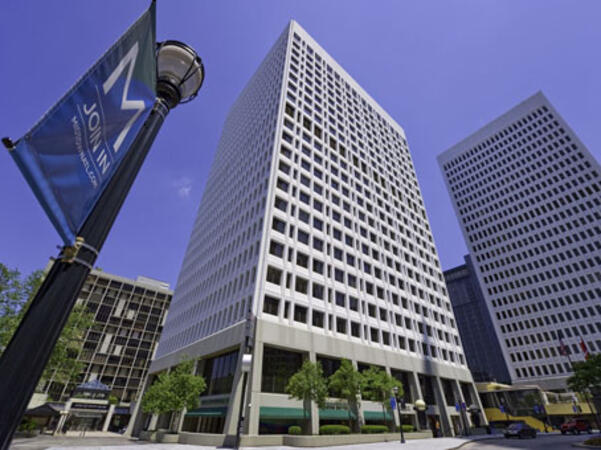
The venue is located in the heart of Midtown Atlanta in the Proscenium high–rise at 1170 Peachtree Street NE, easily accessible by car via I‑75/85 and GA‑400 with several parking garages nearby. Visitors arriving from Hartsfield–Jackson Atlanta International Airport (ATL), about 15 miles south, can expect a taxi or rideshare ride taking 20–30 minutes via I‑75/85 North. Public transit is seamless with MARTA Rail service; the Arts Center and Midtown stations are within walking distance (approximately 0.3–0.4 miles), and multiple MARTA bus routes also serve Peachtree Street.
Atlanta, GA – Regus at One Hartsfield
100 Hartsfield Centre Parkway, Suite 500, Atlanta, United States, 30354
The venue is located in the One Hartsfield Center office building, adjacent to Hartsfield–Jackson Atlanta International Airport, easily reached by car via I‑75/I‑85 or GA‑138, with abundant on-site parking. Visitors arriving from ATL airport can walk or take a shuttle to the building, or opt for a quick 2–3‑minute taxi or rideshare ride. Public transit users can board MARTA from the Airport Station and ride one stop to College Park Station, then catch a connecting shuttle or enjoy a brief walk of about half a mile.
Atlanta, GA – Regus at Peachtree
260 Peachtree Street NW, Suite 2200, Atlanta, United States, 30303
The venue is situated in the iconic Coastal States Building at 260 Peachtree Street in downtown Atlanta, accessible by car via I‑75/85 or I‑20 with convenient parking garages nearby. From Hartsfield–Jackson Atlanta International Airport (ATL), about 12 miles south, a taxi or rideshare along I‑75/85 North takes approximately 15–20 minutes. For public transit, MARTA rail users can disembark at Five Points Station and walk 0.5 miles northeast, or exit at Peachtree Center Station and walk two blocks north—both routes offering easy access.
Adobe Marketo Engage is a robust platform designed for marketing automation and CRM integration. It empowers organizations to design, automate, and measure personalized marketing campaigns across multiple channels. This course equips participants with the knowledge and practical skills necessary to build intelligent workflows, segment audiences, leverage AI-driven personalization, and analyze campaign performance effectively.
This instructor-led, live training (available online or onsite) is tailored for beginner-level to intermediate-level participants who wish to enhance their competencies in using Adobe Marketo Engage to plan, execute, and optimize omnichannel marketing campaigns, both for academic and commercial purposes.
By the end of this training, participants will be able to:
Navigate the Marketo Engage interface and understand its core automation functions.
Design and implement lead nurturing workflows and dynamic content campaigns.
Segment and manage audiences using smart lists and AI-driven insights.
Integrate CRM systems for seamless data synchronization and tracking.
Analyze performance metrics and apply optimization techniques based on campaign data.
Develop an end-to-end automated marketing project relevant to higher education or other sectors, including those for government.
Format of the Course
Theoretical presentation with real-world examples.
Hands-on demonstrations in a controlled lab environment.
Interactive exercises and a practical workshop project.
Final evaluation through the presentation of a functional automated campaign.
Course Customization Options
To request a customized training for this course, please contact us to arrange.
Adobe Creative Cloud is a comprehensive suite of industry-standard tools designed for creative professionals, enabling high-quality design, multimedia production, and collaboration. This course provides faculty members with hands-on experience using Adobe’s core applications to design academic and institutional materials, enhancing creativity, innovation, and communication in the teaching–learning process.
This instructor-led, live training (online or onsite) is aimed at beginner-level to intermediate-level participants who wish to develop digital competencies in graphic design, multimedia editing, and academic content creation using Adobe Creative Cloud tools for government and educational institutions.
By the end of this training, participants will be able to:
- Navigate the Adobe Creative Cloud ecosystem and manage files through the cloud.
- Design and edit professional visual materials using Photoshop, Illustrator, and InDesign.
- Create engaging video and motion graphics content with Premiere Pro and After Effects.
- Produce and secure PDF documents using Adobe Acrobat Pro DC.
- Leverage Adobe Express and Firefly for generative AI design and digital marketing assets.
- Integrate Adobe tools to develop institutional and academic multimedia projects.
**Format of the Course**
- Project-based learning with hands-on exercises.
- Guided demonstrations using official Adobe software.
- Practical assignments, partial evaluations, and a final integrative project.
**Course Customization Options**
- To request a customized training for this course, please contact us to arrange.
Adobe Hyvä is a modern frontend framework designed for Magento 2 that replaces the Luma stack with an architecture focused on performance and developer-friendly features.
This instructor-led, live training (available online or onsite) is aimed at intermediate to advanced-level Magento developers who wish to implement and customize Hyvä Themes in Adobe Commerce (Magento 2) projects for government use.
By the end of this training, participants will be able to:
Understand the architecture and benefits of Hyvä Themes.
Install and configure a Hyvä-based Magento 2 store.
Customize templates, styles, and layout using Alpine.js and Tailwind CSS.
Integrate third-party modules and ensure compatibility with Hyvä.
Optimize performance and user experience with Hyvä's lean frontend stack.
Format of the Course
Interactive lecture and discussion
Hands-on exercises and labs
Live development environment implementation
Course Customization Options
To request a customized training for this course, please contact us to arrange.
Adobe Express is a user-friendly, cloud-based design tool that enables individuals and teams to quickly create high-quality graphics, videos, and branded content without requiring advanced design experience.
This instructor-led, live training (online or onsite) is designed for beginner-level users who wish to create visually appealing marketing assets, presentations, and social media content using Adobe Express for government purposes.
By the end of this training, participants will be able to:
- Navigate the Adobe Express interface and use templates effectively.
- Create social media graphics, flyers, presentations, and short videos.
- Apply branding elements such as colors, logos, and fonts consistently.
- Collaborate and publish designs using Adobe Express's cloud features.
**Format of the Course:**
- Interactive lecture and discussion.
- Extensive exercises and practice sessions.
- Hands-on implementation in a live-lab environment.
**Course Customization Options:**
- To request a customized training for this course, please contact us to arrange.
This instructor-led, live training in [location] (online or onsite) is aimed at beginner-level to intermediate-level professionals who wish to optimize their document workflows using Adobe Acrobat and AI-powered tools for government.
By the end of this training, participants will be able to:
- Create and edit PDF documents from various sources.
- Modify PDF content, including text, images, and formatting.
- Use annotation and markup tools for document review.
- Implement security features to protect PDF documents.
- Leverage AI-powered tools to automate PDF-related tasks.
This instructor-led, live training (online or onsite) is designed for government graphic designers and animators at the beginner to intermediate level who wish to learn how to create compelling animations, interactive media, and engaging web content using Adobe Animate.
By the end of this training, participants will be able to:
- Navigate the Adobe Animate interface and utilize its tools effectively.
- Create and edit animations using keyframes, motion tweens, and shape tweens.
- Design interactive animations and applications with ActionScript and JavaScript.
- Incorporate audio and video elements into their projects.
- Export animations for use on web, video, and mobile platforms.
This training is tailored to enhance the skills of professionals working in government roles, ensuring they can produce high-quality multimedia content that meets the needs of public sector workflows, governance, and accountability.
This instructor-led, live training in Atlanta (online or onsite) is aimed at beginner-level content developers who wish to gain a foundational understanding of Adobe After Effects, Adobe Premiere Pro, Adobe Illustrator, Adobe Animate, and Adobe Character Animator for government use.
By the end of this training, participants will be able to:
- Understand the core functions of each software tool in the Adobe Creative Suite.
- Utilize tools and techniques in Adobe After Effects for motion graphics, Adobe Premiere Pro for video editing, Adobe Illustrator for graphic design, Adobe Animate for animations, and Adobe Character Animator for character animation.
- Enhance creative design and production capabilities, enabling faster and more efficient development of high-quality digital content for government projects.
This instructor-led, live training (online or onsite) is designed for beginner and intermediate photographers who wish to fully utilize Darktable for their image editing and management needs. This course provides a comprehensive overview of the Darktable software, starting from the basics and advancing to more sophisticated editing techniques.
By the end of this training, participants will be able to:
- Set up a development environment with Darktable.
- Import, organize, and manage photo collections.
- Edit and enhance images using Darktable's features.
- Perform advanced color correction and manipulation.
- Apply non-destructive editing techniques.
- Troubleshoot common issues in Darktable.
This training is tailored to support the specific needs of users, ensuring that they can effectively leverage Darktable for government and personal projects.
This instructor-led, live training in [location] (online or onsite) is designed for government engineers and drafters at all levels who seek to utilize Geometric Dimensioning and Tolerancing (GD&T) to produce precise and standardized 2D drawings for engineering projects.
By the end of this training, participants will be able to:
- Understand and apply GD&T symbols and concepts to 2D drawings.
- Create clear and standardized technical drawings using GD&T principles.
- Interpret and implement feedback based on GD&T annotations.
- Collaborate effectively with teams using standardized GD&T notations for government projects.
Adobe Acrobat Reader, for many individuals, is primarily used to view PDF files.
However, this application also enables the submission of PDF documents according to specific requirements and can replace other documents created in popular programs such as Microsoft Office, Word, Excel, and PowerPoint by converting them into this format.
The training on Creating PDF Documents is designed for individuals who want to master the techniques for composing PDF documents for government use.
Form of Conduct
Exercises are preceded by a lecture from the instructor.
The Adobe After Effects Essentials is a two-day training program designed to equip participants with the essential skills required to effectively use Adobe After Effects. Throughout the course, attendees will learn how to manage layers within After Effects, understand key framing techniques, control animations, work with transparency, and gain a deeper understanding of rendering and output processes. Upon completion of the course, participants will be proficient in editing video content using After Effects while applying best practice methodologies.
This training program covers all the fundamental skills necessary for the post-production of high-quality video content, ensuring that professionals are well-prepared to meet the demands required for government and other public sector workflows.
Experienced graphic and media designers who are already proficient with core Adobe tools and seek to enhance their advanced workflows, corporate report design, infographic creation, branding systems, and AI-assisted production for government.
Format of Training
Instructor-led sessions with structured explanations
Demonstrations followed by guided hands-on exercises
Practical work based on real-world government design scenarios
Individual and group feedback during exercises and project work
Course Objectives
By the end of this training course, participants will be able to:
Utilize advanced Adobe Creative Cloud features to improve efficiency across tools for government projects
Leverage AI-powered capabilities in Photoshop, Illustrator, and InDesign to expedite design tasks
Produce high-quality visual assets for corporate reports and presentations within a government context
Develop professional infographics that align with brand and communication standards for government use
Establish consistent branding and layout systems across multiple deliverables for government initiatives
Automate report layouts and publishing workflows using InDesign to streamline government processes
Apply AI responsibly while maintaining visual consistency and brand control in government communications
This instructor-led, live training in [location] (online or onsite) is designed for graphic designers and illustrators who wish to utilize the advanced tools in Adobe Illustrator to create professional and high-quality vector artwork, illustrations, and graphic designs.
By the end of this training, participants will be able to:
- Gain a deeper understanding of the new and advanced features in Adobe Illustrator.
- Discover tips and techniques for effectively using the advanced Illustrator tools.
- Convert hand-drawn sketches into digital images.
- Produce professional-grade graphics, logos, and animated GIFs.
- Transform, blend, and distort texts and images with precision.
- Automate workflows to streamline repeated tasks, enhancing efficiency for government projects.
This instructor-led instructional program, available online or at designated facilities, is designed for seasoned creative practitioners seeking to leverage the Adobe Creative Cloud suite. The curriculum focuses on the development of sophisticated branded graphics, high-quality video production, motion design assets, and comprehensive digital media outputs.
Upon completion of this course, attendees will demonstrate proficiency in generating complex visual assets, executing professional video editing and finishing, constructing motion graphics, and optimizing operational workflows across multiple Adobe applications. This training is tailored for government professionals who require advanced technical capabilities in digital media production.
This instructor-led, live training (offered via online or onsite delivery) targets intermediate-level creative professionals seeking to utilize Adobe Creative Cloud for the development of workplace-ready graphics, video content, and digital media assets. The curriculum is designed to enhance operational efficiency and align with organizational standards for digital communication.
Upon completion, participants will demonstrate proficiency in creating branded assets, editing professional-grade video, producing foundational motion graphics, and optimizing workflows across the Adobe application suite. This training provides essential skills and knowledge for government personnel and other practitioners requiring precise and efficient digital media production capabilities.
Key learning outcomes include:
Design and produce branded assets consistent with professional standards.
Edit professional video content with technical precision.
Generate basic motion graphics for digital platforms.
Implement efficient workflows to enhance productivity across Adobe applications.
The training program provides practical knowledge on how to develop an interactive eLearning platform for government. In addition to covering fundamental concepts, participants will learn best practices for creating and publishing Captivate projects. During the training, you will gain skills in:
- Recording demonstrations
- Editing demonstrations
- Working with objects in the Timeline
- Managing images
- Publishing your projects
- Incorporating audio
- Recording simulations
- Adding animations
- Creating slideshows
- Transferring results to a Learning Management System
- Updating projects
- Building standalone viewers with MenuBuilder
This comprehensive training is designed to enhance the capabilities of government employees in developing effective and engaging eLearning materials for government use.
This instructor-led, live training in Atlanta (online or onsite) is designed for government graphic designers, marketing professionals, and publishing specialists who are at a beginner to intermediate level. Participants will learn to use Adobe InDesign to create professional-quality books, brochures, posters, and marketing materials.
By the end of this training, participants will be able to:
Navigate the Adobe InDesign interface with efficiency.
Set up projects using appropriate dimensions and layouts for government publications.
Work with text, images, and graphics to produce engaging designs that meet public sector standards.
Utilize styles, templates, and color palettes to ensure consistency and enhance productivity in their work for government.
Prepare files for professional printing or digital publishing in accordance with government guidelines.
This one-day intensive course is designed to provide a comprehensive foundation in utilizing AI tools for graphic design and advertising, offering both theoretical insights and practical hands-on experience. Participants will gain the knowledge and skills necessary to become leaders in the field of AI-driven graphic design and advertising. Enroll in "AI Powered Graphic Design - Midjourney, Firefly, GPT, Bard" today to harness the full potential of AI for government and enhance your creative capabilities and career prospects.
Foundational Interface and Utilities Trainees will acquire proficiency in Canva’s essential functions, including text manipulation, formatting, and the integration of visual assets. This instruction establishes the groundwork for producing clear, visually coherent materials for government use.
Initial Project Development Through practical application, participants will execute their inaugural design initiative. This module covers template selection, typography and color scheme customization, and the incorporation of proprietary elements to tailor outputs to specific requirements.
Advanced Design Methodologies Instruction will extend to sophisticated design capabilities, enabling the creation of professional-grade deliverables such as infographics, diagrams, and complex layouts. Topics also encompass photo editing techniques, including filtering, cropping, and color adjustment.
Artificial Intelligence Integration Learners will examine the utility of artificial intelligence tools within the platform to automate repetitive tasks, generate synthetic media, and optimize workflow efficiency. This approach supports enhanced productivity and consistent quality in public sector communications.
This instructor-led, live training (available online or onsite) is designed for government personnel and individuals who wish to pursue a career in graphic design.
By the end of this training, participants will be able to:
- Comprehend fundamental design principles and apply practical design methods.
- Utilize Adobe Creative Cloud applications effectively, including Photoshop, Illustrator, and InDesign.
- Explore alternatives to Adobe Creative Cloud for government use.
- Stay informed about current design trends relevant to public sector workflows.
Read more...
Last Updated:
Testimonials (3)
What I liked most about the training was the technical color and video performance theory session. It helped me clearly understand the reasoning behind key production decisions, such as why specific frame rates are chosen for different types of videos and how particular color spaces impact visual quality and performance. Having this theoretical foundation made the technical concepts more meaningful and easier to apply in practical scenarios.
Jason Lee
Course - Adobe Creative Cloud (After Effects, Premiere Pro, Illustrator, Animate, and Character Animator) for Beginners
Marko was very knowledgeable, friendly and explained in a very clear way. He also brought so many use cases, examples from his broad experience and was super interactive with us.
Delia Roxana Isfan-Stan
Course - Adobe Acrobat: PDF Creation and Editing
I liked the part the most where we learn how to create objects.
Online Graphic Design training in Atlanta, Graphic Design training courses in Atlanta, Weekend Graphic Design courses in Atlanta, Evening Graphic Design training in Atlanta, Graphic Design instructor-led in Atlanta, Evening Graphic Design courses in Atlanta, Online Graphic Design training in Atlanta, Graphic Design classes in Atlanta, Graphic Design trainer in Atlanta, Graphic Design coaching in Atlanta, Graphic Design private courses in Atlanta, Graphic Design instructor in Atlanta, Graphic Design one on one training in Atlanta, Weekend Graphic Design training in Atlanta, Graphic Design instructor-led in Atlanta, Graphic Design boot camp in Atlanta, Graphic Design on-site in Atlanta