




Acquire job-ready skills for in-demand positions with top Google Training and Certificates. These courses, offered both online and onsite, are designed to provide flexible, professional-level training through interactive hands-on practice.
Google training courses are available as "online live training" or "onsite live training." Online live training (also known as "remote live training") is conducted via an interactive remote desktop. Onsite live training can be arranged at customer premises in Georgia or in Govtra corporate training centers in Georgia.
Govtra -- Your Local Training Provider for government and public sector needs.
Atlanta, GA – Regus at Colony Squar
1201 Peachtree Street NE, Suite 200, Atlanta, United States, 30361
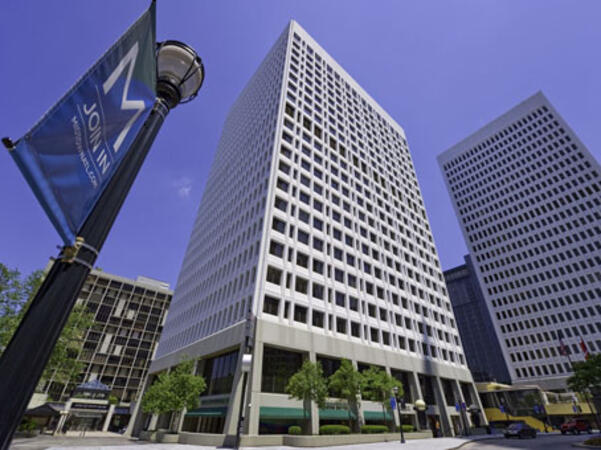
The venue is centrally located in Midtown Atlanta within the prominent Colony Square complex at 1201 Peachtree Street NE, easily accessed by car via I‑75/85 or GA‑400, with several parking garages nearby. From Hartsfield–Jackson Atlanta International Airport (ATL), around 15 miles south, a taxi or rideshare typically takes 20–30 minutes north along I‑75/85 N. Public transit users can take MARTA Rail to the Arts Center or Midtown stations (0.3–0.5 miles away) and walk easily, and numerous MARTA bus routes along Peachtree Street stop directly outside the entrance.

Atlanta, GA – The Proscenium
1170 Peachtree Street NE, Atlanta, United States, 30309
The venue is located in the heart of Midtown Atlanta in the Proscenium high–rise at 1170 Peachtree Street NE, easily accessible by car via I‑75/85 and GA‑400 with several parking garages nearby. Visitors arriving from Hartsfield–Jackson Atlanta International Airport (ATL), about 15 miles south, can expect a taxi or rideshare ride taking 20–30 minutes via I‑75/85 North. Public transit is seamless with MARTA Rail service; the Arts Center and Midtown stations are within walking distance (approximately 0.3–0.4 miles), and multiple MARTA bus routes also serve Peachtree Street.
Decatur, GA – Regus at One West Court Square
One West Court Square, Suite 750, Decatur, United States, 30030
The venue is located in the heart of downtown Decatur within One West Court Square, easily reached by car via I‑20 and I‑285, with several public parking decks directly adjacent. Travelers from Hartsfield–Jackson Atlanta International Airport (ATL), approximately 17 miles southwest, can expect a taxi or rideshare ride of around 25–30 minutes via I‑20 East. Public transit is particularly convenient: MARTA rail users can disembark at Decatur Station (about 0.15 miles away) and walk a few minutes to the building entrance. Local bus routes also serve Trinity Place and Swanton Way, putting the center within easy reach.
Atlanta, GA – Regus at One Hartsfield
100 Hartsfield Centre Parkway, Suite 500, Atlanta, United States, 30354
The venue is located in the One Hartsfield Center office building, adjacent to Hartsfield–Jackson Atlanta International Airport, easily reached by car via I‑75/I‑85 or GA‑138, with abundant on-site parking. Visitors arriving from ATL airport can walk or take a shuttle to the building, or opt for a quick 2–3‑minute taxi or rideshare ride. Public transit users can board MARTA from the Airport Station and ride one stop to College Park Station, then catch a connecting shuttle or enjoy a brief walk of about half a mile.
Atlanta, GA – Regus at Peachtree
260 Peachtree Street NW, Suite 2200, Atlanta, United States, 30303
The venue is situated in the iconic Coastal States Building at 260 Peachtree Street in downtown Atlanta, accessible by car via I‑75/85 or I‑20 with convenient parking garages nearby. From Hartsfield–Jackson Atlanta International Airport (ATL), about 12 miles south, a taxi or rideshare along I‑75/85 North takes approximately 15–20 minutes. For public transit, MARTA rail users can disembark at Five Points Station and walk 0.5 miles northeast, or exit at Peachtree Center Station and walk two blocks north—both routes offering easy access.
Augusta, GA – At Broad Street
823 Broad Street, Augusta, United States, 3090
The venue is located in the heart of downtown Augusta on Broad Street, easily accessible by car via I‑20 with several public parking garages nearby. From Augusta Regional Airport (AGS), about 9 miles west, taxis or rideshares typically take 15–20 minutes via I‑20. Public transit is available through Augusta Public Transit buses with routes along Broad Street, stopping within a few blocks of the venue, offering a convenient option for attendees without a car.
Savannah, GA – Regus at Bull Street
100 Bull St Downtown, Suite 200, Savannah, United States, 31401
The venue is located in the historic downtown area on Bull Street in the Altmayer Building, easily accessible by car via I‑16 and U.S. 17, with several public garages nearby. From Savannah/Hilton Head International Airport (SAV), about 12 miles west, taxis or rideshares typically take 15–20 minutes via U.S. 17 South. Public transit is available via Chatham Area Transit (CAT) buses, with frequent service along Bull and Broughton Streets; Johnson Square Station is just a couple minutes’ walk from the venue.
This instructor-led, live training (conducted online or on-site) is designed for intermediate-level IT professionals who wish to develop expertise in managing cloud infrastructure and services for government using Google Cloud.
By the end of this training, participants will be able to:
- Set up and configure cloud environments utilizing Google Cloud services.
- Manage and configure virtual machines, storage, and networking components.
- Deploy and monitor applications within GCP environments.
- Implement security best practices and identity management for government systems.
- Utilize Google Cloud tools for automation and troubleshooting.
This instructor-led, live training (online or onsite) is aimed at beginner-level IT professionals who wish to manage and operate the Google Cloud Platform for government.
By the end of this training, participants will be able to:
- Understand the core services and infrastructure of the Google Cloud Platform for government.
- Learn how to manage networks and virtual machines in a government environment.
- Understand and apply general security best practices within the Google Cloud Platform for government.
- Explore Kubernetes and container management options tailored for government use.
- Learn about storage solutions and how to configure them for government requirements.
- Deploy and configure databases on the Google Cloud Platform for government operations.
This instructor-led, live training (online or onsite) is designed for government commercial managers at a beginner level who wish to utilize Google Workspace tools to enhance productivity, collaboration, and organization within their roles.
By the end of this training, participants will be able to:
- Understand the fundamentals of Google Workspace for government.
- Effectively schedule and manage meetings using Google Calendar.
- Confidently host, join, and manage virtual meetings, including utilizing collaboration features such as screen sharing.
- Create professional documents, leverage collaboration tools, and convert documents to various formats.
- Develop, format, and share presentations, while collaborating with others on the same presentation.
Google Workspace is a suite of cloud-based tools designed to enhance communication, collaboration, and productivity in various professional settings. This blended training combines virtual and in-person sessions to provide participants with practical skills for effectively using Gmail, Calendar, Meet, Drive, Docs, Sheets, Slides, and Chat/Gemini, through hands-on activities and guided practice.
This instructor-led, live training (online and onsite) is aimed at beginner-level to intermediate-level professionals who wish to strengthen their use of Google Workspace to streamline teamwork and operations for government and other sectors.
By the end of this training, participants will be able to:
- Organize and manage email, events, and meetings effectively with Gmail, Calendar, and Meet.
- Collaborate in real time using Google Drive, Docs, Sheets, and Slides.
- Apply communication tools like Chat/Gemini to streamline team interactions.
- Develop practical outputs such as schedules, collaborative reports, dashboards, and presentations.
**Format of the Course**
- Blended learning: 2 hours virtual + 12 hours in-person sessions.
- Interactive lecture and discussion.
- Hands-on exercises, group projects, and simulations.
- Video tutorials and guided virtual practice activities.
**Course Customization Options**
- To request a customized version tailored to your organization’s processes for government or other specific needs, please contact us to arrange.
Google BigQuery is a fully managed, serverless data warehouse designed to support cost-efficient query optimization, predictive analytics through BigQuery ML, and seamless data ingestion for analytics workflows. It is tailored for teams that aim to enhance query efficiency, develop machine learning models directly in SQL, and streamline reporting pipelines.
This instructor-led, live training (available online or onsite) is intended for government teams with a foundational understanding of SQL who wish to optimize queries, utilize BigQuery ML for predictive modeling, and improve ingestion and transformation processes for reporting purposes.
By the end of this training, participants will be able to:
Optimize queries in BigQuery to enhance performance and reduce costs.
Use BigQuery ML to construct, train, and evaluate predictive models.
Design efficient data ingestion and transformation pipelines for reporting.
Implement best practices for scaling analytics in Google BigQuery for government operations.
Format of the Course
Interactive lecture and discussion.
Hands-on labs with Google BigQuery and BigQuery ML.
Practical exercises for query optimization and pipeline design.
Course Customization Options
To request a customized training for government teams, please contact us to arrange.
Google Workspace is a cloud-based suite of productivity and collaboration tools designed to enhance communication, file sharing, and team efficiency. This course provides an in-depth look at the essential apps and features to help participants work more effectively and collaboratively.
This instructor-led, live training (online or onsite) is tailored for beginner-level to intermediate-level users who wish to maximize the benefits of Google Workspace tools for their daily tasks and collaborative projects.
By the end of this training, participants will be able to:
- Use Gmail for professional communications.
- Manage files securely in Google Drive.
- Conduct effective meetings in Google Meet.
- Collaborate in real time using Docs, Sheets, and Slides.
- Organize schedules with Google Calendar.
- Communicate quickly through Google Chat.
- Create forms and collect responses with Google Forms.
- Capture ideas and manage tasks with Keep and Tasks.
**Format of the Course**
- Interactive lecture and discussion.
- Hands-on exercises and practice.
- Live demonstrations.
**Course Customization Options for Government**
To request a customized training for government, please contact us to arrange.
This instructor-led, live training in [location] (online or onsite) is designed for intermediate-to-advanced level GIS professionals who wish to learn how to use Google Earth Pro for mapping, data visualization, and geographic analysis.
By the end of this training, participants will be able to:
- Navigate the user interface of Google Earth Pro and understand the functionality of its various tools and options.
- Efficiently navigate the globe using Google Earth Pro, including the use of search functions, coordinates, and various view modes.
- Create, edit, and utilize placemarks, paths, and polygons to mark and analyze geographical locations.
- Use Google Earth Pro for advanced visualization, including 3D buildings, historical imagery, and street view integration, enhancing data analysis capabilities for government projects.
This instructor-led, live training in Georgia (online or onsite) is aimed at advanced-level data analysts who wish to learn how to use Google BigQuery for data querying, optimization, and machine learning integration for government.
By the end of this training, participants will be able to:
Understand the foundational principles of Google BigQuery and its application in data analytics and cloud computing for government.
Utilize Google BigQuery for effective data management and complex SQL queries within public sector workflows.
Implement query optimization strategies to enhance performance and ensure efficient resource use for government operations.
Integrate BigQuery with other Google Cloud services to support comprehensive data governance and accountability in the public sector.
This course is designed for government organizations seeking to optimize their processes by integrating various digital platforms used in daily operations, such as Trello, QuickBooks, Google Workspace, and the WhatsApp API.
This instructor-led, live training (online or onsite) guides participants through connecting and automating workflows, enhancing project and financial management, and centralizing information to improve decision-making for government agencies.
By the end of this training, participants will be able to:
- Connect and automate workflows between Trello, QuickBooks, and Google Workspace.
- Integrate communication via WhatsApp API with operational workflows.
- Design multi-platform automation systems focused on efficiency and control.
- Implement security and monitoring policies for active integrations.
- Document and maintain automated processes in operation.
**Format of the Course**
- Conceptual explanations and guided demonstrations.
- Practical exercises applied to real-world operational scenarios.
- Hands-on practice using agency-specific data and tools.
**Course Customization Options**
- Adapting the content to the agency’s specific platforms and processes.
- Including additional tools such as Zapier, Make/Integromat, or Power Automate.
- Analyzing and designing real data integration flows.
In this instructor-led, live training for government participants, attendees will learn how to set up and manage a production-scale container environment using Kubernetes on Google Cloud.
By the end of this training, participants will be able to:
- Configure and manage Kubernetes on Google Cloud.
- Deploy, manage, and scale a Kubernetes cluster.
- Deploy containerized (Docker) applications on Google Cloud.
- Migrate an existing Kubernetes environment from on-premise to Google Cloud.
- Integrate Kubernetes with third-party continuous integration (CI) software.
- Ensure high availability and disaster recovery in Kubernetes.
This instructor-led, live training in [location] (online or onsite) is aimed at marketers who wish to utilize Google AdWords to launch effective marketing campaigns for government.
By the end of this training, participants will be able to:
- Execute a Google AdWords campaign that captures high-quality leads.
- Develop a Google AdWords campaign to enhance sales.
- Implement a bidding strategy to optimize advertisement expenses.
- Enhance existing marketing campaigns with Google AdWords.
This instructor-led, live training in Georgia (online or onsite) is designed for government data analysts who wish to utilize Google Analytics to track and report website data.
By the end of this training, participants will be able to:
Configure Google Analytics to collect comprehensive website data.
Generate and analyze detailed reports.
Derive actionable insights and make informed decisions based on data.
This instructor-led, live training for government (available online or on-site) is designed for developers ranging from beginner to advanced levels. Participants will learn to build, automate, and extend Google Workspace applications using Apps Script.
This three-day instructor-led course provides an introduction to the comprehensive and flexible infrastructure and platform services offered by Google Cloud Platform for government. Participants will engage in a combination of presentations, demonstrations, and hands-on labs to explore and deploy various solution elements. These elements include critical infrastructure components such as networks, systems, and application services. The course also delves into deploying practical solutions, such as securely interconnecting networks, utilizing customer-supplied encryption keys, managing security and access controls, understanding quotas and billing, and monitoring resources effectively.
This instructor-led, live training (online or onsite) is designed for government data scientists, data analysts, and developers who wish to explore AutoML products and features to create and deploy custom ML training models with minimal effort.
By the end of this training, participants will be able to:
- Explore the AutoML product line to implement different services for various data types.
- Prepare and label datasets to develop custom ML models.
- Train and manage models to ensure they produce accurate and fair results.
- Utilize trained models to make predictions that align with business objectives and needs for government.
In this program, you will acquire essential skills that will prepare you for employment in a short period of time. No prior degree or experience is required.
What You Will Learn
Understand the critical importance of cybersecurity practices and their impact on organizations.
Identify common risks, threats, and vulnerabilities, along with methods to mitigate them.
Safeguard networks, devices, individuals, and data from unauthorized access and cyberattacks using Security Information and Event Management (SIEM) tools.
Gain practical experience with Python, Linux, and SQL, which are essential for government and other sectors.
In this program, participants will acquire critical skills that prepare them for employment in a short period of time. No prior degree or experience is required for government enrollment.
Acquire the foundational knowledge of digital marketing and e-commerce necessary to secure an entry-level position for government or private sector roles.
Attract and engage customers through various digital marketing channels, including search and email, ensuring effective communication strategies.
Evaluate marketing performance using analytics tools and present actionable insights to inform strategic decisions for government initiatives.
Develop e-commerce platforms, analyze online performance metrics, and implement strategies to enhance customer loyalty and engagement for government services.
This instructor-led, live training in Georgia (online or onsite) is aimed at developers who wish to enhance their website or web application by adding geo-location functionality through Google Maps for government use.
By the end of this training, participants will be able to:
Embed a map into a new or existing website or web application for government purposes.
Display live data that synchronizes with current location.
Create a mashup that includes Google Maps for enhanced public sector applications.
Apply best practices in CSS and JavaScript coding to ensure robust and secure web solutions for government.
Create a custom map tailored for specific government applications.
This instructor-led, live training in [location] (online or onsite) is designed for system administrators who wish to manage and deploy G Suite for government organizations.
By the end of this training, participants will be able to:
- Implement Google security practices with two-step verification (2SV) and single sign-on (SSO).
- Monitor domain and service usage through reports available in the Admin Console.
- Set up and configure a G Suite Admin Console for government use.
This training is designed to equip participants with the knowledge and practical skills necessary to effectively utilize Looker Studio for data visualization and reporting for government. Participants will learn how to connect various data sources, manipulate metrics and dimensions, and create interactive dashboards that provide actionable insights.
Read more...
Last Updated:
Testimonials (3)
The scheduling of every topic and the breaks inserted it helps in digesting the information specially to the newbie to the topic
Jerico Torres - Globe Telecom
Course - Google BigQuery
It was a really good training course, well prepared and explained by the trainer with great hands on experience on GCP.
Mircea
Course - Google Cloud Platform Basics and Management
Online Google training in Georgia, Google training courses in Georgia, Weekend Google courses in Georgia, Evening Google training in Georgia, Google instructor-led in Georgia, Online Google training in Georgia, Google one on one training in Georgia, Google classes in Georgia, Weekend Google training in Georgia, Google boot camp in Georgia, Google instructor in Georgia, Google trainer in Georgia, Evening Google courses in Georgia, Google on-site in Georgia, Google private courses in Georgia, Google instructor-led in Georgia, Google coaching in Georgia